SA
SA
 KW
KW
 IE
IE AU
AU UAE
UAE UK
UK USA
USA
 CA
CA DE
DE
 QA
QA ZA
ZA
 BH
BH NL
NL
 MU
MU FR
FR


















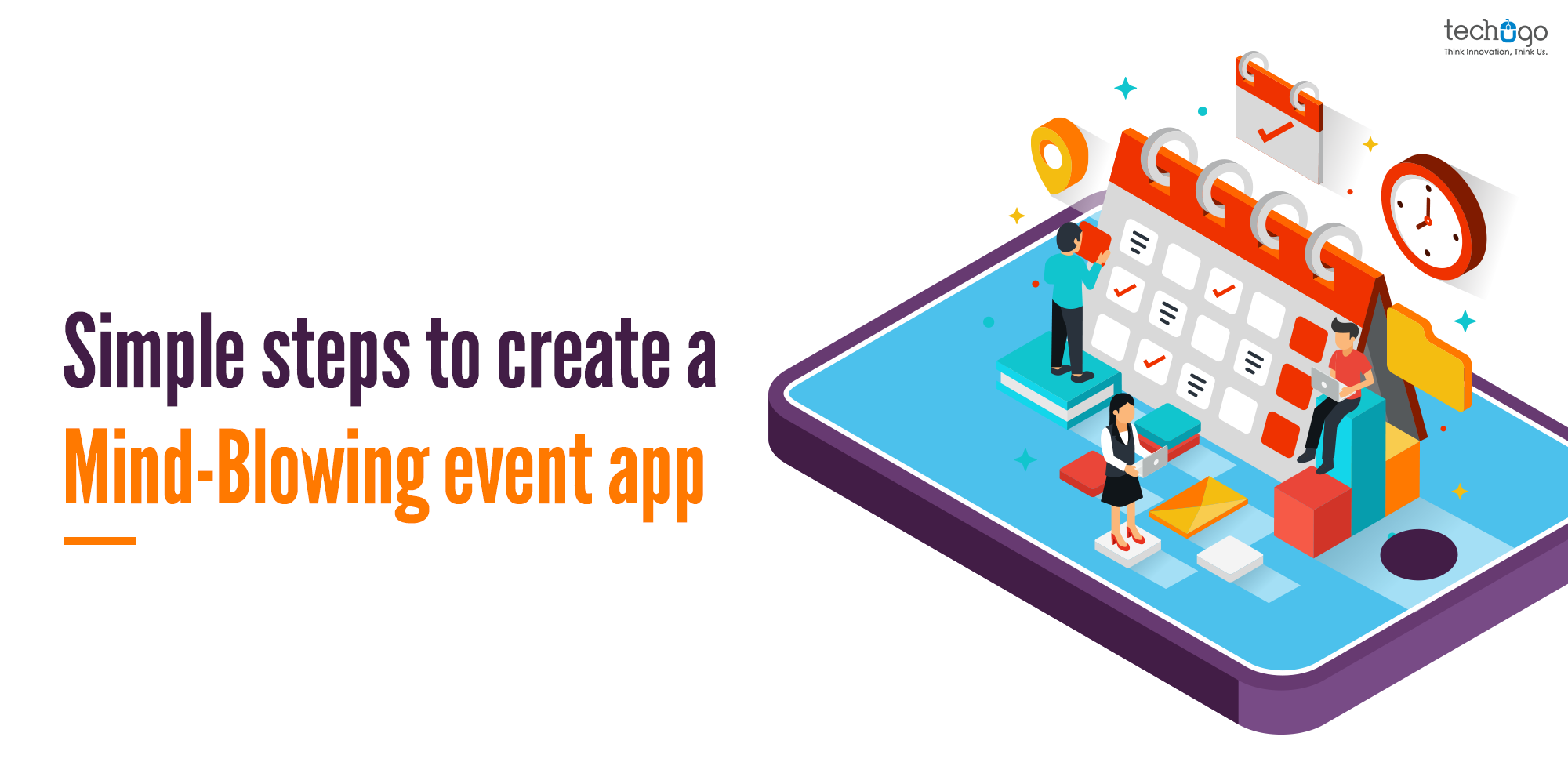


📌 Key Takeaways
- Event apps streamline event management and enhance attendee experiences.
- Essential features include registration, schedules, tickets, networking, and notifications.
- Interactive tools like live chat, maps, and speaker profiles boost engagement.
- Costs and timelines vary based on app complexity and integrations.
- Modern event apps support virtual, hybrid, and in-person events effectively.
You want to attend an event, but you are not really sure about its timing, venue, or the full schedule. What would be your first thought?
To check everything on your smartphone… right?
And honestly, that is exactly how most users interact with events today. From browsing agendas to booking tickets, everything happens through a well-designed event mobile app. This is where event app development becomes a necessity for businesses and organizers who want to stay relevant.
An event app not only helps attendees access real-time information, but it also allows organizers to manage schedules, share updates, and create a seamless experience from start to finish. But then again, not every app delivers that experience. Many apps miss out on usability, personalization, or even basic clarity, which can affect the overall success of an event.
So, if you are planning to build an event app, it is important to understand what actually makes it work, not just in terms of features, but also in terms of user experience and functionality.
With this article, we have tried to bring together everything you need to know about event app development, especially if you are looking to build a mobile app for conferences and events. Read ahead and explore how your business can step into this growing space with the right approach.
What is event app development?
Event app development is the process of creating a mobile or web application that helps users discover, manage, and engage with events in a more structured and interactive way.
But honestly, it is not just about listing events on a screen.
It is about building a complete digital experience where attendees can check schedules, book tickets, receive updates, network with others, and even attend events virtually. On the other side, organizers use these apps to manage registrations, track engagement, and streamline operations without chaos.
Over the years, event app development has evolved a lot. Earlier, it was mostly about basic information sharing. Now, it includes live streaming, AI-based recommendations, real-time notifications, and even hybrid event support.
So when businesses think about building an event app today, they are not just building a tool. They are creating an ecosystem that connects attendees, organizers, and sponsors in one place.
And that is exactly why event mobile app development has become an important part of modern event planning.
Types of event apps you can build
Not all event apps are the same. In fact, the type of app you build depends entirely on the kind of experience you want to deliver. Some are simple, while others go quite advanced and sometimes a mix of both.
Let’s look at a few common types.
1. Conference and seminar apps
These apps are designed for large-scale conferences, corporate events, and seminars where managing schedules and speakers becomes critical. They usually include features like agenda tracking, speaker profiles, session reminders, and networking options. A good example would be apps used in global tech conferences like Google I/O, where thousands of attendees need real-time updates and personalized schedules.
2. Virtual event apps
Virtual events became popular during the pandemic, but they are not going away anytime soon. These apps allow users to attend events from anywhere, with features like live streaming, chat rooms, Q&A sessions, and virtual booths. Platforms used for online summits or webinars often fall into this category, making event management app development more focused on accessibility and engagement.
3. Hybrid event apps
Hybrid apps combine both physical and virtual experiences. So, some users attend in person, while others join online and both groups need a smooth experience. This type of event mobile app development requires careful planning because you are managing two audiences at the same time, but when done right, it significantly increases reach and participation.
4. Event ticket booking apps
These apps focus more on discovery and ticket purchasing. Users can browse events, compare options, book tickets, and even get recommendations based on their interests. A well-known example is BookMyShow, which has made event discovery and booking extremely simple for users across different cities.
5. Corporate event apps
These are built specifically for internal company events like meetings, training sessions, or team-building activities. They may not always be public, but they are quite important for improving communication and organization within a company. Features here are more focused on employee engagement, internal updates, and structured scheduling.
6. Social and community event apps
These apps are more casual and community-driven. They help users discover local events, meet like-minded people, and participate in activities based on shared interests. A popular example is Meetup, which connects people through local gatherings and interest-based communities.
Each type of event app serves a different purpose. So before jumping into development, it is important to clearly define your goal because that decision shapes everything, from features to design to overall user experience.
How to build an event app? (Step-by-step process)
Building an event app is not just about development. It is a process where planning, design, and user experience all come together. And honestly, if one part is rushed, the entire app starts to feel off. So instead of directly jumping into coding, it is better to follow a structured event app development process that actually works in the long run.
-
Define your event goals and audience
Before anything else, you need clarity. What kind of event are you planning? Is it a conference, virtual event, or something more community-driven? And more importantly, who are you building this for? Because the expectations of a corporate audience are very different from someone attending a local social event. When you define your users early, it becomes easier to shape the entire experience around them instead of guessing later.
-
Decide the core features (start with MVP)
You don’t need every feature from day one. In fact, adding too much at the beginning can slow down the entire event app development process. It is better to start with the essentials like user registration, event listings, scheduling, notifications, and basic ticket booking. Once users start engaging with your app, you can always build on top of it. This approach keeps things practical and helps you launch faster without unnecessary complexity.
-
Plan the user experience (UI/UX design)
A lot of apps fail here, even when they have good features. Users don’t want to spend time figuring out how your app works. They just want quick access to information. So your design should feel simple, clear, and intuitive from the very first screen. Even small things like how easily someone can check the schedule or find event details can decide whether they continue using the app or drop off.
-
Choose the right technology stack
You need to decide whether you are building for Android, iOS, or both. Then comes the choice between native and cross-platform development, followed by backend setup and integrations. If your app includes features like live streaming or real-time updates, your backend needs to be strong enough to handle that load. Otherwise, performance issues will start showing up exactly when users need the app the most.
-
Develop the app (frontend and backend)
The frontend handles everything users interact with, while the backend manages data, logic, and overall functionality. Both need to work smoothly together, otherwise the experience breaks. At this stage, all the planning starts turning into a real product. Features get integrated, flows get tested internally, and the app slowly starts taking shape.
-
Test everything before launch
Skipping testing might save time in the short term, but it usually creates bigger problems later. You need to check how the app performs across different devices, how smooth the user journey feels, and whether critical features like payments or notifications are working properly. Even small issues can create frustration, especially during a live event where timing matters.
-
Launch and monitor performance
Once everything looks stable, you launch the app. It is like the beginning of real feedback. Users will interact with your app in ways you didn’t expect, and that’s where insights start coming in. Tracking user behavior, engagement, and drop-offs helps you understand what is working and what needs improvement.
-
Improve and scale the app
Based on feedback and usage patterns, you can start refining the experience. This could mean improving navigation, adding personalization, or introducing advanced features that enhance engagement. Over time, your event app evolves from a basic platform into something much more dynamic and user-focused.
Building an event app is not a one-time effort. It is a continuous process where you keep learning, adjusting, and improving. And when done right, it does not just help you manage events. It helps you create experiences that people actually remember.
MVP features for an event app
1. User registration
It is indeed a very basic feature, and event apps are no exception to it but you must remember that the users must be driven to frustration, with extra precaution, you must ensure that the steps used in the registration must be as less as possible. Also, try to integrate the social media logins that help users to register through social media hassle-free.
2. Profiles customization
It is one of the most basic and important features that your event app should have. You can let your users add some personal information and include the relevant registration steps like name, location, and interests.
3. Live streaming
Pre-pandemic this feature could be a part of the advanced feature, but considering the social distancing and other safety measures, now every event app must integrate this feature within. This feature helps the users to stream the event from the comfort of their home and they don’t need to walk out of their home or face the issues.
4. Search filters
A mobile app is all about convenience and comfort, and users are willing to access it through every possible corner of the app. Here, in this run, you need to ensure to bring comfort through app functionality, and search filters are the best option to proceed with. When users come on your app, they want to take a quick tour of the events and ways to grab the information without wasting any time. Instead of scrolling through the long list of events, you can simply improve the user experience by providing a search filter, where users can filter the events on the basis of date, time, and venue, among many other factors.
5. Event feed
This feature enables the users to navigate through oodles of information about different events, here the event feed API, that helps in organizing and suggesting events based on a user’s interests. These APIs help in triggering the rank and provide personalized event information in real-time based on user interests.
6. Geolocation and maps
With this feature, users can find events in their area, you must remember that the maps with geolocation are the essential features for every event app. Geolocation can also be used for providing a city guide for users. Considering maps for venues and indoor navigation, you can even also use AR technology to enhance the user experience.
7. Push notifications
With this feature, organizers share all important alerts to the visitors and give them real-time information about any change in plan venue or timing of the event.
8. Payments
Within the event app, every user looks forward to purchasing the tickets and this is where they don’t need to move out, but they can simply make the payment through the app platform only. You must integrate the third-party payment services like Brain tree or PayPal to help users to make the payment.
9. Event scheduling
The event scheduling feature is another most important factor in the event app, as it helps users to add their events in one place. The customization here helps in adding the way schedule as per their convenience.
10. Cancel and refund
Yes, it is quite obvious to have cancellation and refund issues, within any event. Your app must offer an engaging and seamless order managing tool, letting users get a clear view of their ticket purchase order and get the opportunity to cancel orders and refund tickets. Also, the app must provide the right information to the users for any cancellation and payment refund.
Core features for event app development
Once your MVP features are in place, the next step is to strengthen the app with core functionalities that actually improve engagement and usability. These are the features that users start noticing after their first interaction and they often decide whether they continue using the app or not.
1. In-app networking and chat
Events are not just about attending sessions, they are also about connecting with people. Adding an in-app chat or networking feature allows users to interact with other attendees, speakers, or even organizers. This could be as simple as one-to-one messaging or as structured as community discussion spaces. It makes the app feel more alive, instead of just being an information board.
2. Personalized recommendations
Not every user is interested in every session. This is where personalization plays an important role. Based on user preferences, past activity, or selected interests, the app can suggest relevant events, sessions, or people to connect with. It improves user experience in a subtle way because users don’t have to search too much, the app starts guiding them.
3. Real-time analytics and insights
For organizers, data matters just as much as the event itself. With built-in analytics, they can track user engagement, session popularity, ticket sales, and user behavior. This helps in making quick decisions during the event and better planning for future ones. Without this, you are mostly relying on assumptions.
4. Social media integration
Users like to share experiences, especially during events. By integrating social media platforms, you allow attendees to post updates, share event moments, or even invite others directly. This not only improves engagement but also helps in organic promotion of the event. Sometimes, your users become your marketers without even trying.
5. Multi-language support
If your event targets a wider or global audience, language can become a barrier. Adding multi-language support ensures that users from different regions can access the app comfortably. It may seem like a small addition, but it significantly improves accessibility and inclusivity.
6. Offline access
Not every venue guarantees strong internet connectivity. With offline access, users can still view schedules, saved events, or important details without relying on a constant internet connection. This becomes especially useful during large-scale conferences where network issues are common.
7. Sponsor and advertisement integration
Events often rely on sponsors for revenue. Your app should provide dedicated spaces for sponsor visibility, whether through banners, featured listings, or branded sections. This not only adds a monetization layer but also makes the app more valuable for event partners.
8. QR code and contactless check-in
Long queues at entry points can quickly ruin the experience. With QR-based check-ins, users can scan their tickets and enter without delays. It speeds up the process and also reduces manual errors. This feature has become almost standard in modern event app development.
These core features build on top of your MVP and turn a basic app into a more complete event platform. They don’t just add functionality. They improve how users interact, how organizers manage, and how the entire event feels.
How much does it cost to build an event app in 2026?
A mobile app is not just about coding, but there are multiple aspects that are involved in the journey. Companies boasting to provide the actual app development cost, much before knowing the app concept, are creating a sales pitch to get the project. Henceforth, it is hard to predict the app development cost, much before knowing the concept and analyzing its every feature and functionality. The cost can range from $20,000 to any number that can even grow much beyond your expectations. Thus you need to speak with your app development partner and take the accurate estimate for your app.
To give you a clearer picture, here is a general estimate based on app complexity, features, and development timeline.
Event app development cost and timeline (2026)
| App Type | Estimated Cost | Development Timeline |
| Basic event app (MVP features) | $20,000 – $40,000 | 2 – 3 months |
| Mid-level event app (core features + integrations) | $40,000 – $80,000 | 3 – 6 months |
| Advanced event app (AI, live streaming, networking) | $80,000 – $150,000+ | 6 – 9+ months |
These numbers are not fixed, but they give a realistic starting point for businesses planning event app development. The final cost usually depends on multiple factors, and sometimes even small changes can impact the overall budget.
For example, if you are building for both Android and iOS, the cost naturally increases. Similarly, adding advanced features like real-time streaming, AI-based recommendations, or third-party integrations can push the cost higher.
Another important factor is design. A simple interface costs less, but if you are aiming for a highly interactive and polished user experience, the design effort increases and so does the budget.
And then there is the development team itself. The cost of hiring an experienced event app development company will be different from working with freelancers or small teams, but the quality, scalability, and long-term support usually justify the investment.
So while estimates help, the most accurate cost always comes after proper discussion, planning, and feature mapping.
To sum up
The event planning app has different shades hidden within, and unless you add that spark within the app, it becomes difficult to create something that truly stands out in 2026. Because today, users are not just looking for information. They expect a smooth, engaging, and well-connected experience.
So if you are planning to step into event app development, the focus should not only be on building an app, but on creating something that actually delivers value at every stage of the user journey.
And this is where the right mobile app development company makes all the difference. At Techugo, we understand that every event app is different, and so is the vision behind it. From planning to development and beyond, our team works closely with you to build an event app solution that is scalable, user-friendly, and aligned with your business goals.
If you are ready to build an event app that does not just function but performs, engages, and grows, then it is time to connect with our experts. Contact us, we’re waiting to help you achieve your goals.
FAQ’s
Q1. What is an event app and why do businesses need it?
A. An event app is a mobile application designed to manage and enhance events by offering features like event schedules, registrations, ticket booking, networking, notifications, live updates, and attendee engagement tools. Businesses use event apps to improve attendee experiences and streamline event management.
Q2. What features should an event app include?
A. A successful event app should include user registration, event schedules, ticket booking, push notifications, live chat, attendee networking, event maps, speaker profiles, live streaming, feedback systems, and analytics dashboards to improve engagement and event performance.
Q3. How much does it cost to create an event app?
A. The cost of developing an event app depends on its complexity, features, integrations, design requirements, and platform support. Basic event apps cost less, while advanced apps with AI, networking, and live-streaming capabilities require higher investments.
Q4. How long does it take to develop an event app?
A. Event app development timelines vary based on features and complexity. A basic event application may take a few weeks, whereas advanced event platforms with custom functionalities and integrations can take several months.
Q5. Can event apps support virtual and hybrid events?
A. Yes. Modern event apps support virtual and hybrid events by integrating features such as live streaming, video conferencing, virtual networking, real-time chat, interactive sessions, and attendee engagement tools.

Get in touch
We'd love to hear from you.