

 SA
SA
 KW
KW
 IE
IE AU
AU UAE
UAE UK
UK USA
USA
 CA
CA DE
DE
 QA
QA ZA
ZA
 BH
BH NL
NL
 MU
MU FR
FR
















Mobile apps are everywhere, and bringing your business to this digital platform is no more a choice but an undeniable fact. In this race, one of the most engaging and remarkable frameworks is Flutter.
It has become the center of attraction for developers and businesses alike due to many factors. It not only saves money and time on development, but also offers a sleek and squeaky-clean app solution.
Once you decide to proceed with the Flutter app development, it is very obvious that you may find your brain getting foggy with doubts and confusion, which is how to proceed. Eventually, there is a massive pool of Flutter development tools to explore, but finding the best among them can be a long and tiresome process.
To take the burden off your shoulders, we have brought you a list of recommended and most functional tools.
Let’s stay hooked to this read and nail the deal…
Why Flutter Still Leads in 2026
Flutter has accelerated its lead in cross-platform app development. Through its continuous technical improvements and smart adoption of Artificial Intelligence and web technologies.
Some of the key reasons why it remains a top choice in 2026:
-
Performance & Rendering Upgrades
- Impeller Engine Advancements
Flutter’s Impeller engine (with improvements like the Vulkan backend for Android) has significantly reduced rendering lag and frame jitter. It delivers smoother animations, better rasterization times, and more consistent performance across devices.
- WebAssembly (Wasm) Backend & Web Performance
With Flutter’s web support becoming more mature, the Dart Wasm backend has reached stability in many use cases. This means higher performance for web builds (2-3x faster in many benchmarks over JS-based outputs), smoother UX transitions, and more responsive interfaces for web apps.
- Better Theming, Graphics & Fidelity
Flutter 3.x/4.x releases have introduced refined support for Material Design 3 (“Material You”). It provides:
- improved font rendering
- dynamic theming
- enhanced color spaces (e.g. DisplayP3)
- optimizations in backdrop filters & blur effects
These ensure apps look modern, sharp, and consistent on high-end and mid-range devices alike.
- Explosive Growth in Adoption & Community
- Developer Base
As of 2025, there are about 2 million developers using Flutter. Adoption continues rising, with monthly growth spurts and more teams choosing Flutter as their primary tool for new app projects.
- Platform Spread
Flutter is no longer just iOS and Android. It’s used extensively for Web, macOS, Windows, Linux, Embedded, and even TV platforms. In surveys, more than half of developers building on Flutter are targeting more than two platforms. This cross-platform reach gives it a huge edge.
- Enterprise & Big-Brand Use
Big apps (Alibaba, Google Ads, etc.) are using Flutter at scale. Some report big improvements in user satisfaction and maintainability after migrating parts of their stack to Flutter.
-
Integration with AI, ML & Future-Ready Features
- AI/ML Plugins & On-Device Intelligence
Flutter now has stronger support for tools like ML Kit, tflite_flutter, and other ML inference packs. On-device, privacy-friendly models are being used for features like:
- OCR
- image & voice recognition
- predictive analytics
- personalization
- Hybrid AI Architectures
Apps increasingly mix cloud AI (OpenAI, Google Gemini) + edge/on-device inference + vector databases for embedding & search (e.g. Supabase Vector). This allows faster response times, reduced latency, offline capabilities, and better data privacy.
- AI for Dev Tools & Productivity
Tooling improvements like better DevTools inspections, more efficient hot-reload/hot-restart workflows. Dart language enhancements (pattern matching, record types, etc.) and increased integration with IDEs all speed up development & reduce costs.
-
Lower Time-to-Market & Cost Efficiency
- By having one codebase for multiple platforms, Flutter reduces duplication of work (UI, logic, backend integrations).
- Improved tooling, better performance, and AI-driven automation mean faster development cycles and fewer bugs.
- The growing community and strong package/plugin ecosystem reduce the need for custom work. Many standard components already exist and are well-maintained.
-
Stability, Maintainability & Modern Language Features
- Null Safety, strong typing, and consistent versioning have made large-scale apps more maintainable.
- New Dart releases (e.g., Dart 3.x+) bring in modern language features, which improve code readability and robustness.
- Improved support for package managers (for example, Swift Package Manager for iOS), better plugin compatibility. Plus, improved rendering engines reduce friction when upgrading and maintaining apps.
Interesting Facts & Numbers
- Nearly 2 million developers are using Flutter as of 2025.
- The number of published Flutter apps is growing by about 50% per year in the Google Play Store.
- In recent releases, backdrop filter/blur performance has improved by 20-70% under Impeller in complex scenes.
- WebAssembly backend and Wasm-based output deliver 2-3x improvements over older JS-based web builds.
So what do we learn from this? Flutter in 2026 is not just surviving, it’s thriving!
Here’s a quick Flutter vs competitors in 2026
| Feature | Flutter | React Native | SwiftUI | Kotlin Multiplatform |
| Cross-Platform Reach | iOS
Android Web Windows macOS Linux TVs |
iOS, Android, and limited Web support via a 3rd-party | Apple ecosystem only (iOS, macOS, watchOS, tvOS) | iOS
Android Some desktop support Web support |
| Performance | Near-native with Impeller engine & Wasm backend
Smooth 120fps animations |
Close to native, but bridging with JavaScript can cause overhead | Native performance (Apple only) | Native performance (shares business logic, not full UI) |
| UI/UX Capabilities | Rich Material 3 & Cupertino widgets
Advanced theming AR/VR support Dynamic effects |
Relies on native components
UI consistency can vary by platform |
Declarative Apple-native UI but limited reach | Uses native UI components
Custom UI requires extra work |
| AI/ML Integration | Strong plugin ecosystem (ML Kit, TensorFlow Lite, on-device AI, cloud AI integrations) | AI is possible via JS/Native bridges
Less efficient |
Limited AI integration
Relies on Apple APIs |
Good ML support in Android/iOS, but integration can be complex |
| Community & Ecosystem | 2M+ developers, 50% YoY app growth, rich plugin ecosystem | Large community, mature ecosystem, widely used | Strong in Apple devs, but a restricted ecosystem | Growing community, especially enterprise adoption |
| Time to Market | Single codebase for 6+ platforms
Hot reload AI-powered dev tools |
Single codebase for iOS & Android, but more debugging overhead | Fast for Apple-only apps
No cross-platform gains |
Faster backend logic sharing, but the UI must be developed separately |
| Cost Efficiency | High
Code reusability across mobile, web, and desktop |
Moderate
Saves cost, but more QA is needed |
Low
A separate team is needed for Android |
Medium
Saves cost on business logic, not UI |
| Best Use Cases in 2026 | Multi-platform apps
AI-powered apps Startups Enterprises Immersive UI/UX |
Consumer apps targeting iOS & Android only | Apple-exclusive apps | Enterprise apps needing shared logic across platforms |
Top 10 Flutter App Development Tools in 2026
-
Flutter SDK & Dart 3.x+
| Aspect | Details |
| What It Is | Core Flutter framework with Dart language. |
| 2026 Updates | Dart 3.x+ adds pattern matching, record types.
Impeller engine & Wasm backend boost rendering. |
| What It Does | The backbone of every Flutter project. |
| Best Use-Case | Any app targeting multiple platforms. |
| Pros | Multi-platform, consistent updates, strong community. |
| Cons | Steeper learning curve for beginners vs native Swift or Kotlin. |
-
FlutterFlow (AI-Powered Builder)
| Aspect | Details |
| What It Is | Low-code/no-code builder exporting Flutter code. |
| 2026 Updates | AI-assisted UI & logic generation, faster backend integrations. |
| What It Does | Rapid MVP and prototyping. |
| Best Use-Case | Startups & teams needing speed. |
| Pros | Quick prototyping, exports usable code, collaboration-friendly. |
| Cons | Advanced customization may still need manual coding. |
-
Codemagic (CI/CD for Flutter)
| Aspect | Details |
| What It Is | CI/CD platform tailored for Flutter apps. |
| 2026 Updates | AI-generated tests, smarter diagnostics, multiplatform deploys. |
| What It Does | Speeds up build, test & release cycles. |
| Best Use-Case | Teams with frequent updates across platforms. |
| Pros | Saves dev time, automates testing & releases. |
| Cons | Paid plans may be costly for solo devs or very small teams. |
-
Firebase + AI Extensions
| Aspect | Details |
| What It Is | Cloud backend (DB, storage, auth, AI APIs). |
| 2026 Updates | AI-driven NLP, image generation, smarter serverless scaling. |
| What It Does | Eliminates backend setup complexity. |
| Best Use-Case | Apps needing auth, real-time DB, AI features. |
| Pros | Robust, scalable, tightly integrated with Flutter. |
| Cons | Vendor lock-in to Google Cloud; costs rise with scale. |
-
TensorFlow Lite (tflite_flutter)
| Aspect | Details |
| What It Is | On-device ML inference for Flutter apps. |
| 2026 Updates | More optimized models, better runtime on mid-range devices. |
| What It Does | Enables privacy-first, offline AI. |
| Best Use-Case | AI apps with OCR, image recognition, translation. |
| Pros | Works offline, lightweight, customizable. |
| Cons | Requires Machine Learning expertise to train/customize models. |
-
Google ML Kit (google_ml_kit)
| Aspect | Details |
| What It Is | Prebuilt ML features (OCR, face detection, etc.). |
| 2026 Updates | Faster, broader platform coverage, minimal setup. |
| What It Does | Production-ready AI without data science. |
| Best Use-Case | Retail, healthcare, fintech apps with standard ML features. |
| Pros | Easy to use, reliable, cross-platform. |
| Cons | Limited flexibility (can’t handle custom models well). |
-
AI Code Assistants (Copilot, Gemini, Workik, etc.)
| Aspect | Details |
| What It Is | AI tools that generate/debug Flutter code. |
| 2026 Updates | Stronger Dart/Flutter support, auto-test generation, design-to-code. |
| What It Does | Boosts productivity, reduces bugs. |
| Best Use-Case | Small teams, rapid dev, projects with lots of boilerplate. |
| Pros | Saves time, lowers error rates, accelerates development cycles. |
| Cons | Over-reliance can cause “black box” code; needs human review. |
-
IDEs & Productivity Plugins
| Aspect | Details |
| What It Is | VS Code, Android Studio with Flutter/Dart extensions. |
| 2026 Updates | AI linting, improved hot reload, better widget inspector. |
| What It Does | Improves code quality & daily productivity. |
| Best Use-Case | Any Flutter dev project. |
| Pros | Rich ecosystem, strong debugging tools, AI-assisted coding. |
| Cons | Heavy IDEs (like Android Studio) can be resource-intensive. |
-
Design-to-Code Tools (Panache, Supernova, Uizard)
| Aspect | Details |
| What It Is | Converts UI designs into Flutter code/themes. |
| 2026 Updates | AI-powered design-to-code, Material 3 dynamic themes. |
| What It Does | Speeds up design handoff to dev. |
| Best Use-Case | Teams focusing on design-heavy, branded apps. |
| Pros | Cuts handoff time, ensures visual consistency. |
| Cons | May require manual fine-tuning for complex UIs. |
-
Analytics & Monitoring Tools (Sentry, Firebase Analytics, PostHog)
| Aspect | Details |
| What It Is | Crash reporting, performance & user behavior tracking. |
| 2026 Updates | AI predictive insights, automated root-cause fixes. |
| What It Does | Ensures app reliability & helps refine UX. |
| Best Use-Case | Scaling apps with large user bases. |
| Pros | Improves retention, detects issues fast, actionable insights. |
| Cons | Some advanced features behind paywalls may add slight overhead. |
Combining AI & Flutter App Development
Artificial Intelligence has moved from being a “nice-to-have” to a core driver of modern app experiences in 2026. When paired with Flutter, AI doesn’t just enhance apps. It reshapes how they are built, optimized, and scaled.
Know how AI and Flutter are transforming the mobile app ecosystem today:
- AI assistants like GitHub Copilot, Gemini Code Assist, and Workik now generate Flutter code. Auto-fix bugs and create test cases from user stories.
- Design-to-code tools instantly transform Figma/Sketch/Uizard designs into functional Flutter widgets.
- AI-driven testing bots simulate user behavior, detect edge cases, and cut QA time by 40–50%.
- Flutter apps adapt dynamically to user preferences. Changing layouts, themes, and recommendations in real time.
- ML Kit and TensorFlow Lite power OCR, face recognition, translation, and speech-to-text. Directly on devices for privacy-first AI features.
- Push notifications and in-app suggestions are AI-driven. Predicting what users want next.
- AI automation reduces development cycles by 30-40%. Lowering the cost to develop a Flutter app.
- Pre-trained AI models integrated into Flutter eliminate the need for custom pipelines for chatbots, fraud detection, or recommendations.
- Businesses save resources while still building enterprise-grade apps.
- AI-powered analytics predict churn, analyze sentiment, and recommend UX optimizations.
- Teams adjust features, pricing, or flows in real time instead of waiting for post-launch reports.
- On-device Edge AI ensures privacy, offline capabilities, and low latency.
- Cloud AI handles compute-heavy generative tasks with OpenAI, Google Gemini, or Anthropic APIs.
- Hybrid AI setups balance speed, cost, and scalability for modern Flutter apps.
Cost to Develop a Flutter App in 2026
The cost to develop a Flutter app in 2026 depends on several factors. The expertise of the chosen development partner is also one of them. Flutter remains one of the most cost-efficient frameworks. Thanks to its single codebase for multiple platforms!
Businesses should still consider these key cost drivers.
-
App Complexity
- Basic Apps (MVPs, utilities): $8,000 – $15,000
- Mid-Level Apps (marketplace, fintech, social apps): $20,000 – $45,000
- Enterprise-Grade Apps (AI-powered, multi-platform with advanced integrations): $50,000 – $150,000+
-
Features & Integrations
- AI and ML Features (chatbots, OCR, personalization) add 20–30% to the base cost
- Payment Gateways & Subscriptions could sum upto +$3,000 – $7,000
- Push Notifications, Geolocation, AR/VR vary from $5,000 upwards, depending on complexity
-
Platform Targeting
- Single Platform (iOS or Android) has a lower cost, but has less reach
- Multi-Platform (iOS + Android + Web + Desktop) is are higher upfront investment but cheaper than building separately for each platform
-
Design & UI/UX
- Standard Material Design 3 templates are cost-effective, quick to implement
- Custom immersive UI (animations, AR/VR, branded designs) adds 25–40% to budget
-
Maintenance & Post-Launch Costs
- Annual maintenance could be 15–20% of the initial development cost
- Includes bug fixes, updates, feature upgrades, and compliance adjustments
-
Development Partner
- Freelancers offer lower cost but less reliability for complex apps
- A Flutter app development company provides full-stack expertise, scalability, and long-term support. Often, the smarter choice is for businesses aiming for quality and growth.
Why Techugo is the Right Flutter App Development Company for 2026
Techugo has been among the top Flutter app developers since 2014. We’ve helped businesses worldwide build powerful, scalable, and future-ready apps. With 1400+ apps delivered across diverse industries, we’ve proven time and again that innovation paired with execution creates an unmatched user experience.
We are trusted by global brands!
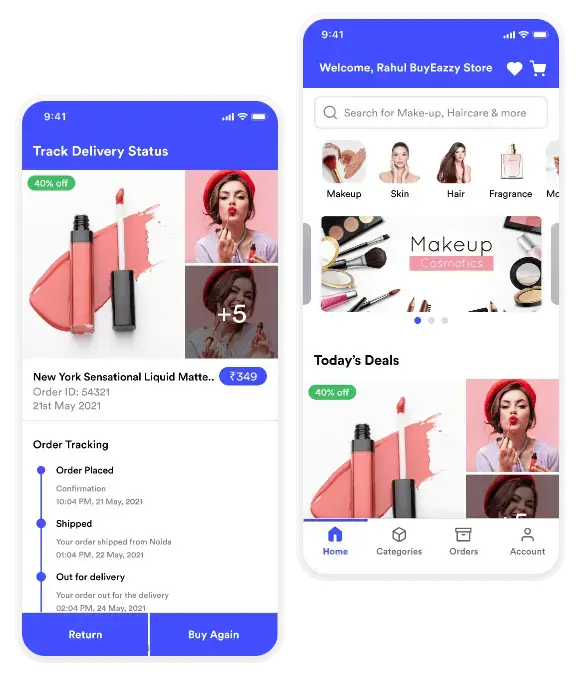
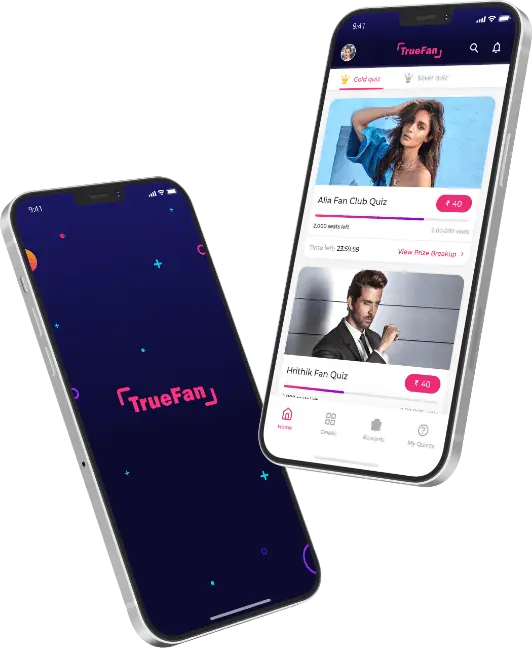
From Airtel, one of India’s largest telecom giants, to Godfrey Phillips India (GPI), a Fortune 500 company, Techugo has partnered with enterprises to craft high-performance apps powered by Flutter. We’ve also created disruptive startup apps like TrueFan (a celebrity-fan engagement platform) and Dhanuka Agritech’s farm-tech app, showcasing Flutter’s flexibility across B2C and B2B domains.
Why should Techugo be your #1 choice for your project in 2026?
- From predictive analytics to AI-driven chatbots, we embed intelligent capabilities into apps.
- A single codebase that works flawlessly on iOS, Android, Web, and Desktop.
- Using the best Flutter app development tools, our teams cut development timelines by up to 40%.
- From idea validation to post-launch scaling, Techugo acts as a long-term digital partner.
Frequently Asked Questions
- What are the best Flutter app development tools in 2026?
The top Flutter app development tools in 2026 include:
- Flutter SDK & Dart 3.x+
- FlutterFlow
- Codemagic
- Firebase AI Extensions
- TensorFlow Lite
- Google ML Kit
- AI code assistants (Copilot, Gemini, Workik)
- VS Code/Android Studio with plugins
- Panache/Supernova for design-to-code
- Sentry or Firebase Analytics for monitoring
These tools cover every stage of development. From design and coding to deployment and real-time analytics.
- How does AI improve Flutter app development?
AI improves Flutter app development by automating coding, testing, and debugging, reducing development time by up to 40%. It enables smarter features like chatbots, predictive analytics, personalization, and voice/vision capabilities directly in apps. AI also powers real-time analytics and optimization, helping businesses make data-driven decisions faster.
- What are the latest Flutter app development trends in 2026?
The key Flutter app development trends in 2026 are:
- AI-powered apps with predictive engagement and personalization.
- Low-code & no-code builders like FlutterFlow.
- WebAssembly support for faster web apps.
- Cloud-native and Edge AI integrations.
- Immersive UI/UX with AR/VR and Material Design 3.
- Enterprise adoption for scalability and security.
- How much does it cost to develop a Flutter app in 2026?
The cost to develop a Flutter app in 2026 ranges from $8,000 to $150,000+, depending on complexity, AI integrations, design, and platforms targeted.
- Basic apps (MVPs): $8,000 – $15,000
- Mid-level apps: $20,000 – $45,000
- Enterprise apps: $50,000 – $150,000+
- Why should I hire a Flutter app development company instead of freelancers?
Hiring a Flutter app development company offers several advantages over freelancers:
- Full-stack expertise across design, development, AI, testing, and deployment.
- Faster delivery using advanced Flutter app development tools and CI/CD pipelines.
- Reliability and scalability, ensuring long-term maintenance and feature upgrades.
- Proven portfolio and case studies, giving you confidence in outcomes.
- Better cost optimization, since a company provides structured processes and support.
Winding Up
Flutter in 2026 has become a complete ecosystem powered by AI, advanced tools, and a thriving developer community. From cost efficiency to multi-platform reach, it remains the go-to choice for businesses seeking to launch scalable, future-ready apps. Partnering with a trusted Flutter app development company like Techugo ensures your app not only meets today’s demands but also stays ahead of tomorrow’s trends.
Connect with Techugo for your next big app!

Get in touch
We'd love to hear from you.