 SA
 KW
 IE
 AU
 UAE
 UK
 USA
 CA
 DE
 QA
 ZA
 BH
 NL
 MU
 FR















📌 Key Takeaways
- Custom web portal development brings business tools, information, and services together on one platform.
- Unlike regular websites, web portals offer personalized access based on user roles and requirements.
- Essential features include secure login, dashboards, document management, notifications, and system integrations.
- Development costs typically range from $15,000 to $250,000+, depending on portal complexity and features.
- A custom web portal usually takes around 3–6 months to get built.
It’s challenging to run a business when your data, teams and tools are separate. This often results in employees wasting time switching between different systems and customers having trouble finding the necessary information or service they need.
Custom web portal development addresses these issues by bringing business tools, information and services together in one place while considering how your business works. It allows businesses to create role-based experiences for employees, customers, suppliers and partners.
A custom web portal can support everything from customer account management and document sharing to workflow automation and third-party integrations.
Cognitive Market Research states that the global market for web portal software was worth $10.57 billion in 2021 with forecasts saying it will grow up to $16.48 billion by 2026.
The aim of this article is to guide you through the types of web portals, their benefits, their cost, the entire development process and all the details you need to know as an enterprise.
Understanding Custom Web Portal Development
Custom web portal development refers to designing and building a web-based platform that gives users access to specific information, services, and tools based on their roles and requirements.
Unlike ready-made portal solutions, custom web portals are developed around a business’s workflows, operational needs, and existing systems. They can include features such as personalized dashboards, account management, document sharing, automated workflows, and third-party integrations.
A customer portal, for example, can allow users to track orders, download invoices, raise support requests and manage their accounts from one place. Similarly, an employee portal can bring HR services, company announcements, internal documents, and task management tools together.
Need to Connect Your Existing Business Systems?
Build a custom web portal that connects your CRM, ERP, payment systems, and other business applications.
How Is a Web Portal Different from a Website?
Website or web portal? You might already know what a website does but a web portal takes things a step further by offering tools and features suited to individual user needs. And that is one of the core differences between a regular website and a custom web portal.
Although they may look similar at first, their functionality and the experience they offer users can be quite different. Let’s compare & see how.
| Basis | Website | Web Portal |
| Main purpose | Shares information about a business, its products, or services | Provides users with personalized information, tools and services |
| User access | Usually accessible to anyone without logging in | Often requires users to log in to access specific features |
| Personalization | Displays mostly the same content to all visitors | Offers content and features based on user roles and preferences |
| Key features | Service pages, blogs, contact forms, and product listings | Dashboards, account management, document sharing and user-specific tools |
| User interaction | Allows basic interactions, such as browsing pages or submitting inquiries | Supports ongoing interactions, such as tracking orders, managing accounts and accessing records |
| Development approach | Focuses on presenting information and establishing an online presence | Custom web portal development services focus on specific workflows, integrations and user requirements |
| Example | A company’s official website | A customer portal where users can view invoices, track orders and submit support requests |
Types of Web Portals & Their Uses
Companies have been using web portals for years. However, the right type depends on who the users are, what the business wants to achieve and how it runs each day. In such cases… custom portal development becomes valuable because it is built for your workflows. Here are the main types you should know about:
1. Customer Portals – These allow customers to track orders, view invoices, raise support tickets, and manage their accounts. Customer portal development helps businesses provide self-service options, reduce support requests, and make customer interactions easier.
2. Employee Portals – Employees are given access to company policies, internal announcements, HR documents & leave management tools.
3. Partner Portals – These are used by businesses to share resources with distributors, vendors and other partners, and to coordinate activities.
4. Supplier Portals – These streamline procurement processes, allowing businesses to handle purchase orders, monitor delivery orders, and communicate with suppliers.
5. E-commerce Portals: You get product listings, payment options, order tracking and customer account management together. It’s a complete shopping setup, and customers are able to handle most things themselves.
6. Educational Portals – Schools, colleges and training providers use these portals to share learning materials, manage courses and track student progress.
7. Healthcare Portals – Patients can use these portals to book appointments, access medical records, view test results, and communicate with healthcare providers. These features make healthcare services easier to access and help patients stay informed about their care.
Top Benefits of Custom Web Portals for Businesses
Whether you want to streamline workflows or improve customer interactions, custom web portals offer several practical benefits. Below is how businesses can benefit from custom web portals.
1. Better Customer Experience & Communication
Custom web portals give customers, clients, and partners direct access to the information and services they need. They can track orders, download invoices, submit support tickets, and manage their accounts without contacting your team for every request. With B2B customer portal development, businesses can also simplify document sharing, provide transaction updates, and manage client communication more efficiently.
2. Improved Operational Efficiency
With the help of custom web portals, it is possible to gather all the necessary tools, information and processes on one platform. Employees won’t have to switch from one system to another anymore, since many tasks can be automated, thus minimizing the occurrence of human mistakes.
3. Enhanced Data Security
Custom web portals can use user authentication, role-specific access, and permission systems to ensure the safety of crucial corporate information. The administrators will choose who will get to see, change or transfer certain information. More measures may be added to guarantee security compliance with business requirements or laws.
4. Flexibility, Scalability & Integration
Custom portals have the ability to adapt to the growing needs of your business. Companies can easily add features, expand the number of users and integrate existing systems like CRM, ERP & payment platforms as their needs evolve. A dependable custom web portal development company can help create a solution that will work with existing processes and future business development.
Core Features to Include in Your Web Portal
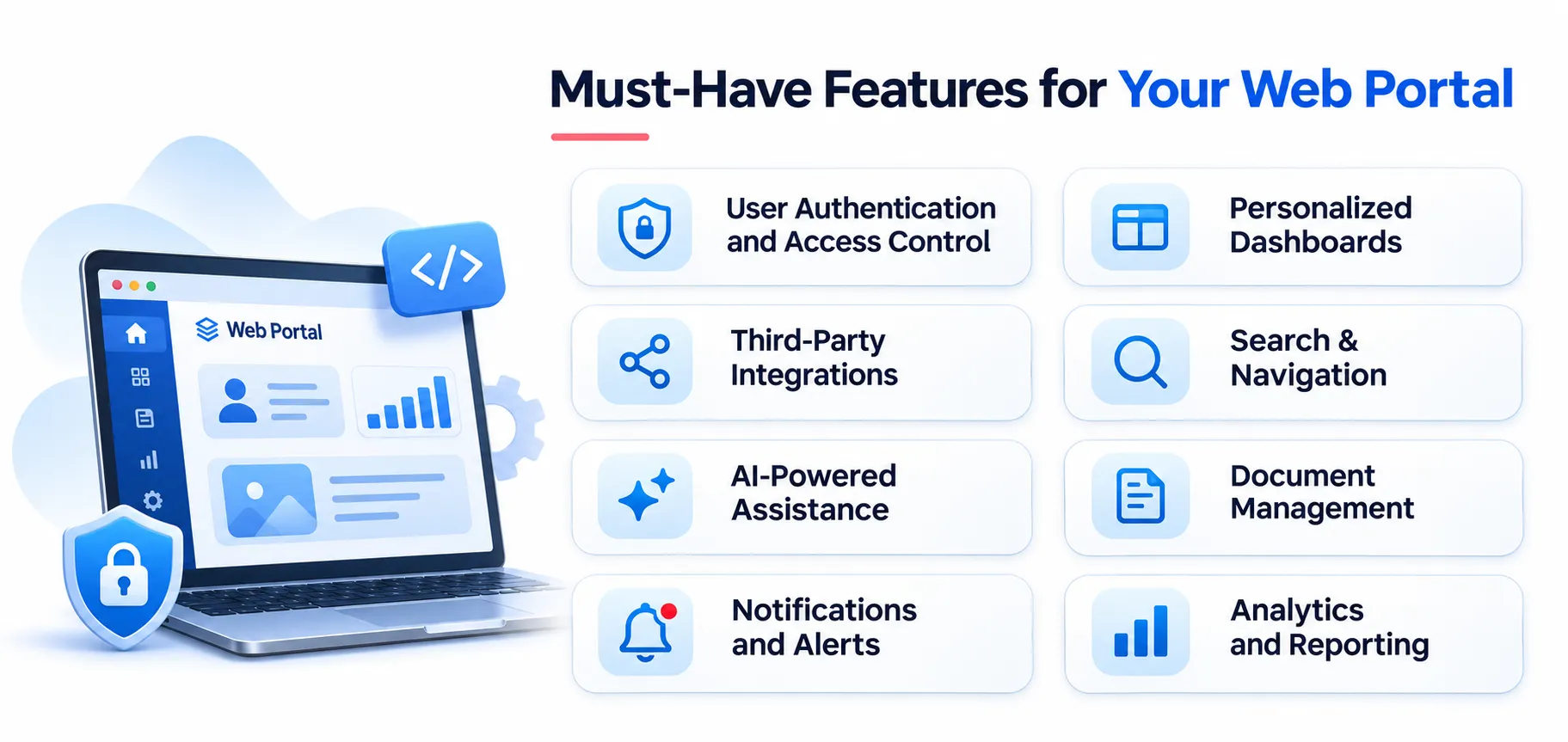
It is not enough for the custom web portal to serve solely as a place that gathers information. It should provide functions that make processes easier for users, protect the data of the company, and give a good impression overall. So let us show you the features your portal needs to serve its users well.
1. User Authentication and Access Control
A portal should be secure for users and enable them to log on and have access to features depending on the user’s role. This allows for the protection of sensitive information without exposing it to anyone who is not part of the business, employees, customers or partners.
2. Personalized Dashboards
Relevant information, tools and updates are provided on dashboards according to individual users’ needs. Customers can check out their orders, for instance, and employees can get access to tasks within the company plus announcements from within.
3. Third-Party Integrations
Linking with CRM, ERP, payment gateways and other business tools ensures consistency of information throughout systems. These integrations can also facilitate Cloud transformation by linking business applications, and custom web portal solutions enable businesses to customize these connections to fit their operations.
4. Search & Navigation
Menus and a reliable search function aid users in locating documents, services and information without wasting time. The portal is easy to navigate because of an intuitive interface.
5. AI-Powered Assistance
There are many common questions that can be answered by an AI chatbot – which can assist the user in locating information and completing repetitive tasks. They improve portals’ usability and decrease support staff effort.
6. Document Management
A document management system allows users to upload, access, download, and share files securely. Businesses can organize contracts, invoices, reports, and other important records while controlling access based on user roles.
7. Notifications and Alerts
Automated notifications keep users informed about important activities, such as order updates, payment confirmations, pending approvals, and support requests. Businesses can use email, SMS, or in-app notifications depending on their requirements.
8. Analytics and Reporting
Analytics dashboards help administrators monitor portal activity, user engagement, transactions, and operational performance. These insights can help businesses identify bottlenecks and make better decisions.
How to Develop a Custom Web Portal From Scratch
If you have your features figured out, let’s see how the development process works –
1. Requirement Analysis & Planning
The process starts with understanding your business goals, target users, required features, and existing workflows. The development team uses these details to define the project scope, technical requirements, budget, and development roadmap.
2. UI/UX Design
The team develops wireframes and designs the layout, navigation and user interface of the portal to ensure a seamless user experience.
3. Development & Integration
Developers build the frontend and backend components, implement the required features, and connect the portal with existing systems such as CRM, ERP, payment gateways, and other third-party applications.
4. Testing & Quality Assurance
The portal is tested to ensure functionality, security, performance and compatibility to ensure that there are no issues prior to its launch.
5. Deployment & Maintenance
After the final checks, the portal goes live. It is monitored, updated and maintained regularly, ensuring its security and functionality amidst changing business requirements.
What Technologies Are Used for Custom Web Portal Development in 2027?
Every part of a web portal has a job to do and each one needs the right technology to work efficiently. Let’s explore them.
| Technology Layer | Common Technologies | Purpose |
| Frontend Development | React.js, Angular, Vue.js, HTML, CSS, JavaScript | Builds responsive interfaces, dashboards and interactive portal features |
| Backend Development | Node.js, Python (Django), Java (Spring Boot), PHP (Laravel), .NET | Handles business logic, user requests, authentication and server-side operations |
| Database Management | PostgreSQL, MySQL, MongoDB | Stores and manages user profiles, transactions, documents and other portal data |
| API Development and Integration | REST APIs, GraphQL | Connects the portal with CRM, ERP, payment gateways & other third-party applications |
| Cloud Infrastructure | AWS, Microsoft Azure, Google Cloud | Supports hosting, scalability, data storage and application availability |
| Security and Authentication | OAuth 2.0, OpenID Connect, TLS encryption | Helps secure user accounts, protect data and manage access permissions |
| DevOps and Deployment | Docker, Kubernetes, CI/CD pipelines | Automates testing, deployment and application updates |
| Testing and Monitoring | Selenium, Playwright, application monitoring tools | Identifies bugs, checks functionality and tracks portal performance |
Custom Web Portal Development Cost Breakdown (by Portal Type)
The average expense for having a custom web portal built varies widely from $15,000 to upward of $150,000. However, basic portals (with some features) might cost less and portals with integration of third parties, special dashboards & strong security features would cost more.
Of course, not every portal comes with the same cost range. So here’s a breakdown by type.
| Web Portal Type | Estimated Development Cost (USD) |
| Customer Portal | $15,000–$50,000 |
| Employee Portal | $20,000–$60,000 |
| Partner Portal | $25,000–$75,000 |
| E-commerce Portal | $30,000–$100,000 |
| E-learning Portal | $25,000–$80,000 |
| Healthcare Portal | $40,000–$150,000 |
| Enterprise Portal | $75,000–$150,000+ |
What do different web portal development budgets include?
The final development cost depends on the portal’s functionality, design, integrations, and security requirements. However, you can use these broad budget levels to understand what your investment may cover.
1. Basic portals ($15,000 – $30,000): These generally include user registration, login, basic dashboards, account management, and limited integrations.
2. Mid-level portals ($30,000 -$75,000): These may include multiple user roles, personalized dashboards, document management, workflow automation, and CRM or ERP integrations.
3. Advanced enterprise portals ($75,000 – $150,000+): These can involve complex workflows, multiple system integrations, advanced access controls, analytics, and higher scalability requirements.
These are indicative ranges, not fixed packages. Your actual development estimate will depend on the project scope, required features, development location, and technology choices.
Factors to Consider When Budgeting for Web Portal Development
Several factors push the cost of a web portal up or down, from the features you need to how complex the design is. Here’s what to look at:
1. Features and functionality – Any extra dashboards, user roles and advanced functionality may add to development time and budget.
2. Design and user experience – A unique user interface will take more time and effort than a simple interface.
3. Third-party integrations – CRM, payment gateways and other integrations will increase the cost.
4. Security requirements – Sensitive data may be subject to extra security.
5. Tech stack and expected traffic – The technology involved and the number of users that are expected also have an impact on the budget.
To manage your web portal development budget, define your core requirements early, prioritize essential features, and discuss the expected costs of integrations, maintenance, and future upgrades with your development partner.
The best way to avoid overspending on a website is to invest in the right website design and development services early and get clear on what you really need.
How Long Does It Take to Develop a Custom Web Portal?
Got your budget sorted? Now comes the next question to consider: how soon can your portal be ready?
The breakdown looks like this –
| Development Stage | Estimated Time |
| Requirement Analysis and Planning | 1–2 weeks |
| UI/UX Design | 2–4 weeks |
| Development and Integration | 4–12 weeks |
| Testing and Quality Assurance | 2–4 weeks |
| Deployment and Launch | 1–2 weeks |
| Total Estimated Timeline | 3–6 months |
What Security Considerations Should Businesses Know Before Developing a Web Portal?
Since security requirements vary by industry, your portal’s safeguards should match your business needs. A few key considerations worth noting are –
1. Data encryption: Secure sensitive data while it is being transferred and stored.
2. User authentication: Strong passwords, multi-factor authentication and role-based access control (RBAC) are all crucial for user authentication.
3. Third-party integrations: Ensure that they are secured and properly authenticated.
4. Regular Security Testing: Perform vulnerability assessments and penetration testing to look for security threats.
5. Compliance requirements: Identify the regulations that apply to your business, users, and the data you handle. For example, GDPR may apply when processing personal data of individuals in the EU, while HIPAA applies to covered entities and business associates handling protected health information in the US.
Ways to Integrate a Custom Web Portal With Existing Systems
A custom web portal will serve its purpose best if it becomes a part of business operations instead of working as a stand-alone system. Custom web portal development gives businesses various options for integrating the portal with their software and tools.
Here are a few ways to do this –
1. API integration: Connect the portal with CRM, ERP, payment gateways and other applications.
2. Database integration: Enable secure data exchange between the portal and existing databases.
3. Single Sign-On (SSO): Allow users to access multiple business applications with one set of login credentials.
4. Third-party connectors: Take advantage of pre-existing connectors for easy plug-and-play integration on popular platforms.
Potential Roadblocks in Custom Web Portal Development
Custom portal development brings a number of obstacles that companies need to solve if they want the portal to operate as it should. No matter how minor the problems are, they are going to have a huge influence on the experience that users will have. Below are some common challenges to watch out for:
1. Complex System Integrations
Integration of the portal with the CRM, ERP systems, payment systems or any tools used by organizations is, in principle, difficult because systems may use different technologies.
2. Data Security and Privacy
Business and personal information should be well protected in order to guarantee successful operation of the portal.
3. Scalability & Performance
As traffic to the portal continues to grow, data size expands and new features are added, maintaining portal performance could be difficult.
4. Poor User Experience & Navigation
Complicated navigation and slow loading times can make it difficult for users to find the information they need.
5. Ongoing Maintenance Challenges
Keeping the portal updated through regular bug fixes, security patches, and performance monitoring requires continuous effort.
As you can see, web portal development involves several challenges that require careful attention. But working with an experienced web portal development company can help you address them through proper planning, development and ongoing support.
How Can Businesses Choose the Right Web Portal Development Company?
Making the right choice in a development partner is as crucial as determining the requirements for your portal. A perfect pitch does not mean a capable development team. So pay attention to aspects like.
1. Relevant web portal development experience: Find a company that has experience in developing portals that are similar to what your business really requires.
2. Technical skills: Ensure that the team has the expertise required to provide the custom web portal solutions that meet your requirements and have the necessary integrations.
3. User experience & interface skills: Check the portfolio to learn more about how the firm handles web application UI/UX design and user experience.
4. Client reviews and support: Look for client feedback and make sure the company provides support and maintenance services.
Best Practices to Follow for Successful Web Portal Development
Wish for your portal to do more than what it needs to do? Start off with good web portal software development techniques.
1. Prioritize User Experience
Make the interface uncomplicated, navigation easy and the most relevant features available and accessible. A good user experience helps in improving the overall usability of the portal.
2. Focus on Security
Implement strong authentication, encrypt data and perform periodic security testing to secure sensitive corporate information as well as user information.
3. Plan for Scalability
Select a suitable technology stack and architecture that can help the portal handle high traffic along with increasing data volumes and new features.
4. Optimize Performance
Prioritize load time, cross-platform and browser compatibility.
5. Schedule Regular Updates
Track the performance of the portal, debug and introduce changes to make it perform as the business needs change.
6. Ensure Accessibility
Follow WCAG guidelines to support keyboard navigation, screen readers and accessible interfaces.
How Can Businesses Measure the ROI of a Custom Web Portal?
Businesses can measure the ROI of custom web portal development by evaluating its impact on operational efficiency, cost savings, employee productivity and revenue growth.
How to calculate web portal ROI
You can calculate the return on investment using the following formula:
ROI = [(Financial Benefits − Total Investment) ÷ Total Investment] × 100
For example, if your portal saves $40,000 in annual operating costs and generates $20,000 in additional revenue, its total annual financial benefit is $60,000. If the initial investment is $30,000, the first-year ROI is 100%.
When calculating ROI, include development, hosting, maintenance, and upgrade expenses to get a realistic estimate.
Key Metrics to Consider
1. Cost Savings: Reduced manual work and administrative expenses.
2. Employee Productivity: Faster workflows and task completion.
3. Customer Retention: Improved engagement and satisfaction.
4. Revenue Growth: Higher conversions and repeat purchases.
5. Operational Efficiency: Fewer errors and better system integration.
It is important for companies to consider development, hosting, maintenance and upgrade expenses to be able to calculate the return on investment. The comparison of expenses to quantifiable benefits provides an opportunity to estimate whether the portal brings long-term benefits for the business and contributes to its growth.
The Future of Web Portals: Trends and Innovations to Watch
Custom web portal development in the future will be about making smarter, connected and user-friendly digital experiences. There are several technologies and trends that can be predicted for the next generation of web portals.
Looking ahead, here are some key trends that will play a key role in the future of web portal development .
1. AI-Driven Personalization: AI can assist in providing customised content, suggestions and customer experiences.
2. Cloud-Based Solutions: Cloud technology has more flexibility, scalability and accessibility.
3. Mobile-First Experiences: Responsive design will improve portals’ access from multiple devices.
4. Enhanced Security: New authentication and data protection features will continue to be critical.
5. Enhanced Integrations: Improved connections with business tools will aid in streamlining workflows and data sharing.
Why Choose Techugo for Custom Web Portal Solutions?
Techugo helps businesses build custom web portals that support their operational workflows, user requirements, and long-term technology needs. With experience in web and custom software development, the team works across frontend and backend development, API integrations, cloud infrastructure, and enterprise application development.
From customer and employee portals to complex enterprise platforms, the company focuses on building solutions with practical functionality, secure access controls, and scalable architecture.
Backed by its experience in digital transformation services, Techugo helps businesses create web portal solutions that support their evolving operational needs.
The development process covers requirement analysis, UI/UX design, development, third-party integrations, testing, deployment, and ongoing maintenance. This allows businesses to work with one development partner throughout the portal development lifecycle.
Have a Custom Web Portal Project in Mind?
Whether you need a customer portal, employee portal, or enterprise platform, Techugo can help you plan and develop a solution around your business requirements.
FAQs
Q. What is custom web portal development?
Custom web portal development means creating a portal that meets a business’s needs and gives users easy access to important tools, information and services.
Q. How much does custom web portal development cost?
Developing a custom web portal may cost $15,000–$150,000+, depending on its functionality and technical requirements.
Q. Can a custom web portal integrate with existing business systems?
Yes! Custom web portals can connect with CRM, ERP, payment gateways, and other business tools through APIs, making everyday workflows easier to manage.
Q. How do I choose the right web portal development company?
Look for a company with relevant experience, a strong portfolio, technical expertise, and reliable post-launch support. Make sure it understands your business needs too.
Q. What are the main features of a custom web portal?
Common features include user authentication, role-based access, personalized dashboards, document management, search functionality, notifications, analytics, and third-party integrations. The exact features depend on the portal’s purpose and users.
Q. Can a custom web portal support multiple user roles?
Yes. A custom web portal can support different user roles, such as customers, employees, suppliers, partners, and administrators. Each role can have specific permissions and access to relevant tools and information.
Q. What is the difference between a web portal and a web application?
A web portal provides users with centralized access to information, services, and tools. A web application focuses on performing specific tasks or functions through a browser. However, the two can overlap, as many modern web portals include web application features.

Get in touch
We'd love to hear from you.