SA
SA
 KW
KW
 IE
IE AU
AU UAE
UAE UK
UK USA
USA
 CA
CA DE
DE
 QA
QA ZA
ZA
 BH
BH NL
NL
 MU
MU FR
FR




















Short for Unique Device Identifier, UDID is a feature of Apple’s iOS device. It is unique to every individual’s iPad and iPhone. Whenever the user tries to activate the device using the iCloud or Setup App, a unique identifier for a single device is fetched from the Apple server.
iTunes also use UDID to detect or communicate with the phone while restoring the iPSW firmware. Every combination is completely unique for every device.
What is UDID in iOS Devices
UDID (Unique Device Identifier) is a unique code assigned by Apple to every iPhone, iPad, and iPod Touch. It is used to identify each device individually within Apple’s system, ensuring that no two devices share the same identifier. In simple terms, it is like a digital identity number for your iOS device. UDID is mainly used by developers and Apple for app development, beta testing, and device recognition. It helps developers register specific devices so they can install and test apps before they are officially released on the App Store. It is also used in iTunes or Finder when restoring or managing iOS devices.
Where is UDID used?
UDID is mostly used by:
- App developers who want to test apps before launch
- Companies running beta versions of apps
- Apple’s system for device recognition during setup and updates
Why UDID is Important for Developers and Beta Testing
UDID is very important for developers and beta testing because it helps ensure that apps are tested on the right devices before they are released to the public. It gives developers control over who can access their test versions and helps them improve app quality by identifying issues early. Without UDID, managing beta testing securely and effectively would be much more difficult.
- Helps developers identify specific iOS devices
- Enables access to beta apps before official release
- Ensures only approved users can install test versions
- Supports real-device testing for better app performance
- Helps in finding and fixing bugs during development stage
Here’s The 4 Step Guide To Get UDID
1. Open Safari and visit get.udid.io on your iPhone or iPad to start the process

2. Tap on “Tap to Find UDID” to begin fetching your device’s unique ID.

3. Click Allow when prompted so the device can proceed with the setup.
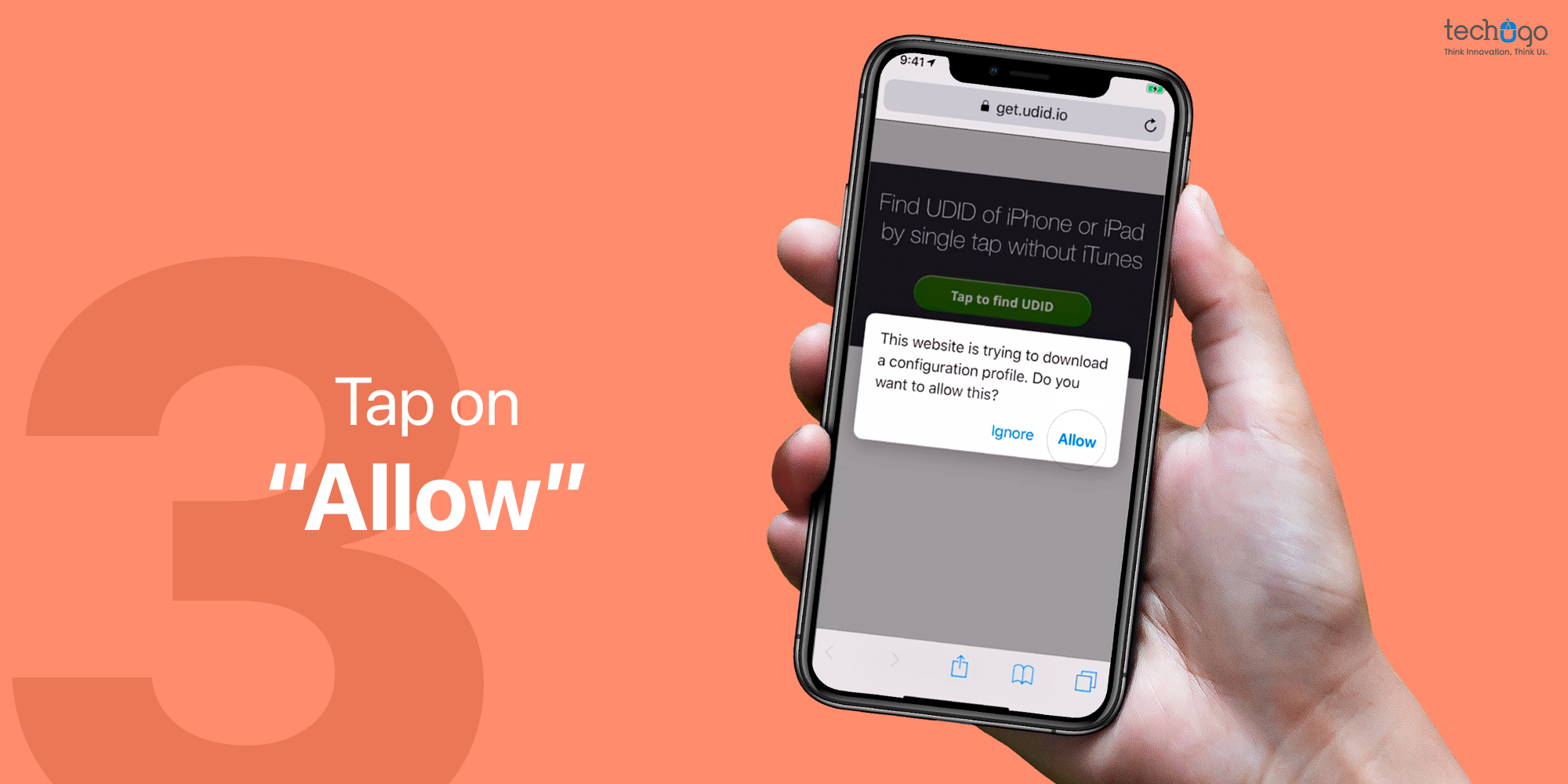
4. Go to Settings > General > Profile, open the downloaded profile.
5. Tap Install to complete the process and get your UDID.

UDID vs Device ID vs IMEI Explained
| Feature | UDID | Device ID | IMEI |
| Full Form | Unique Device Identifier | Device Identifier (general term) | International Mobile Equipment Identity |
| Purpose | Identifies iOS devices for development and beta testing | Generic term used to identify a device in apps or systems | Identifies mobile hardware on cellular networks |
| Used By | Apple & app developers | Apps, software systems | Mobile network providers |
| Availability | iOS devices only | All devices (varies by system) | All mobile phones |
| Changeable? | No | Depends on system | No |
| Main Use | App testing & device registration | General device tracking | Network security & tracking lost phones |
This procedure is really easy to follow and will help you get the UDID of your iPhone in no time. If you want to get UDID through iTunes, then click on our blog : How To Get UDID Of Your iPhone
Do let us know more of your day-to-day tech related queries. We’ll do our best to help you out with it. But until then, stay hooked to this space for more information.
FAQ
1. What is the main difference between UDID and IMEI?
UDID is used for identifying iOS devices in app development, while IMEI is used by mobile networks to identify and track phones.
2. Can UDID and Device ID be the same?
No, UDID is specific to Apple devices for development purposes, while Device ID is a general term used in different systems.
3. Is IMEI used for apps or software testing?
No, IMEI is only used by mobile networks for security, tracking, and device identification, not for app testing.
4. Can I change my UDID or IMEI?
No, both UDID and IMEI are permanently assigned to the device and cannot be changed.
5. Which one is most important for developers?
UDID is most important for developers because it allows them to register devices for beta testing and app development.

Get in touch
We'd love to hear from you.