

 SA
SA  KW
KW  IE
IE AU
AU UAE
UAE UK
UK USA
USA  CA
CA DE
DE  QA
QA ZA
ZA  BH
BH NL
NL  MU
MU FR
FR 
















📌 Key Takeaways
- POS software manages transactions, inventory, and payments in one integrated system.
- 5 core technologies drive modern POS: cloud infrastructure, payment gateways/NFC, security/tokenization, modular architecture, and API integrations.
- Development costs range from $20,000 to $250,000+
- PCI-DSS compliance and encryption are non-negotiable for handling payment data securely.
- 5 POS types exist: Legacy, Mobile, Cloud-Based, Modern, and Unified.
Every transaction your business processes tells a story about efficiency, customer experience, and growth potential, and that story starts with the right POS system. For entrepreneurs outgrowing generic, one-size-fits-all solutions, POS software development offers a path to a system built specifically around how their business actually operates. Hence, this blog breaks down the technology powering modern POS systems, the real business benefits of going custom, and the step-by-step development process – everything an entrepreneur needs to make an informed decision. But first, you need to understand POS software.
What Is POS Software?
A digital system that manages sales transactions, tracks inventory, and processes payments is called POS, or Point of Sale software. Using POS software, the merchant calculates the sum owed by the customer, displays the amount, prepares an invoice (optional in some cases), and indicates the payment options to the customer. But did you stop to consider the technologies behind it? If not, then the list is below.
What Are The Core Technologies Behind Modern POS Systems?
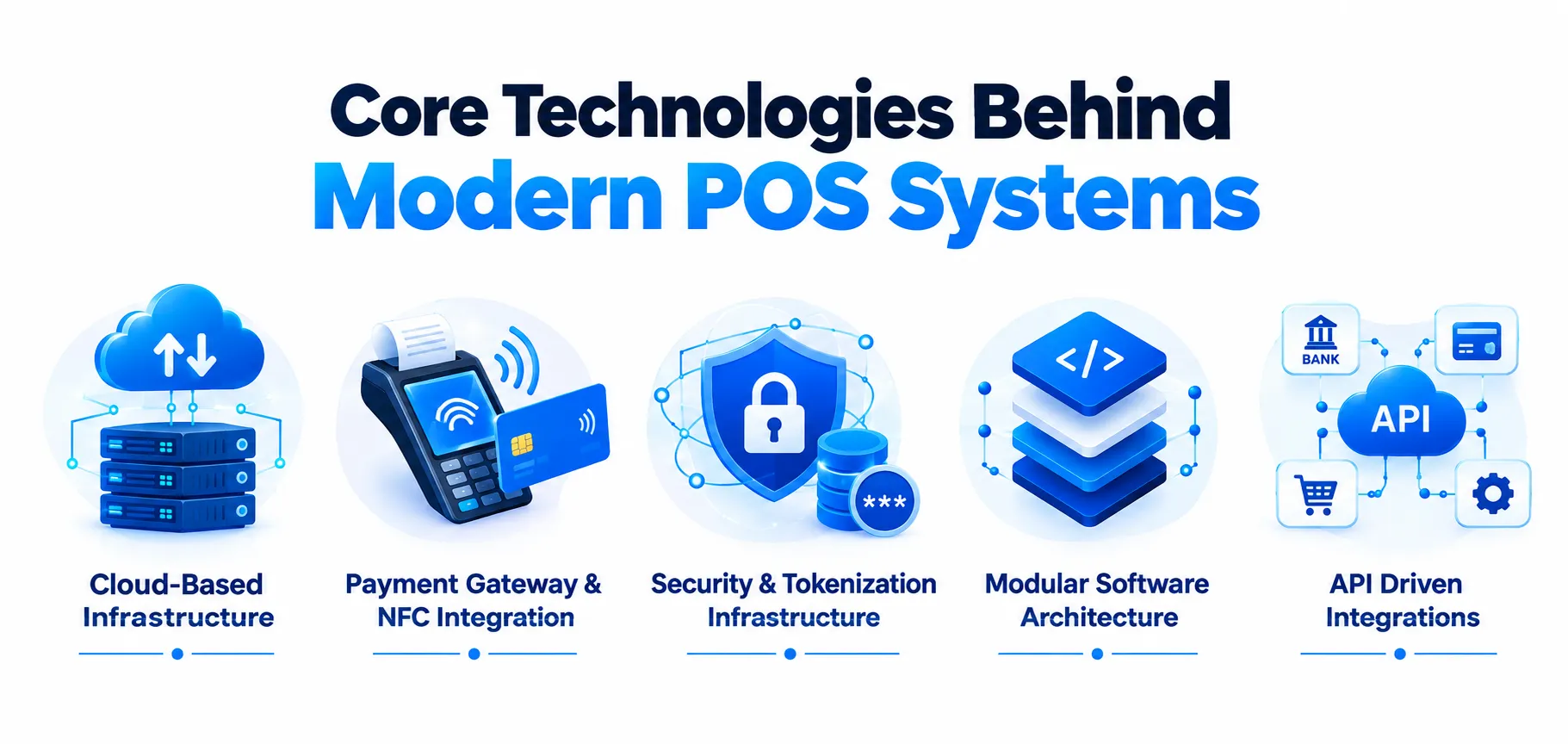
In the modern world, there are a lot of technologies that are powering POS systems, almost literally. You will only know about this when you get into the depth of it, so here are the core technologies you might want to look at as part of POS system development:
1. Cloud-Based Infrastructure: This aspect talks about the dimensions of shifting data storage and processing from local hard drives to remote servers. So, it is like being saved from the biggest ordeal, as real-time data synchronization across multiple locations is a reality.
2. Payment Gateway & NFC Integration: Contactless mobile wallets and encrypted card taps are enabled, thanks to Near Field Communication (NFC) and other payment gateways. In point-of-sale software development, payment gateways securely direct the transaction between the processor, merchant, and banking networks.
3. Security & Tokenization Infrastructure: Many advanced security software solutions shield sensitive financial and personal information. Thus, there is no need for credit card numbers having unique digital identifiers.
4. Modular Software Architecture: This is built with the help of modern UIs and robust backend engines. So, to help you solve this, the application handles simultaneous tasks, which include inventory tracking, tax calculations, and employee performance metrics.
5. API Driven Integrations: Allowing POS software to connect directly with third-party applications such as Customer Relationship Management (CRM), accounting platforms, and automated reordering tools will certainly make a difference.
Cost To Build A POS Software (Detailed Breakdown)
You wouldn’t think that custom POS development services are free of cost? I hate to break it to you, but you will need to pay for such solutions. So, here is the detailed breakdown of the cost to build a POS software:
| Project Type | Estimated Cost (USD) | Estimated Duration |
| Basic POS | $20,000 – $60,000 | 1 – 2 Months |
| Mid-Level POS | $60,000 – $140,000 | 2 – 7 Months |
| Enterprise-Grade POS | $140,000 – $250,000+ | 7 – 14+ Months |
Feel Free To Book An Initial Call With Our Experts! Have A Specific Question Regarding Point of Sale Development Cost?
How Long Does It Take To Develop POS Software?
Developing POS software requires time. “But how much?” Is the question every entrepreneur is wondering. Thus, here’s a table to let you know about the time.
| POS Project Type | Estimated Duration |
| Basic POS | 1 – 2 Months |
| Mid-Level Complexity POS | 2 – 7 Months |
| Advanced / Enterprise Level POS | 7 – 14+ Months |
Business Benefits of Building A Custom POS Software
Businesses looking to build on the back of an expert custom POS software development company must know about the benefits they can derive from it. For your benefit, we have listed them below:
1. Flexibility & Scalability To Innovate
Custom POS software development is, first and foremost, an excellent basis for future scalability and the application of cutting-edge technology. Custom POS platforms may genuinely grow to meet a variety of business demands by keeping up with payment processing industry trends like AI-driven recommendations and complete omnichannel support.
2. Cost Efficiency In The Long Run
It is true that the initial investment in custom software is higher. However, the returns are more genuine and stable in the long run. You won’t have to deal with vendor lock-ins or recurring software licensing fees because you will be in charge of the system customized to your particular procedures. Isn’t that just great?
3. Customer Experience Is Elevated
Quicker checkout procedures can be achieved by conducting research and setting up workflows and interfaces to meet the demands of your consumers using a random POS system. Going a step forward, seamless and secure transactions are made possible by incorporating sophisticated reward programs and tailored activities, as well as collaborating with regional financial services providers via payment gateway integration services.
4. Improved Data Insights
Using an expert vendor’s data analytics services will give you a comprehensive understanding of operations and unparalleled visibility into your processes. Data-driven insights are essential for making well-informed decisions and seizing development possibilities, from shifting market patterns to more accurate inventory management.
Types of POS Systems Developers Build
POS application development is a wide and structured domain that needs to be studied at this point. But this is incomplete if you don’t understand the types of POS systems, which are more direct in nature. Hence, some of the types include:
1. Legacy POS
Storing information on local servers and directly installing in-store data is the work of legacy POS systems. If you use them over a period of time, you will come to know that they are reliable. But on the other hand, they are quite expensive to maintain and are difficult to integrate with newer technologies. Some of its aspects include:
- Higher maintenance costs
- Familiar technology for long-established businesses
- Tough to integrate with modern retail systems
2. Mobile POS (mPOS)
Instead of using a conventional checkout counter, a mPOS enables employees to conduct transactions using a smartphone, tablet, or other portable device. By facilitating queue busting, line-busting during peak hours, and assisted selling on the shop floor, mPOS systems enhance customer service. They are particularly well-liked by eateries, pop-up shops, small retailers, and companies that require flexibility. Mobile POS has these elements:
- Portable and flexible
- Smaller screens may limit functionality
- Faster customer service.
3. Cloud-Based POS
Instead of storing data on local computers, cloud-based point-of-sale systems securely keep it online. This enables companies to get automatic software updates and access sales, inventory, and reporting from any location. Due to its ease of implementation, low IT upkeep, and ease of scaling across several locations, cloud POS has become the norm for many merchants. Many of its aspects include:
- Easy multi-store management
- Internet connectivity is important for full functionality
- Infrastructure cost is lower
4. Modern POS
Payment processing is just one of the many functions of modern POS development services systems. By linking inventories, payments, customer profiles, promotions, loyalty programs, reporting, and eCommerce, they act as a retail business’s operating center. Although the majority of modern POS systems are cloud-based, their versatility and capacity to interface with other corporate systems set them apart. However, if you haven’t understood it yet, some of the aspects include:
- Better customer experiences
- Integration capabilities vary between vendors
- Supports growth and expansion
5. Unified POS
The most recent breakthrough in modern POS technology is a unified POS. It uses a common platform and data model instead of integrating disparate systems. This implies that information about customers, inventory, orders, prices, promotions, and products is the same across physical stores, online retailers, mobile applications, marketplaces, and customer support channels. A lot of its elements are tied to:
- Single source of truth across channels
- May require a larger implementation project
- Reduced complexity and limited integration issues
How To Develop A POS System?
When you are looking for the answer to “how to create your own POS software?” it is wise to follow an expert’s advice throughout the process. Here are the steps that lead to the creation of a successful point of sale software architecture:
1. Clearly Mention Your Business Requirements
The first step is to identify your business segment, whether being a retail, restaurant POS, salon, etc., along with the size of the business you operate and the challenges you face with your current software. You will have to list the necessary features required such as inventory management, multiple location support, and table management features. Determine a budget and timetable for the project.
2. Research Market & Competitors
Research the available POS providers such as Square, Toast, and Lightspeed to find out what their strengths and weaknesses are. This information will help you determine whether you want to build a custom POS system, use a white-label POS product, or extend an existing platform with APIs.
3. Choose Your Development Approach
Choose whether to create a team for development in-house, go for an AI POS app development company, or use a no-code/low-code POS builder. Custom development places all control in your hands but costs much more and takes longer.
4. Select The Right Tech Stack
Decide whether you want to make use of iOS, Android, the web, or cross-platform solutions. Depending on that, make a decision about what backend framework or technology, the database technology, and the cloud provider you will use. You should also think about PCI-compliant payment processors like Stripe or Square API, which requires the assistance of a POS software development company.
5. Design The UI/UX
Team members at a point of sale should be able to process transactions in a few seconds while being under stress in peak times. Make sure to test the actual functioning of the interface by testing it with real employees prior to the implementation.
6. Build Core Features
Create key modules including checkout and billing, inventory control, employee accounts, dashboards for reporting, and management of customers. Also implement different methods of payment systems to receive payments, printers for receipts, scanners for barcodes, and other applications for which you can hire POS developers.
7. Test Continuously
Conduct functional testing, security testing, and load testing to ensure that the system can cope with peak transaction volume. Focus on payment security, compliance with PCI DSS, as well as reliability in offline mode when there is no Internet connection.
8. Deploy & Train Staff
If you run multiple locations, do a pilot rollout at one location first before expanding. Consider doing hands-on training for your employees and prepare documentation or quick-reference guides for most of the tasks.
9. Maintenance & Iterate
Establish an initial process regarding support for continued bug fixes, security updates, and feature upgrades. Regularly collect feedback from users in order to effectively decide on how best to improve the future releases.
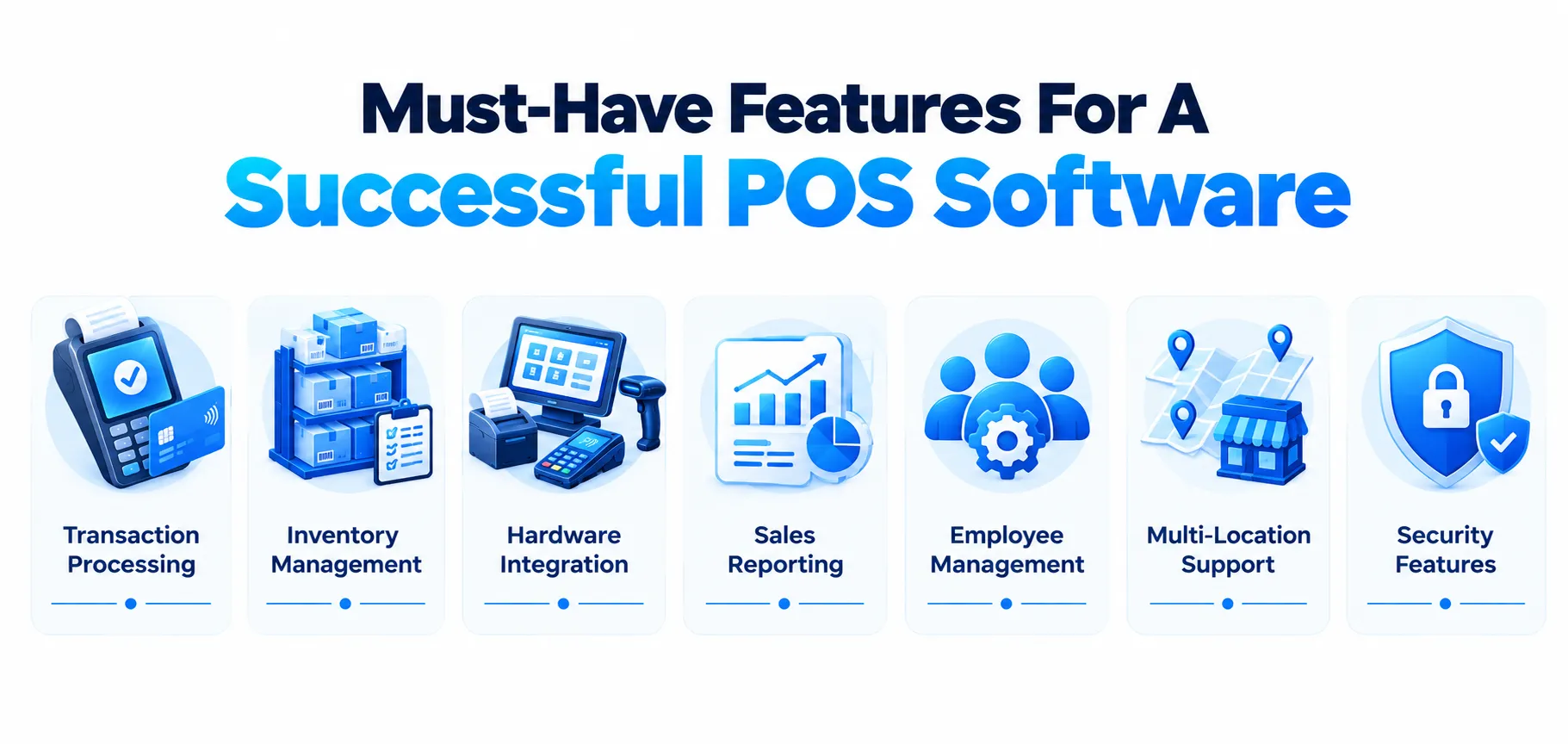
Must-Have Features For A Successful POS Software
From the get-go, features are what create a distinction between basic and successful POS software. Most POS’s don’t have that, but if you want to make a mark, it is essential to have these in yours:
1. Transaction Processing: Handling of sales transactions in your system makes the handling of such aspects seamless. POS’s are well known to handle popular payment methods such as credit cards, cash, and digital wallets. Hence, real-time calculations and taxation become easier.
2. Inventory Management: The system should be on top of the product catalogs with thorough information about prices and product descriptions. Constantly updating the stock levels is an essential chore of the inventory management process.
3. Hardware Integration: Barcode scanners, cash drawers, and receipt printers are necessary with some POS software. On top of this, integration with weighed items may be required.
4. Sales Reporting: After enough data and business has been ventured forward, sales-related reports are some that should be sought after. Thanks to POS system development, you will be easily able to extract top-selling products, locations, and even peak sales times.
5. Employee Management: Do you know that user accounts and role-based access control are an essential part of the POS system? These systems also help in monitoring employee work time and attendance. So, when you can get all this from a POS, then taking the first step with software development consulting is something you must opt for.
6. Multi-Location Support: In the case of companies that manage more than one retail location, centralized control is necessary. This may include the synchronization of pricing and inventory across stores, analyzing performance on a store basis, and overseeing people on a single platform.
7. Security Features: Given that POS systems handle sensitive payment data, security can’t be an afterthought. PCI-DSS compliance is important for any system processing card payments, alongside encrypted transactions, user authentication, and regular software updates to patch vulnerabilities.
Advanced Features of POS Software
Modern point of sale systems have evolved far beyond basic checkout and receipt printing. Today’s POS software acts as the operational backbone of a business, connecting sales, inventory, staff, and customers in real time. Below are the advanced features that set a powerful POS system apart.
1. Cloud-Based Access: Enables business owners and managers to check sales, inventory, and reports remotely from any device, with data securely backed up and always accessible.
2. Customer Relationship Management: Tracks customer purchase history, preferences, and contact details to enable personalized offers, loyalty rewards, and targeted marketing campaigns.
3. Loyalty & Rewards Program: Built-in tools to create point-based or tiered loyalty programs that automatically apply discounts or rewards at checkout, encouraging repeat business.
4. Advanced Analytics & Reporting: Generates detailed reports on sales trends, best-selling products, peak hours, and staff performance, helping owners make data-driven decisions.
5. Self-Service Kiosk Support: Enables customers to place and pay for their own orders via kiosks or tablets, reducing wait times and staffing needs during peak hours.
Tech Stack Used For POS Software Development
Using various kinds of technologies for point of sale software architecture is a recipe for success. Thus, take a look at the tech stacks that can help you get the best output:
| Layer | Common Technologies |
| Frontend (mobile) | Swift (iOS), Kotlin/Java (Android), Flutter, React Native |
| Frontend (Web) | React.js, Vue.js, Angular |
| Backend | Node.js, Python, Java, Ruby on Rails, .NET |
| Database | PostgreSQL, MySQL, MongoDB, Firebase |
| Cloud Infrastructure | AWS, Google Cloud Platform, MS Azure |
| Payment Gateway | Stripe, Square, API, Adyen, Braintree, PayPal |
| Real-Time Sync | WebSockets, Firebase Realtime Database |
| API & Integrations | REST APIs, Webhooks, GraphQL |
Latest Trends In POS Software Development
Walk into almost any retail store, restaurant, or salon today, and you will notice something. The checkout counter is not the same anymore. This is where point-of-sale software has quietly transformed from a simple cash register replacement into one of the most data-rich connected tools a business owns.
1. Cloud-First Is No Longer Optional
A few years ago, cloud-based POS was nice to have. Now, it is the default. Business owners want to check today’s sales from their phone at home, managers want real-time visibility across multiple branches, and developers want systems that update instantly without on-site maintenance visits.
2. AI Is Moving From Buzzword To Backbone
AI in POS software used to mean little more than marketing copy. That’s changing fast. Developers are now building AI directly into core POS functions, predicting which products will sell out before they do, flagging unusual transactions that might signal fraud, and even suggesting optimal pricing based on demand patterns.
3. Contactless & Mobile Payments Keep Expanding
Tap-to-pay, QR codes, and digital wallets aren’t new, but the pace at which customers expect them is accelerating. POS systems are being built to support an ever-growing list of payment methods, leading to out-of-the-box desktop application development.
4. Omnichannel Is The New Standard
Customers don’t think in terms of “online store” versus “physical store” anymore. They just think of the business as one brand. That expectation is pushing POS developers to build systems where inventory, orders, and customer profiles sync seamlessly across e-commerce platforms, physical registers, and mobile apps.
5. Offline Mode Is Becoming Important
It’s easy to assume that with cloud computing everywhere, offline mode is outdated. In reality, it’s more important than ever. Reliable POS software is being engineered to keep functioning through internet outages, queuing transactions locally and syncing automatically once connectivity returns.
Why Choose Techugo For Custom POS Software Development Services?
When you don’t know your hero product or service, you just cannot capitalize on it. This goes the same way for the highest revenue-generating locations and peak times for sales. So, for this, you just might need the help of a custom POS development company. Get A Free Consultation With Experts At Techugo. Ready To Build A POS System That Fits Your Business?
The Final Word
Custom POS software development gives businesses far more than a checkout tool. It delivers scalability, cost efficiency, and deeper data insights that off-the-shelf products can’t match. From cloud infrastructure and payment gateway integrations to must-have features like inventory management and multi-location support, building a POS system requires careful planning around technology, budget, and timeline. Thus, if you are a small retailer or managing multiple locations, understanding the development process and partnering with the right team ensures your POS system supports your business, rather than holding it back.
FAQs
Q) How to choose a vendor for bespoke POS system creation?
Choosing the right vendor for a bespoke POS system requires a strict evaluation process, which includes:
- Technical Capabilities & Architecture
- Industry-Specific Expertise
- Development Process & Project Management
- Scalability & Security
- Support & Maintenance
Q) How much does POS software development cost?
POS software development costs range from $20,000 to $60,000 for a basic / MVP; a mid-level app costs $60,000 to $140,000, and an enterprise-grade POS costs $140,000 to $25,000+.
Q) Which features to include in retail POS software development?
Core features to include in retail POS software development are:
- Fast Checkout Engine
- Returns & Refunds
- Real-time Inventory Tracking
- Offline Mode
- Sales Analytics & Reports
- Third-Party APIs
Q) What technologies make up a typical tech stack for POS software?
A typical POS tech stack includes mobile frameworks (Swift, Kotlin, Flutter), web frameworks (React.js, Angular), backend technologies (Node.js, Python, .NET), databases (PostgreSQL, MySQL, Firebase), cloud platforms (AWS, MS Azure, GCP), and payment gateways (Stripe, PayPal, Square).
Q) What are the key steps in custom POS software development?
Major steps in developing a custom POS software include:
- Define Your Business Requirements
- Research The Market & Competitors
- Choose Your Development Approach
- Select The Right Tech Stack
- Design UI/UX
- Build Core Features
- Test Continuously
- Deploy & Train Staff
- Maintenance & Iterate

Get in touch
We'd love to hear from you.