

 SA
SA
 KW
KW
 IE
IE AU
AU UAE
UAE UK
UK USA
USA
 CA
CA DE
DE
 QA
QA ZA
ZA
 BH
BH NL
NL
 MU
MU FR
FR















📌 Key Takeaways
- A streaming app needs more than a video player. Features like search, recommendations, profiles and subscriptions can make the experience better.
- Generative AI development can add useful features such as smarter content discovery, automated captions and content management.
- Your tech stack should match your app’s features, audience, budget, and streaming requirements.
- If you’re planning a video streaming app, expect to spend anywhere from $20,000 to $250,000+.
YouTube, Netflix, Disney+ and other major video streaming platforms have proven that viewers are willing to pay for (if not spend hours on) a quality streaming experience, and it’s one of the most competitive and lucrative areas of tech.
If you’re thinking about developing your very own video streaming application, then you’ve come to the best place. You need to determine how you’ll deliver the videos, what features you really need, what type of business model you’ll have, and how you’ll maintain the app as your user base grows.
Those numbers are rather large as well. The global video streaming market is expected to cross $191.1 billion in 2026, while it reached $129.3 billion in 2024 (source – Grand View Research).
This guide will explain video streaming app development, features, tech stack, development process, development challenges, costs, and more.
Why Your Business Needs Video Streaming App Development Services
If video is already a big part of what your business offers, having your own streaming app can give you a lot more control.
1. So, what can a streaming app do for your business?
Let’s look at it.
2. Give Your Audience a Better Experience
Your app can be designed around your content and your users. From how they find videos to how they watch and interact with them, you get to decide what the experience looks like. Only professional video streaming app development services put you in control like that.
3. Make Money From Your Content
You get to choose how you want to monetise the platform. That could be through –
- subscriptions
- ads
- pay-per-view content
- or a mix of different options
4. Know What Your Users Like
Having your own platform also means you get the real data. You can see what people are watching, where they click away, what they skip and which content gets the most attention.
5. Grow Without Starting Over
Your app’s popularity may be limited initially, but this can change in the blink of an eye. The best video streaming application company will be able to create an application that will be able to accommodate more people, content and traffic as your business grows.
What Are the Different Types of Video Streaming Apps?
1. Video-on-Demand Apps
These are the apps that let you watch movies or shows whenever you want, instead of having to follow some fixed schedule. Netflix, Disney+, and Amazon Prime Video are the classic examples here.
2. Live Streaming Apps
Live streaming apps are built around real-time. Twitch and YouTube Live are the go-to examples for this kind of streaming app development.
3. User-Generated Content Apps
This one is a bit different, because the users are also the creators. These have various forms of digital content such as music, podcasts, videos, etc. YouTube and TikTok are the big names in this space.
4. Multi-Content Streaming Apps
These have various forms of digital content such as music, podcasts, videos, etc. Such media streaming software development may include various types of media as well as various delivery methods.
Key Features of a Video Streaming App
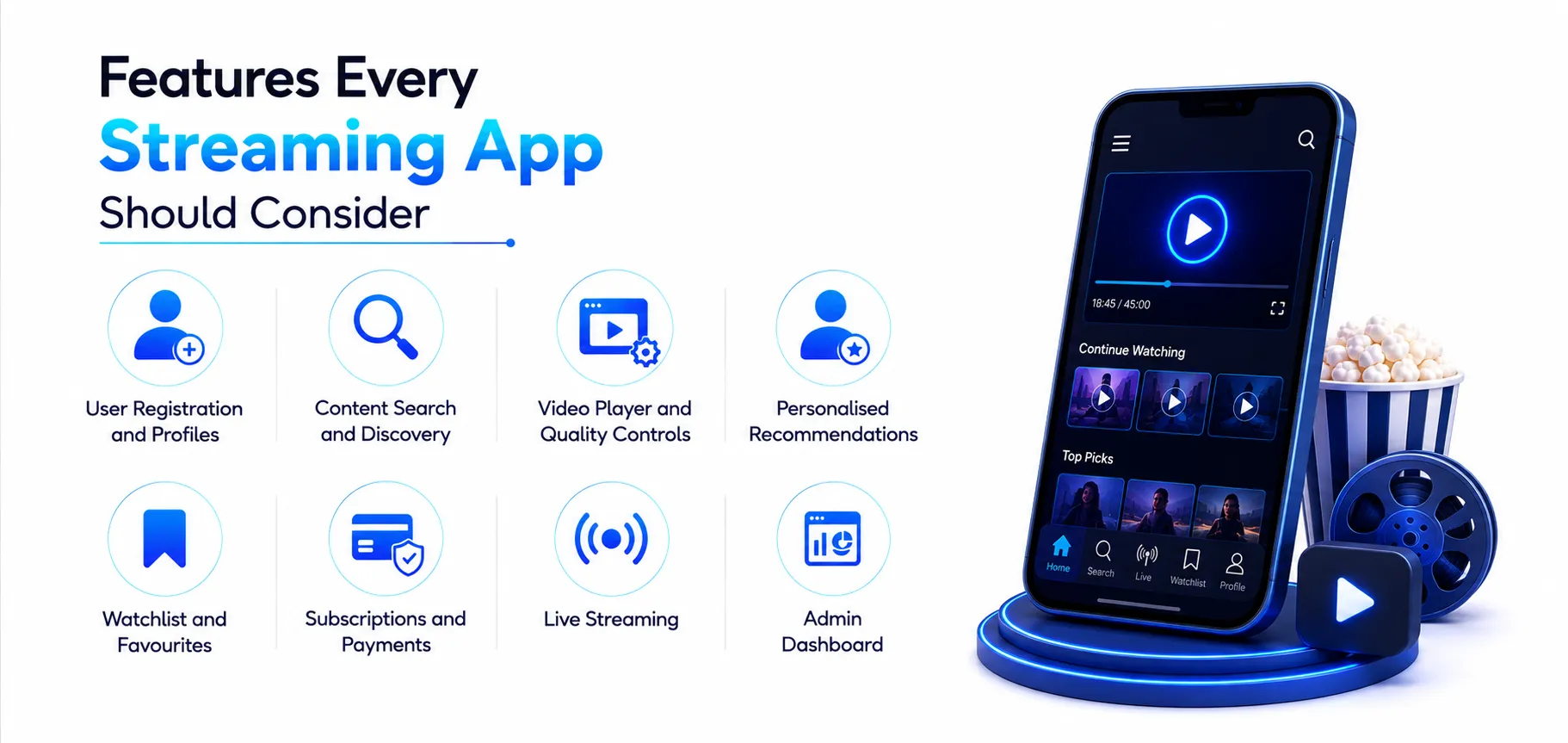
1. Features Every Streaming App Should Consider
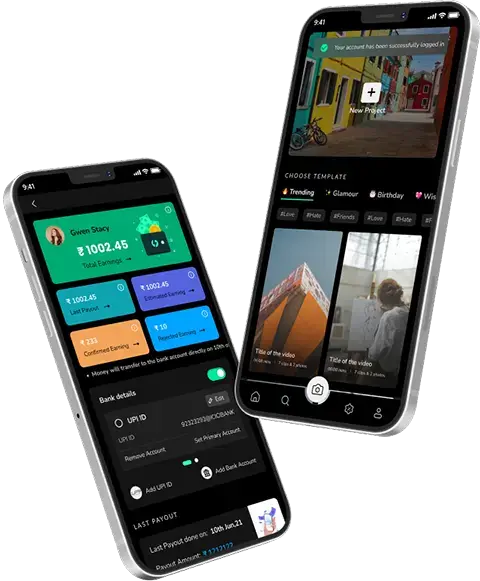
It’s not enough to have a good video player; a video streaming app must offer users ways to find content of interest, view it uninterrupted and remain satisfied enough to return.
Here are some of the features worth considering during entertainment app development –
2. User Registration and Profiles
Keep sign-up simple. Let users create profiles based on their viewing habits. If your platform supports multiple users, then you can also offer separate profiles under one account, so that everyone gets their own space.
3. Content Search and Discovery
The search feature is basically to help users find videos quickly. You can also add categories, filters, trending sections, and personalised recommendations so that content becomes easier to discover for you as a user.
A video streaming app development company can also help you build these features around the way your audience actually searches and watches content.
4. Video Player and Quality Controls
The video player is obviously at the heart of the app; that much is clear. Users should be able to pause, rewind, adjust playback speed, change video quality and turn subtitles on or off.
5. Personalised Recommendations
Your app can use viewing history and user preferences too, in order to suggest relevant videos. When done right, this can make it easier for users to discover content they might actually want to watch, therefore keeping them engaged longer.
6. Watchlist and Favourites
A watchlist lets users save content for later, while favourites, they give quick access to videos or creators that users already like.
7. Subscriptions and Payments
If your app is subscription-based, users should be able to choose a plan, make payments, and manage their subscriptions directly from the app.
8. Live Streaming
If you’re planning to offer real-time content, then live streaming can be added for events, gaming, sports, classes, or other broadcasts because that’s what real-time really means. Moreover, it gives users an interactive way to engage with your platform, and that’s been a big draw for a lot of apps.
9. Admin Dashboard
Someone has to keep the whole platform in check. The admin dashboard gives you one place to manage it all. If you are working with a mobile app development company, they can help you build the controls you need to upload and organise content, manage users and subscriptions, monitor activity and keep an eye on important platform data.
AI Features You Can Add to a Video Streaming App
AI doesn’t have to be everywhere in your app to be useful. During video streaming application development, you can start with a few practical features that actually solve user problems. From helping people find something worth watching to making your content library easier to manage, here’s where AI can fit in:
1. Personalised Recommendations – AI examines what a user has watched before and nudges them toward content they are more likely to be interested in.
2. Smarter Search – No more relying on exact keywords. AI gets the gist of what people are actually looking for.
3. Auto Categorisation – Videos get sorted into genres and topics on their own, so your team isn’t doing it by hand.
4. Content Moderation – AI flags anything sketchy and gives your moderators some backup.
5. Auto Captions – Captions get generated automatically and hence save hours of manual work.
What Business Models Can You Use for a Video Streaming Platform?
Before you build a video streaming platform, you have to figure out how it’s going to make money.
Here are some of the common ways platforms like this have been making money:
1. Subscription Video on Demand (SVOD): Users pay a recurring fee to access your content library.
2. Advertising Video on Demand (AVOD): Users watch content for free, while you generate revenue via ads.
3. Transactional Video on Demand (TVOD): Users pay for individual movies, shows, or other content.
4. Freemium: Free basic content with premium features/content paid for.
It is also possible to merge models, so that a hybrid approach can be adopted, depending on the target audience.
Tech Stack for Video Streaming App Development
The tech you pick really does affect how your streaming app runs once more people start using it. Here’s what you may need:
| Tech Area | Technology used |
| Frontend | Flutter or React Native for cross-platform apps or Swift and Kotlin for native iOS and Android development |
| Backend | Node.js, Python, or .NET for APIs, user accounts, content management, and core app functions |
| Video Streaming | AWS MediaConvert, Amazon IVS, Cloudflare Stream, or FFmpeg for video processing and delivery |
| Real-Time Streaming | WebRTC and HLS for live streaming and smooth video playback |
| Cloud & Storage | AWS, Azure, or Google Cloud for storing videos, handling traffic, and scaling the platform |
If you’re working with a live video streaming company, you don’t necessarily need to choose the most popular tools for your tech stack. It also depends on what your app needs, how many users you expect, your budget, and the kind of streaming experience you want to offer.
How to Build a Video Streaming App?
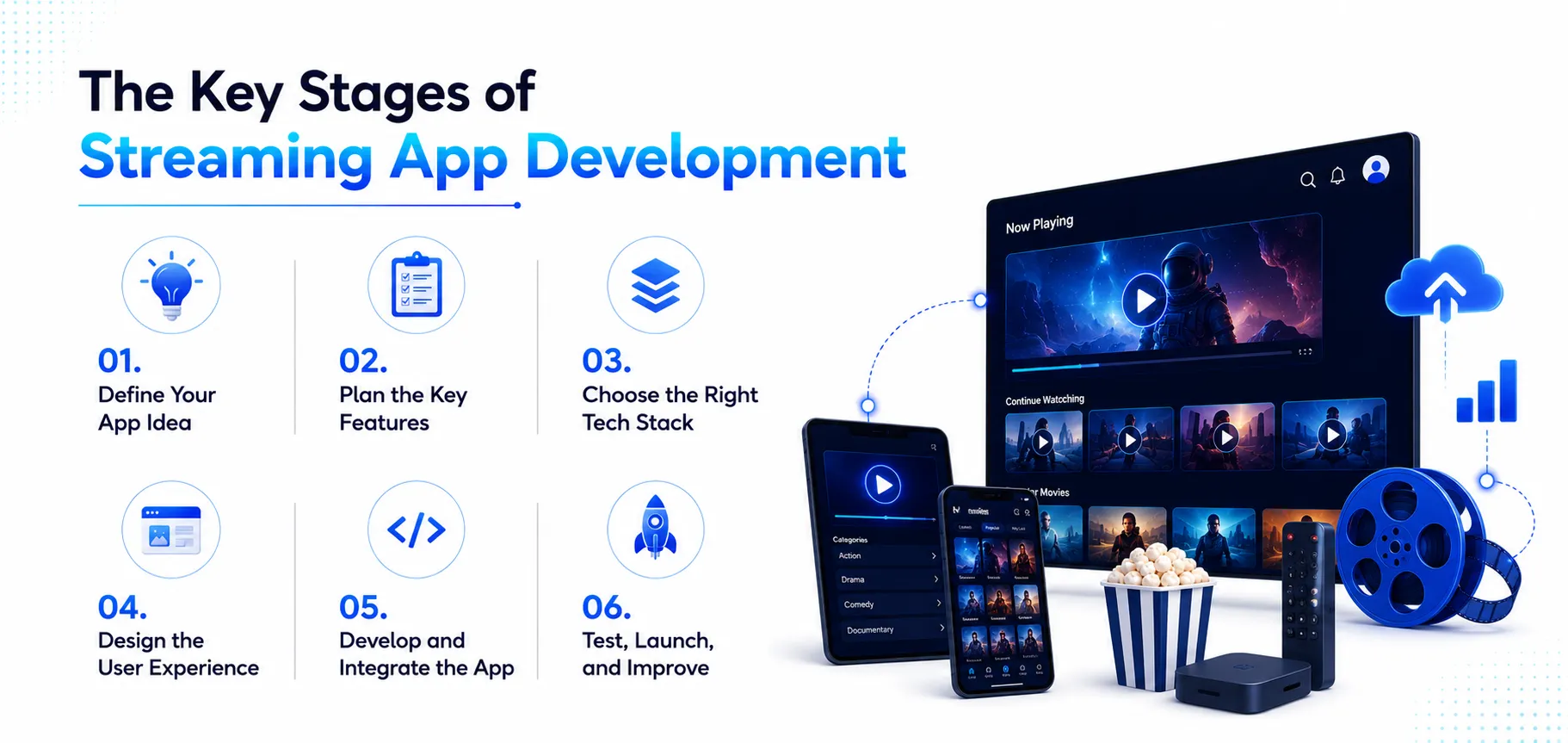
The process of building a video streaming app involves a number of different elements. But it’s quite a bit easier to do it when you break it down into steps.
Here’s what the process looks like:
1. Define Your App Idea
Start with the basics. Determine the kind of content your app will provide, the target audience – and what it is going to have that can entice people to use your platform rather than another. You will also need to decide if you will be targeting on-demand videos, live streaming or both.
2. Plan the Key Features
Then determine what users will actually need. This may encompass user registrations, search and filtering, categories, video recommendations, watchlists, subscriptions, payments, notifications and user profiles. In most cases, it is better to go with the features that are most important and expand from there.
3. Choose the Right Tech Stack
The type of technology you use will impact the performance, scalability and overall cost of the application. There are technologies to choose from for the front-end, back-end, video processing, cloud storage, content delivery and streaming. The appropriate choices will be determined by what you are trying to stream and who you’re targeting.
4. Design the User Experience
After that, think about how it actually feels to use. The users shouldn’t have to learn how to use the app to find something to watch, start a video, browse categories and manage their account. During video streaming mobile app development, prioritize user-friendly and intuitive design that adapts to various screen resolutions.
5. Develop and Integrate the App
Once the planning and design are ready, development can commence. This is where your features, back end, video player, payment system, APIs and all other integrations come together. Another option is to incorporate additional features such as AI-driven suggestions or tailored content later on in the evolution of your app. An experienced iPhone app development company can assist you in platform-specific development and App Store requirements if you’re creating a video streaming application for iOS.
6. Test, Launch, and Improve
Last step – test it. Try it on different phones, on bad wifi, on good wifi, check if videos actually play smoothly, make sure logging in and paying works. Once you’re confident nothing’s going to fall apart, launch it. And even then, you’re not really done because you have to keep an eye on feedback and keep improving it from there.
Challenges You May Face When Developing a Video Streaming App
1. Keeping Video Playback Smooth
Users can easily be driven away by buffering, rapid degradation in quality or a video that doesn’t load fast enough. One important thing you should ensure during video streaming app development is that it should be able to stream the videos smoothly on various devices, screen sizes, and internet connections.
2. Handling Growing User Traffic
Getting your first handful of users is the easy part. The real test is what happens when thousands of people are watching at the very same time. Does everything hold up? Your backend, your servers, and how you’re delivering content all need to be able to scale as more people show up, without anyone noticing a dip in quality.
3. Managing Video Storage and Delivery
Video files can be large, particularly if you’re providing HD or 4K quality. When your audience is increasing, so do the costs of storing and delivering all that content. That’s where investing in the right infrastructure or working with the right video streaming development services is going to help.
4. Balancing Features and Development Costs
There’s always one more feature you could add. But that doesn’t mean you need it all right away. Focus on what your users actually need first and grow from there. A no-code video streaming solution can be a decent way to get something simple off the ground, but as your app grows… you’ll need something more flexible.
How Much Does It Cost to Develop a Video Streaming App?
A video streaming app can cost anywhere from $20,000 to $250,000+ to develop. The difference mainly comes down to what you’re building and how much infrastructure it needs.
Instead of looking at the cost as one fixed number, consider what you want your app to handle:
| App Type | What You’re Building | Expected Cost |
| Basic | Core streaming, user accounts, search, and basic content management | $20,000–$50,000 |
| Mid-Level | Subscriptions, payments, recommendations, analytics, and multiple platforms | $50,000–$120,000 |
| Advanced | Live streaming, advanced security, AI features, and large-scale infrastructure | $120,000–$250,000+ |
In other words, the more your app needs to do, the more you’ll need to put into building it.
A few choices can also push the cost up or down. For example, React Native app development can help keep costs manageable when you want to support both – iOS and Android. Meanwhile, live video streaming software development can add considerably to the budget because of the extra work involved in real-time streaming and infrastructure.
The final video streaming app development cost will depend on the features and scale you choose.
How to Choose a Video Streaming App Development Company?
You can find plenty of companies that can build you an app. But choosing the right video streaming app development company is a little different because streaming apps come with their own technical and performance requirements.
So, before making a decision, there are a few practical things worth checking.
1. Look at Their Previous Work
Start by checking what they’ve built before. Have they worked on streaming platforms, subscription-based apps, or content-heavy products? Ask them directly. Their portfolio can tell you a lot more about their experience than a list of technologies can, and therefore it’s worth spending time on.
2. Check Their Technical Expertise
Streaming apps need more than a standard mobile app setup. They need real technical depth. So ask about their experience with video processing, cloud infrastructure, content delivery, live streaming and scalability.
Do NOT settle for surface-level answers.
If you’re also considering music streaming app development, you should make sure the team understands the specific requirements of audio and music platforms too, because those are different problems entirely.
3. Understand Their Development Process
A good development partner should be able to explain how they’ll take your idea from planning and design to development, testing and launch. One more thing that you should know is how they handle communication and updates – particularly after the app is launched.
4. Don’t Choose Based on Price Alone
Look at their experience, technical capabilities, communication and long-term support, alongside the development cost, because that’s what determines whether this actually works out.
Upcoming Trends in Video Streaming Application Development
1. More Personalised Content
Streaming platforms are improving their ability to know what users appreciate. AI is able to analyze viewing patterns and recommend the most relevant videos based on these preferences.
2. More Interactive Viewing
People will not always desire to binge-watch. Live chats, polls, reactions and social sharing can make it more interactive to watch. This is also where social media app development ideas can take a toll on the design of streaming platforms.
3. Better Live Streaming
Live content keeps expanding. Whether it’s sports and events, classes, or creator streams. Therefore, video streaming app development is increasingly turning to minimizing delays, improving video quality, and streaming videos over various connections.
4. Smarter Search and Discovery
Gone are the days of flipping through page after page of videos – users might resort to voice search, natural-language queries, and AI-driven recommendations to find just what they’re looking for more quickly.
How Techugo Can Help You Build a Video Streaming App
At Techugo, we know there’s a lot to figure out before a streaming app is ready for people to use.
This is why our team helps you take your streaming app idea from a plan to a working product. We handle building a video streaming app from the ground up, including UI/UX design, core feature development, video streaming integration, payments, testing, and launch.
Whether you’re planning an on-demand platform or want to include live streaming, subscriptions, and personalised recommendations, we can build the app around your actual requirements. Our video streaming app development services are focused on creating what you need now while leaving room to add more as your platform grows.
Want to build a streaming app that fits your requirements? Contact our team.
FAQs
Q. How much does it cost to develop a video streaming app?
You could spend anywhere from $20,000 to $250,000+ on a video streaming app, depending on the features, platforms, design, and streaming setup you go for.
Q. How long does it take to build a video streaming app?
A basic app can take a few months, while a more advanced platform with live streaming and custom features can take longer.
Q. What features should a video streaming app have?
Start with the basics like video playback, search, categories, user profiles, watchlists, and subscriptions. You can always add more later.
Q. Can I add live streaming to my app?
Yes, you can. Just keep in mind that live streaming needs additional infrastructure and development work.

Get in touch
We'd love to hear from you.