

 SA
SA
 KW
KW
 IE
IE AU
AU UAE
UAE UK
UK USA
USA
 CA
CA DE
DE
 QA
QA ZA
ZA
 BH
BH NL
NL
 MU
MU FR
FR



















📌 Key Takeaways
- Cloud migration refers to the process of transferring applications, data, workloads and IT infrastructure to the cloud.
- Businesses can choose from public, private, hybrid and multi-cloud environments based on their requirements.
- If you are working with older/legacy applications – some modernisation may be needed to make them work well in the cloud.
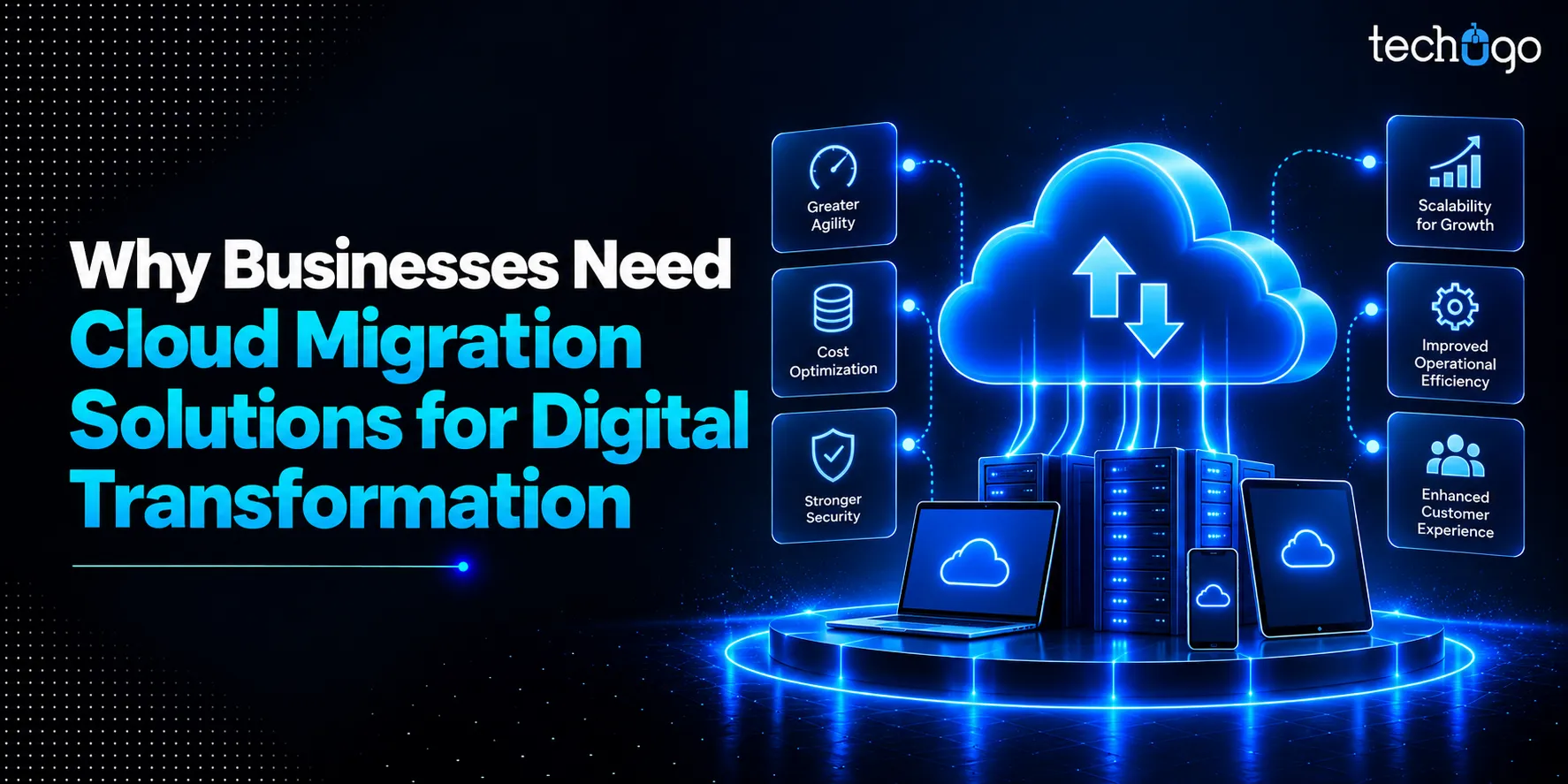
- Cloud migration can support goals like scalability, flexibility, remote access, business continuity and infrastructure modernization.
Industry Alert!
Grand View Research estimates that the global cloud computing industry is anticipated to see an increase from USD 943.6 billion in 2025 to USD 3.35 trillion by 2033, at a CAGR of 16%
Digital transformation is now too crucial to miss in the business world.
With the world changing constantly and customers’ requirements changing on the go, companies should also transform and adapt to the new conditions and expand their technological capabilities. Cloud migration solutions will be useful in this regard.
Understanding cloud migration & how it works
Cloud migration basically refers to transferring data, applications and workloads from local storage to the cloud. In essence, this allows businesses to upgrade old systems and create infrastructure that is simpler to manage and adapt to new circumstances.
How does cloud migration work?
So, how to do cloud migration?
It begins by examining what needs to be taken from your existing systems, what can remain unchanged and what might require modification throughout the process.
Then, you select the right cloud environment, design the migration, move your data and applications to the cloud, and test everything before you make the move.
The approach is different for each business. Some businesses will shift all at once and some will do it over time to ensure minimal disruption. The right cloud migration solutions can help with planning, migration, testing and ongoing management to make this transition more effortless.
Migration to the cloud can also be a component of an enterprise’s overall digital transformation efforts. By leveraging digital transformation services, businesses can modernize their technology, optimize their system’s functionality and build a more resilient platform for future growth.
Business benefits of cloud migration solutions
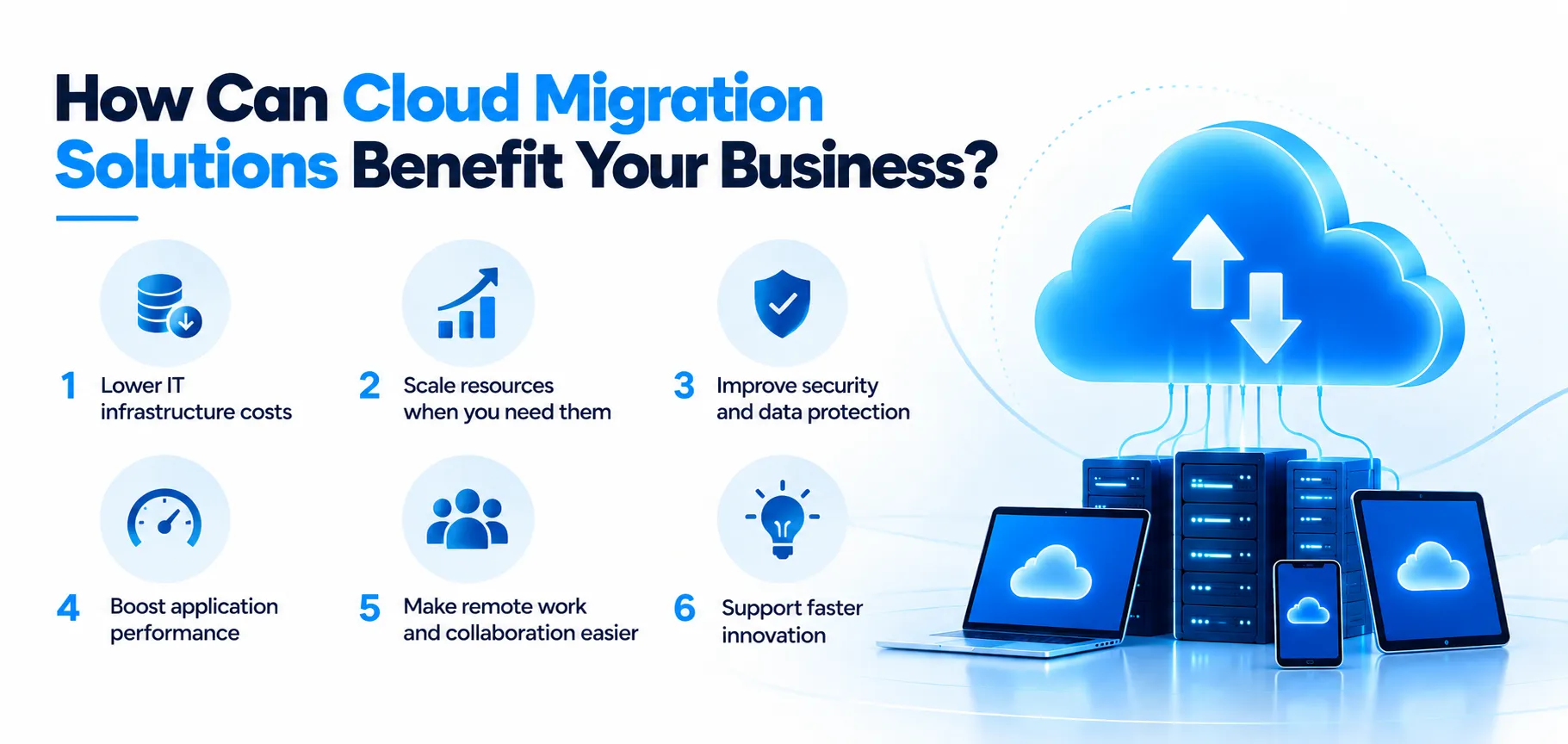
Running your business on old servers and legacy systems? You may find yourself investing more in technology than in advancing the business.
Here’s how your business can benefit from cloud migration solutions:
1. Lower IT infrastructure costs
Moving to the cloud can reduce the need for expensive physical servers.
Moreover, it cuts down on hardware upgrades so businesses don’t have to deal with as much ongoing maintenance. You are also able to choose resources based on what you actually need. This helps you avoid paying for infrastructure that is rarely used, and therefore, costs stay under control.
2. Scale resources when you need them
Business needs often change. Cloud platform migration solutions enable the ability to scale up or down computing, storage and other resources as needed. This offers flexibility to the business without the huge capital investment in hardware.
3. Improve security and data protection
Although security can be a concern during migration… modern cloud environments provide:
- Access management
- Encryption
- Monitoring
- Backup
- Threat detection capabilities
By carefully planning the migration, companies can strengthen their security while moving key applications and data, without sacrificing protection.
4. Boost application performance
The productivity of both employees and customers can be compromised due to a sluggish application and aged servers.
You might have had a similar experience. Migrating workloads to a suitable cloud environment can provide access to modern infrastructure and resources. These can support better application performance (and reliability).
With the right cloud migration service provider by your side, you can make the move more smoothly and keep disruptions to your business to a minimum.
5. Make remote work and collaboration easier
Everyone stays connected. Cloud-based systems enable authorized users to access applications and data from any place and any device. This means that teamwork becomes much easier as dependency on one physical computer is minimized.
6. Support faster innovation
Modern infrastructure also makes it easier to bring technologies like AI, analytics, automation, and modern applications into your business. If you’re not sure where to start, cloud consulting experts can help you figure out what works for your business and where modernisation could help you.
How cloud migration enables other digital transformation initiatives
The switch to the cloud can mean more possibilities than you think.
When your systems are in the cloud, integrating AI and automation, analytics and other advanced technology tools becomes easier because you do not have to change your IT environment time after time.
Beyond the migration itself, the cloud can support several other areas of digital transformation –
1. Adopt AI and automation
If you migrate to the cloud the right way – you can acquire enough computing power and flexibility to employ AI tools and automate repetitive tasks.
2. Make better use of data
Cloud migration solutions make data consolidation easier and empower utilizing analytics solutions so you can derive useful insights and optimize your enterprise’s decisions.
3. Build better applications
Planning new digital products or improving existing ones? Software development consulting can help you make better use of cloud technologies throughout the development process.
4. Keep up as you grow
Even cloud migration for small businesses can make it easier to bring in new technologies without spending a lot on physical infrastructure. With the right services for cloud migration, you can get your systems ready for what your business needs next.
What happens if businesses delay cloud migration?
Delaying cloud migration may seem unimportant, as long as your existing systems are performing fine. Yet, sticking with obsolete systems might create numerous complications.
Here are some of the issues you may run into –
Higher maintenance costs: Older infrastructure tends to require additional spending due to the constant maintenance it requires. This may lead to higher IT expenses.
Security concerns: As older systems do not have advanced security features, your enterprise can be put in danger because of these vulnerabilities.
Limited scalability: Legacy infrastructure can be limited in scaling up. So it may not meet the needs of your growing business.
Slower digital projects: Outdated infrastructure might create some obstacles in the execution of your future custom software development projects.
Harder future migration: The longer you wait, the more applications and data you may need to move later. Using the right cloud migration services and solutions can help you avoid a more complicated transition down the road.
Technology limitations: Relying on older infrastructure can also make it harder to take advantage of newer cloud migration technology and the capabilities it offers.
Cloud migration vs. cloud modernization: what’s the difference?
Cloud migration and cloud modernization may sound similar, but they’re not the same.
Let’s see what separates the two:
| Cloud Migration | Cloud Modernization |
| Focuses on moving existing systems to the cloud | Focuses on improving and transforming existing systems |
| May involve minimal changes to applications | Often involves redesigning or rebuilding applications |
| Usually has a shorter implementation timeline | Can take longer depending on the level of modernization |
| Reduces dependence on on-premises infrastructure | Makes applications more flexible, scalable and efficient |
| Best when you want to move workloads quickly | Best when you want to make systems more cloud-native |
Does every business need cloud migration solutions?
Not necessarily.
If the existing infrastructure is safe, stable and fulfills the requirements of the business, then a complete migration to the new platform might not be a priority at this time. However, as systems grow or become a choke point for newer technologies… it may be time to look at cloud migration solutions.
Does your business need to relocate, then? This is based on your current infrastructure, business objectives and what you plan to accomplish with your technology.
| Your business situation | Is migration worth considering? |
| Your current systems are secure and reliable | Not necessarily |
| Infrastructure is becoming expensive to maintain | Yes |
| Your business is growing quickly | Yes |
| You want to adopt newer technologies | Likely |
| You use multiple cloud platforms | It depends |
| Legacy systems are slowing down operations | Yes |
Before choosing, get familiar with what you’re dealing with. Which applications and data need to be migrated? What can remain where it currently is? Also, think about your future plans for your system. A cloud migration roadmap can help you find the answers and manage the process with zero downtime.
Moreover, you don’t have to transfer all systems simultaneously. For example, you may only transfer some applications or continue using a mix of both systems. Are you currently using more than one cloud service? In this case, cloud-to-cloud migration services can help you transfer your data to another environment.
Keep in mind that the cloud migration solution should be the most appropriate for your business: its size and budget allows getting only the suitable solution.
How businesses can get started with cloud migration
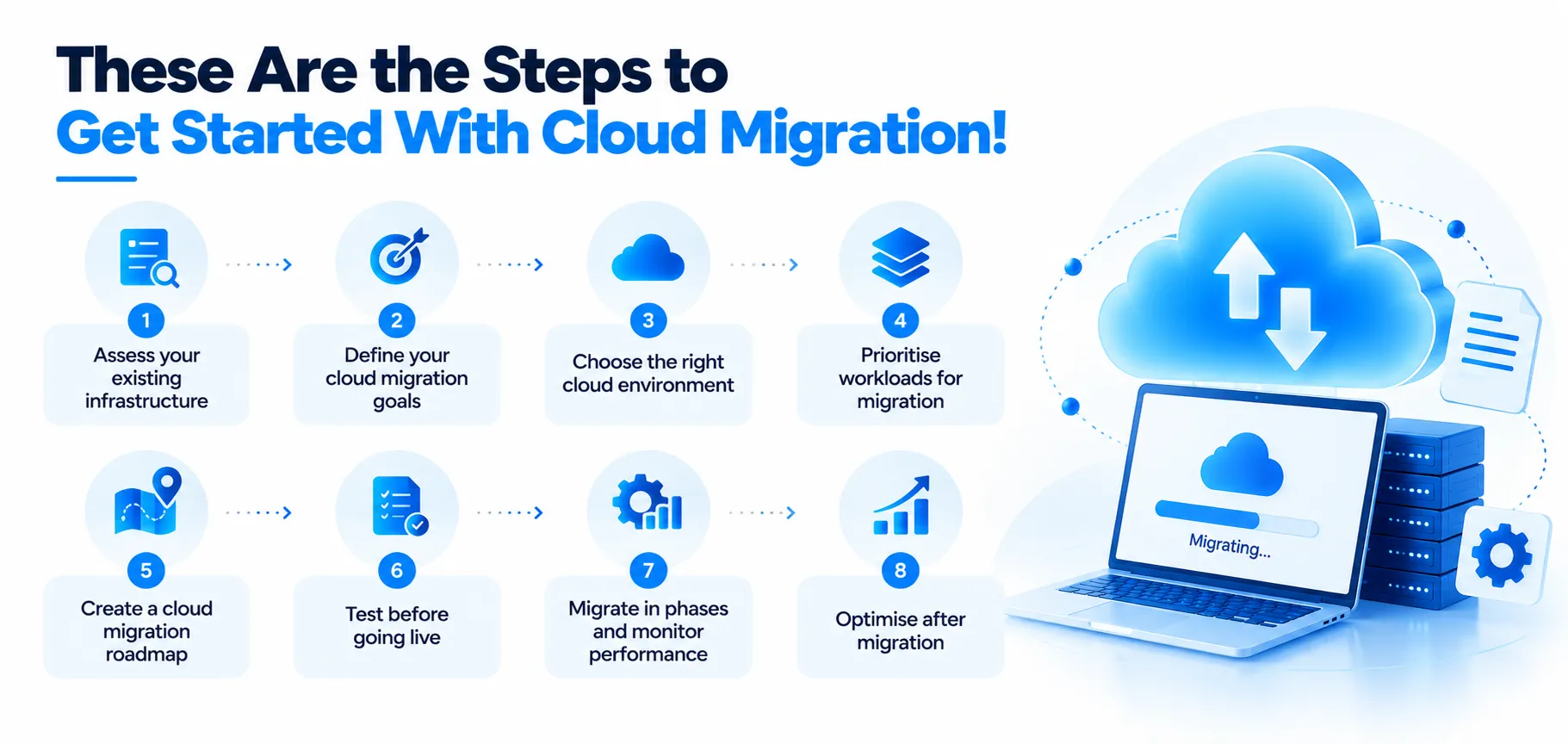
The first step towards cloud migration is to evaluate the existing infrastructure and outline the goals you wish to accomplish. The right cloud migration solutions will allow workloads to be phased in and out and help minimize impact to the business.
Here’s how businesses can get started:
1. Assess your existing infrastructure
So before you start making changes, it is important to first look at your existing IT environment. Figure out what apps, databases, servers, storage systems and other workloads your business depends on.
And then determine which of the systems can be migrated and which may need to remain on-premises for the time being.
2. Define your cloud migration goals
Know what you want to migrate to the cloud for. These objectives may range from lower infrastructure expenses to better scalability, remote team support, business continuity and modernization of legacy systems as part of a wider cloud transformation strategy.
Defining goals will help you select the best migration approach.
3. Choose the right cloud environment
There are several different types of cloud environments including public cloud, private cloud, hybrid cloud and multi-cloud (which can be selected based on the need).
For instance, a hybrid cloud solution could be used for businesses to retain sensitive or critical applications on-site while moving other applications to the cloud. This will be determined by factors like workload, security, compliance, budget and scalability.
4. Prioritise workloads for migration
It’s not required to migrate all items at once. Begin by sorting workloads into categories, according to their business value, criticality, interdependencies and migration readiness.
Less critical applications can be good candidates for an initial migration. A cloud application migration solution can assist you in planning and managing the move of a specific application, while minimizing impact on current applications.
5. Create a cloud migration roadmap
If you have an understanding of what will have to move, develop a clear migration roadmap. Outline the migration phases, timelines and responsibilities – as well as the budget, testing and rollback plans.
A roadmap can help reduce disruption and provide your teams with a sense of what they can expect during the migration process. It also helps your cloud migration partner use the right cloud migration solutions for each stage of the move.
6. Test before going live
Test Workloads in the new cloud environment before moving to production. Test application performance, Integrations, security controls, data integrity, and user access.
Testing can identify compatibility or performance problems early at a time when they may be more easily solved. It’s also a crucial component in ensuring your cloud migration solution operates the way you need it to until users are using it.
7. Migrate in phases and monitor performance
Don’t look at cloud migration as a one-off; move workloads in small steps. Track performance, cost, security and user experience after migration.
This way, your team can identify the issues and get them solved before you proceed to the next stage. Continuous cloud migration support can also help companies keep an eye on their new setup, address any issues and make necessary changes.
8. Optimise after migration
Once your workloads are in the cloud, there’s still work to be done. Regularly audit your cloud environment to spot unused resources, performance issues, security gaps and cost-saving opportunities. It’s also a good time to identify older systems that may need legacy application modernization to work better in the cloud.
Once the migration is complete, businesses still need to monitor performance, security, and costs. Ongoing cloud migration solutions can help address issues that arise after the transition and keep the system working as it should.
How to choose the right cloud migration service provider
1. Look at Their Cloud Migration Experience
Begin by reviewing their preexisting migration projects! Do they have experience with businesses like yours? Do they have experience with AWS, Microsoft Azure or Google Cloud? The more relevant their experience, the better!
2. Understand How They Handle Migration
Ask what their migration process looks like. A good provider should first assess your current setup, identify dependencies, plan the migration and test everything before going live.
3. Don’t Overlook Security
You should keep your data secure during migration. Ensure your provider is aware of your security and compliance needs and has a strategy for safeguarding your system and data.
4. Check Their Track Record and Pricing
Check out their case studies, client reviews and past work. Also, don’t compare providers based only on the initial quote. Examine the components included in the price.
5. Ask About Support After Migration
The work shouldn’t stop once your systems are moved. So you have to make sure they can help with monitoring, troubleshooting, optimization and ongoing cloud support.
How Techugo Delivers Cloud Migration Solutions
Moving to the cloud is a big step, especially if you’re working with older systems, large amounts of data or apps your business relies on every day. Techugo helps you plan and manage that move based on what your business needs.
Our services cover more than just analysis and planning. With cloud native app development, our experts can help businesses build applications designed specifically for cloud environments. We also provide ongoing support throughout the migration process.
If companies need to create specialised applications for their operations in the future, our team can help as well.
Maybe your business is ready for the cloud. Maybe it isn’t. Either way, it’s worth finding out before you start the migration. Let’s connect.
FAQs
1. What are cloud migration services?
They help you move your apps, data, and systems to the cloud, with cloud migration solutions covering everything from planning to ongoing cloud migration and support.
2. Are cloud migration solutions necessary for every business?
No. Not every company needs to migrate to the cloud. Some may benefit from it, while others may be better off with their current setup.
3. What are the main benefits of cloud migration?
Cloud migration can help businesses improve scalability, reduce infrastructure costs, support remote access, improve flexibility, and make it easier to introduce new technologies.
4. What should businesses migrate to the cloud first?
It usually makes sense to start with workloads that are less complex or less critical to daily operations. This lets your team test the process before moving more important systems.

Get in touch
We'd love to hear from you.