


 SA
SA  KW
KW  IE
IE AU
AU UAE
UAE UK
UK USA
USA  CA
CA DE
DE  QA
QA ZA
ZA  BH
BH NL
NL  MU
MU FR
FR [ LET’S TALK AI ]
X
Discover AI-
Powered Solutions
Get ready to explore cutting-edge AI technologies that can transform your workflow!



Get ready to explore cutting-edge AI technologies that can transform your workflow!







Making an app in 2026 is a lot more than just writing code and hitting the publish button. Mobile app development in 2026 is really about making something that people will love, use, and engage with.
As the digital world grows, so does the importance of a great mobile app to take your business higher.
Various studies suggest that global mobile app revenues are projected to exceed $673 billion by 2030, up from around $522 billion in 2023.
At the same time, users now spend an average of about 4.8 hours per day on mobile devices (Data.ai).
Those numbers make one thing clear: mobile apps aren’t side projects anymore.
This guide approaches mobile app development in 2026 not as a one-off coding exercise, but as a comprehensive, multi-stage product lifecycle.
Whether you’re a founder, product manager, or technical lead, this guide is designed to give you practical insights and clear frameworks that reflect how modern mobile app development actually works, beyond theory or surface-level advice.
Mobile app development is basically making software that works on devices like smartphones and tablets. It is a process that includes planning, designing, launching and maintaining the app throughout. A mobile app is made up of three main parts. These parts are like layers that work together to make the app.
The first layer is the frontend, which people usually call the client side. The frontend is what users see and interact with.
Frontend is about all the parts of the app that users can see and touch. It is about the screens, the buttons, the animations, the gestures and how people move through the app.
The performance of the frontend is really important for a mobile app to be successful in the long run.
When the animations on an app feel slow, or the taps on the screen respond late, or the layouts on the app feel really crowded, the users of the app will usually leave the app quickly. Hence, having a good frontend is really important for app development.
The second layer is the backend. This is where the backend does its job. The backend handles all the things that happen behind the scenes, like the things that the user does not see. The backend is very important because it makes sure everything works properly.
The backend is what handles the user login. It also takes care of the databases. The business logic is managed by the backend. The backend is responsible for sending notifications. It deals with payments and analytics, too.
The backend also connects with services from companies, which are known as third-party services. The backend manages all of these things, including the connections, with these third-party services.
APIs, or Application Programming Interfaces, are like a bridge that connects the frontend and the backend of a system.
This connection is really important because it allows the frontend and the backend to talk to each other and share information.
APIs make it possible for the frontend and the backend to work together smoothly. This is what makes APIs so useful, for Application Programming Interfaces.
The apps let the app send and receive data safely. This means the app can do things, like load user profiles or place orders. The app can also sync content with the app.
A clean API structure is essential for speed maintenance.
Mobile applications fall into four main categories. Each one serves a different purpose and comes with its own trade-offs.
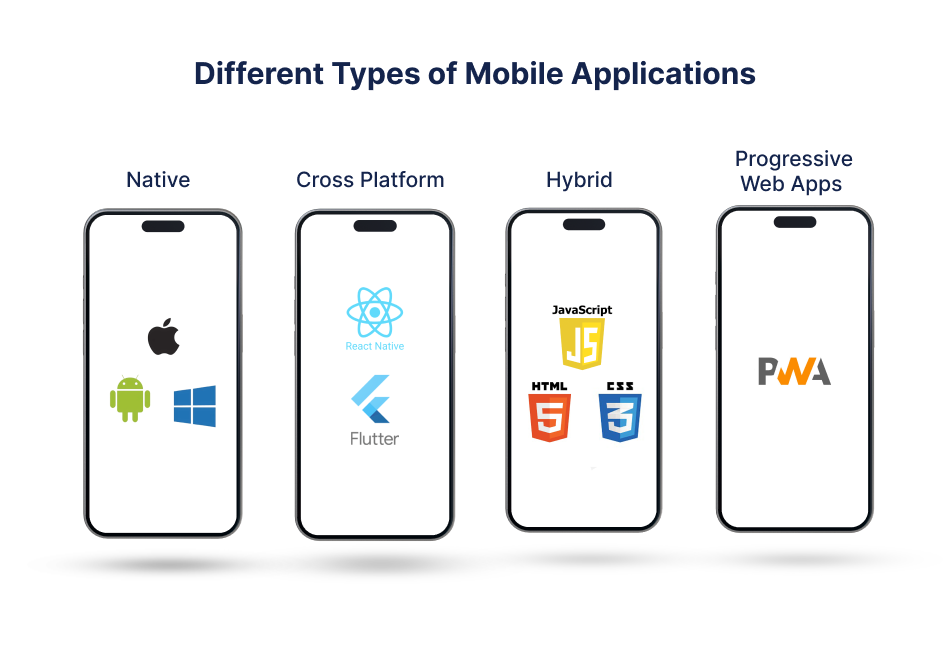
Native mobile apps are built specifically for a single platform, such as iOS or Android, using the platform’s approved language and frameworks like Swift or Objective-C for iOS, and Kotlin or Java for Android.
Because they are tightly integrated with the operating system, native apps deliver performance, smoother animations and full access to device features such as GPS, camera, APIs, sensors and offline storage.
This is why apps where performance matters the most, such as banking, gaming and health apps, are almost always built on native platforms.
But the downside is higher costs and longer development times, since separate code bases are needed for each platform today globally.
Cross-platform apps aim to solve this problem by letting developers write a single codebase that runs on multiple platforms.
Frameworks like React Native and Flutter compile or bridge code to native components, offering near native performance with faster development cycles.
This approach works well for mobile app development for start-ups and enterprises that want to launch quickly, test ideas or maintain feature parity across iOS and Android.
While performance has improved in recent years, extremely complex animations or hardware-heavy use cases are still better handled through native app development projects.
Hybrid apps use both web and native app ideas together. They are quicker and cheaper to build compared to other apps.
These apps mostly run using a browser, so their performance is limited, and they cannot use all the advanced phone features.
Hybrid apps are the best for content-based apps, internal tools or MVPs where launching fast is more important.
Progressive Web Apps, or PWAs, are basically web apps that work like mobile apps. They open in a browser but can work offline, send push notifications and be added to the home screens.
PWAs work on all platforms and are of low cost, which helps businesses reach more users. However, they cannot fully replace native apps, especially on iOS, where features are limited.
Choosing the right approach type depends on users, performance needs, budget, timeline and long-term product goals.
Successful mobile apps are not built on ideas alone. They are built on validated problems, clear user needs, and deliberate product strategy.
Many apps fail not because of poor execution, but because teams rush into development without answering foundational questions:
Who is this for?
What problem does the product solve for people?
Why will the users actually care about the product?
The product is supposed to make a difference in the users’ lives. So what does the product do to help the users?
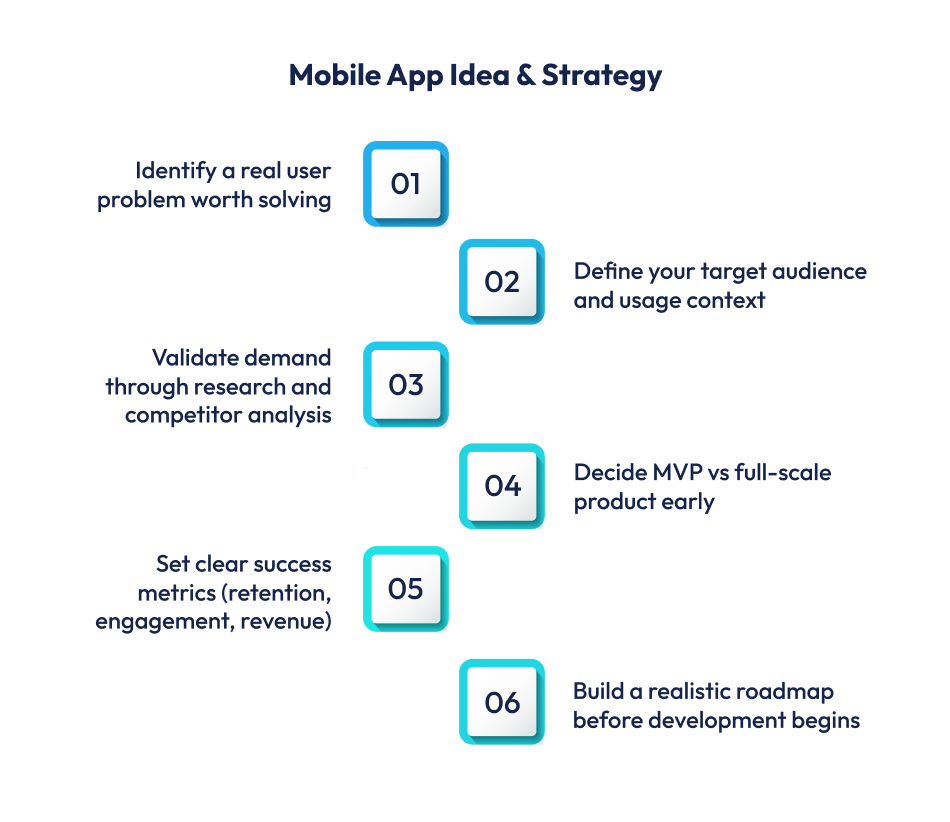
The first step in a mobile app development strategy is to find a critical problem.
This can be done by studying user interviews, surveys, support tickets, app store reviews of competitors, or internal business data.
According to CB Insights, over 35% of startups fail due to a lack of market need. This proves how important problem validation is for your app development process.
The next step is to define your target users. Broad target audiences can make your app seem vague.
Strong apps are designed for specific user personas with clear contexts of use.
This includes understanding user demographics, behaviors, motivations, and constraints.
For example, a logistics manager using an app during field operations has very different needs than a consumer browsing an e-commerce app at home.
Competitive analysis is not about copying existing apps, but understanding the market.
An effective competitive analysis often reveals gaps in the market and helps avoid building “me-too” products with no clear differentiation.
With clarity on users and competitors, teams can define success metrics.
Common mobile app KPIs include activation rate, time-to-value, retention, churn, daily and monthly active users (DAU/MAU), and conversion rates.
These metrics should be defined before development begins, not after launch, to ensure the product is designed to move them.
One of the most important strategic decisions is choosing between an MVP (Minimum Viable Product) and a full-scale product launch.
An MVP focuses on delivering the smallest set of features required to test your assumptions and gather real user feedback.
This approach of MVP app development reduces risk, shortens time to market, and prevents overinvestment in unproven ideas.
A full-scale product, on the other hand, may be justified after entering a mature market or serving users with higher expectations. The decision should be driven by risk tolerance, budget, and learning goals.
UI and UX design decide how users feel about an app and whether it’s useful for them or not. It shapes how people understand features, see value and choose if the app is worth keeping.
For mobile apps, this matters even more because users have less patience and many other apps to choose from.
If an app feels confusing or hard to use, most users will uninstall it quickly.
The UX process starts with understanding the users. This is done through user research. Teams can talk to other users through interviews, ask questions using surveys, or study how people use existing apps.
They may also use tools like heatmaps or journey maps to see where people struggle. The main goal is not to design for everyone, but to design for real users in real situations.
After research, designers create wireframes. Wireframes are simple layouts that show the structure and flow of the app without colours or visual details.
This step helps teams spot problems early, such as confusing navigation or extra steps. Fixing these issues at this stage saves time and cuts the cost of app development compared to fixing them afterwards.
Next comes prototyping. Prototypes show how the app will work when someone taps or swipes. Users and stakeholders can click through screens to test things like onboarding, navigation and task completion.
Tools like Figma and InVision are often used to build prototypes that look close to the final app.
UI designs focus on how the app looks. Good UI design is not about making things fancy. It’s about making things clear and easier to use.
Since mobile screens are small, designers must carefully decide what stands out. Important actions should be easy to see, while less important options should stay in the background.
Using the same design patterns again and again helps users feel comfortable and understand the app faster.
Accessibility is an important part of UI and UX designs. It helps make sure everyone can use the app, including people with vision, movement or thinking difficulties.
This includes using readable font sizes, good color contrast, enough space between buttons and support for screen readers.
Once designs are ready, usability testing checks if the app works properly. Real users are asked to complete real tasks.
Watching where users get confused or stop using the app helps the team find problems that data alone cannot show.
Testing before and after launch helps the app improve over time.
Choosing the right development approach is one of the most important steps in mobile app development.
This decision affects how fast the app runs, how long it takes to build, how much it costs, and how easy it is to update and scale later.
There are several ways to build mobile apps, and each approach suits different business and technical needs.
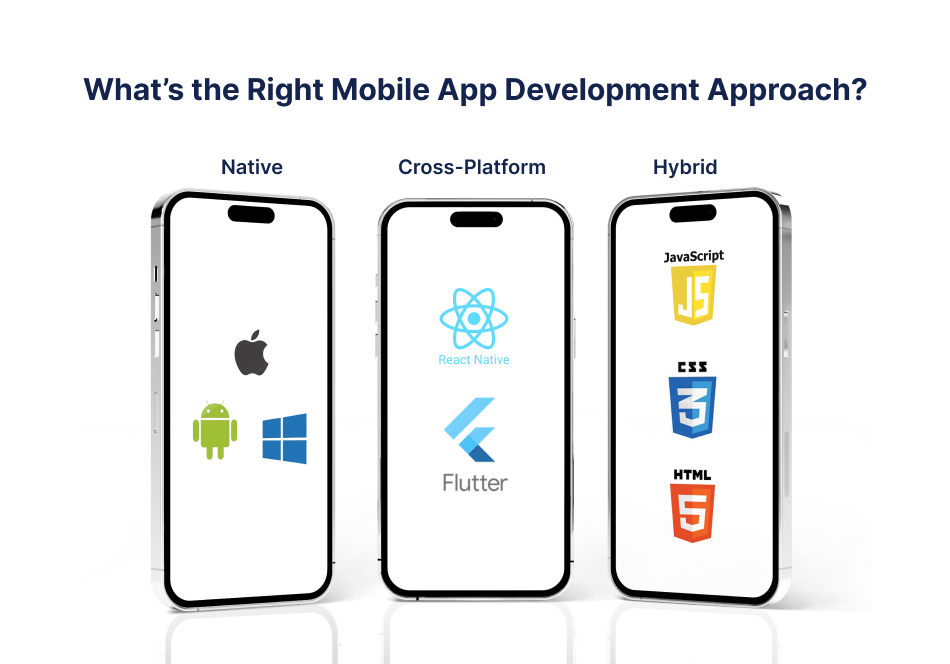
Native app development means building separate apps for each platform, usually iOS and Android. iOS apps are built using Swift or Objective-C, while Android apps use Kotlin or Java.
Because native apps are made specifically for one platform, they offer the best performance. Animations feel smoother, loading times are faster, and the app works seamlessly with device features like the camera, GPS, Bluetooth, and push notifications.
This approach is commonly used for apps where performance is critical. Banking apps, payment apps, gaming apps, and real-time communication tools often rely on native development because they need speed, security, and reliability.
The downside is cost and time. Since two separate apps are built, development takes longer and costs more.
Cross-platform development aims to reduce these challenges. With this approach, developers write one codebase that runs on multiple platforms. This means the same code can be used for both iOS and Android, which saves time and effort.
Using cross-platform development can reduce development time by 30% to 40% and lower overall costs, even in 2026. In most cases, the user experience remains good and meets business needs.
This approach works especially well for SaaS products, MVPs, content-driven apps, and enterprise tools where quick launch and consistency matter more than extremely high performance.
Hybrid apps are web applications built using HTML, CSS, and JavaScript and then wrapped inside a native container. These apps are usually faster and cheaper to build compared to native apps.
However, they rely heavily on web views, which can cause slower performance and limited access to advanced native features.
Hybrid apps are often used for simple apps, internal tools, or projects with tight budgets and timelines.
Selecting the right app development service should be based on careful evaluation, not guesswork.
Teams should consider performance requirements, time-to-market, budget limits, scalability plans, target audience, and maintenance strategy.
Team experience also plays a major role. Skilled development partners look at both technical needs and business goals before recommending a native or cross-platform approach. This helps ensure the app performs well and supports long-term growth.

While the term may sound technical, a technology stack is simply the combination of tools, frameworks, and services used to build, run, and scale an app.
A mobile app technology stack typically consists of five core layers: frontend, backend, database, APIs, and cloud infrastructure, with optional third-party integrations layered on top.
The frontend is the app interface: the screens, buttons, animations, and interactions users experience.
For mobile apps, frontends are built differently depending on the development approach.
The frontend is responsible for responsiveness, usability, accessibility, and visual consistency.
The backend handles business logic, authentication, data processing, notifications, and integrations.
When a user logs in, places an order, or syncs data, the backend is doing the heavy lifting.
Common backend technologies include:
Backends are typically hosted on remote servers and designed to handle thousands or millions of users simultaneously.
Choosing the right database depends on the type of data and how it’s used.
The database choice directly affects app performance and reliability.
APIs (Application Programming Interfaces) act as messengers between the frontend, backend, and external services.
When your app fetches data, processes payments, or sends notifications, APIs make it happen.
Modern apps rely heavily on APIs to stay modular and scalable. For example:
Most mobile apps today run on cloud platforms rather than physical servers. Cloud services provide flexibility, cost efficiency, and global reach.
Popular cloud providers include:
Rather than building everything from scratch, modern apps integrate third-party tools to speed up development and reduce costs.
Common integrations include:
While integrations make development quicker, each additional dependency adds complexity.
When a user taps a button on their phone, the frontend sends a request through an API to the backend. The backend processes it, fetches or updates data in the database, and returns a response.
Cloud infrastructure ensures this happens quickly and securely, while integrations extend functionality where needed.
The key takeaway is this: a technology stack is not about using the “latest” tools; it’s about choosing the right combination.
Mobile app development is a structured, collaborative, and iterative process that balances planning, design, engineering, testing, and feedback at every stage.
The mobile app development process involves the following steps. It’s a practical, end-to-end view of how to build a mobile app in 2026.
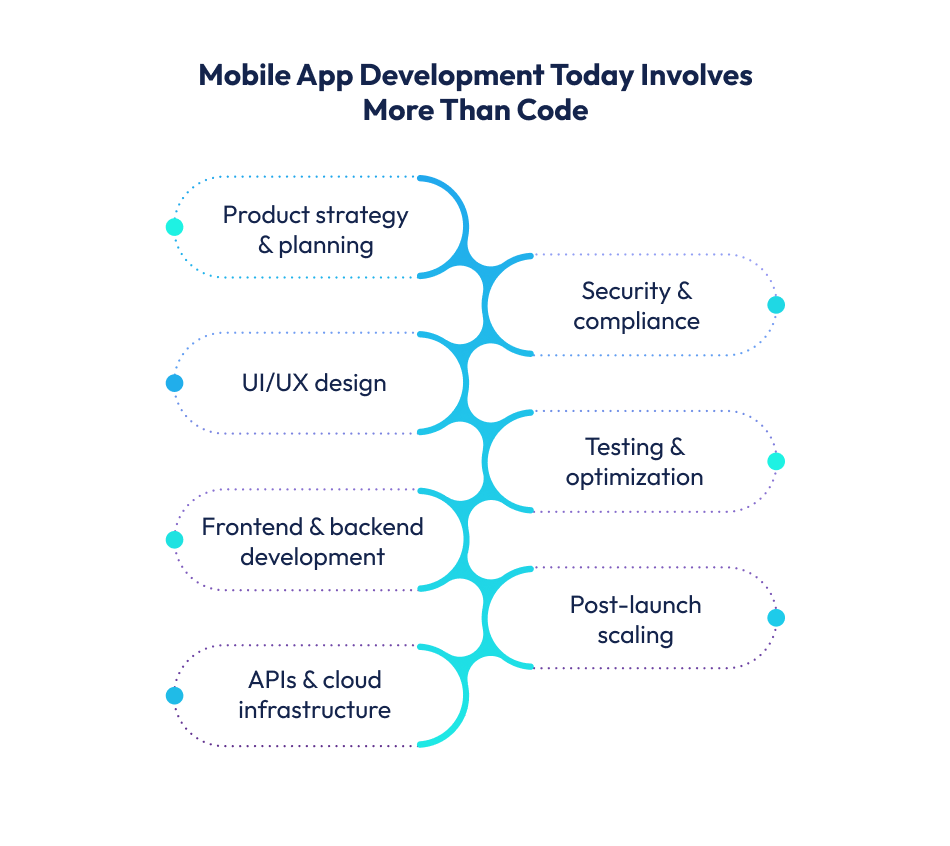
The planning phase focuses on answering a few critical questions:
This stage typically includes requirement gathering, feature prioritisation, and technical feasibility checks.
Teams document functional requirements (what the app should do) and non-functional requirements (performance, security, scalability).
According to PMI studies, poor requirement definition is one of the top causes of software project failure, contributing to nearly 35% of project overruns.
Once requirements are clear, they are organized into a product roadmap.
Most modern teams follow Agile methodologies, dividing work into short development cycles called sprints (usually 1–2 weeks).
Each sprint has a clear scope, measurable goals, and a defined output.
Sprint planning aligns designers, developers, and stakeholders on priorities, dependencies, and timelines.
Before visual design begins, UX designers map out how users move through the app. This phase focuses on usability, not aesthetics.
Fixing usability issues at this stage is significantly cheaper than after development. Some studies estimate up to 10x lower cost compared to fixing issues post-launch.
Once flows are validated, UI designers translate wireframes into high-fidelity designs. This includes colors, typography, spacing, icons, and platform-specific guidelines.
Interactive prototypes are often created using tools like Figma or Adobe XD.
These prototypes simulate real app behavior and help align everyone, from developers to non-technical stakeholders, before a single line of code is written.
Development usually happens in parallel streams.
Frontend developers build the app interface, while backend developers work on servers, APIs, and databases.
Each sprint includes:
Version control systems like Git are essential here.
They allow multiple developers to work simultaneously, track changes, and roll back safely if something breaks.
QA teams test new features as they are built, checking functionality, performance, security, and compatibility across devices.
Common testing types include:
Catching defects early reduces launch risk and improves long-term stability.
Successful mobile app development depends on constant communication.
Product owners, designers, developers, QA teams, and business stakeholders review progress regularly through sprint demos and reviews.
This feedback loop ensures the product stays aligned with business goals and user needs.
Before launch, teams prepare the app for app store submission.
This includes final testing, performance optimization, app store assets, compliance checks, and release notes.
Deployment is often staged first to internal testers, then beta users, and finally the public. This reduces the risk of widespread issues on day one.
Launch is not the finish line. Real users generate real data such as crash reports, usage analytics, feedback, and reviews.
High-performing teams analyze this data to fix issues, improve onboarding, and prioritize the next set of features.
According to mobile analytics reports, apps that release updates at least once a month retain users significantly better than those that stagnate.
The backend handles data storage, business logic, security, and performance behind the scenes.
At its core, the backend is responsible for processing requests and returning the right response at the right time.
Backend logic lives on servers and defines how the app behaves.
This includes validating user inputs, processing transactions, managing workflows, and enforcing rules.
Poorly written server logic leads to slow responses, errors, and inconsistent user experiences.
Well-architected logic, on the other hand, keeps the app predictable and resilient under load.
Databases store all persistent data, such as user profiles, transactions, messages, logs, and more.
Common choices include relational databases (like PostgreSQL or MySQL) and NoSQL databases (like MongoDB or DynamoDB).
Relational databases work well for structured data and complex queries, while NoSQL databases are often used for high-scale, flexible data models.
APIs (Application Programming Interfaces) act as messengers between the frontend and backend.
When a user taps a button, the app sends an API request to the server, which processes it and sends back a response.
Clean, well-documented APIs improve development speed and reduce bugs. REST and GraphQL are the most common API styles today.
Poor API design increases latency and makes future feature development harder and more expensive.
Every app that handles user data needs strong authentication and authorization.
This includes login systems, session management, token-based authentication (like OAuth or JWT), and role-based access control.
Security lapses at the backend level can expose sensitive data.
Early-stage apps may run on a single server, but successful apps need load balancing, caching, and cloud infrastructure to handle spikes in traffic.
Cloud platforms allow backend systems to scale automatically based on demand, preventing crashes during peak usage.
Backend decisions influence app speed, reliability, and trust. Slow APIs lead to laggy screens. Poor error handling causes crashes. Weak security erodes user confidence.
In short, backend development is not just a technical layer; it is the foundation that determines whether a mobile app feels smooth and dependable or fragile and frustrating.
Quality assurance (QA) is a continuous process that protects user experience, brand credibility, and long-term development costs.
Research by Google shows that over 50% of users uninstall an app within the first 30 days, and poor performance, crashes, and bugs are among the top reasons.
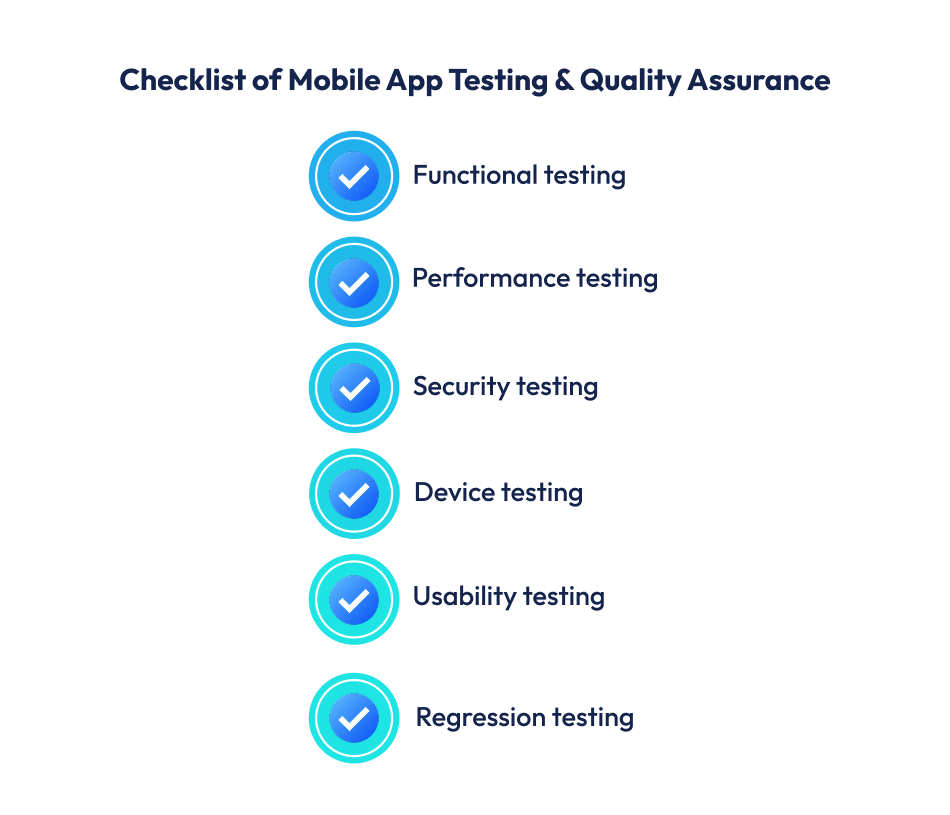
Functional testing verifies that every feature behaves according to requirements.
This includes login flows, form submissions, payments, notifications, and edge cases like invalid inputs or interrupted sessions.
Even small failures, such as a broken password reset, can block users entirely.
QA teams test features across different user scenarios to ensure the app responds correctly every time, not just in ideal conditions.
Users expect apps to be fast. Performance testing takes into account app responsiveness, server load handling, memory usage, and battery consumption.
This becomes especially important as user volume grows.
An app that performs well with 1,000 users may struggle at 100,000 without proper stress and load testing.
Security testing identifies weaknesses in authentication, data storage, API access, and third-party integrations.
This includes testing for data leaks, insecure APIs, and improper encryption.
With global regulations like GDPR and rising consumer awareness around data privacy, secure apps are no longer optional; they are a must.
Android and iOS ecosystems include thousands of device models, screen sizes, OS versions, and hardware configurations. Compatibility testing ensures the app behaves consistently across this fragmented landscape.
Without this step, users may encounter layout breaks, crashes, or missing features on specific devices, leading to poor reviews and lost installs.
Industry estimates suggest that bugs caught during development can cost up to 10x less to resolve compared to issues found after release.
Quality assurance doesn’t slow development; rather, it prevents rework, protects ratings, and improves retention.
In a market where app store reviews heavily influence downloads, consistent testing is one of the smartest investments a product team can make.
As mobile apps increasingly handle sensitive personal, financial, and business data, security and privacy are core product requirements.
A single breach can erode user trust, trigger regulatory penalties, and permanently damage brand credibility.
According to IBM’s Cost of a Data Breach Report, the average global cost of a data breach now exceeds USD 4 million.
For consumer-facing apps, the reputational damage often outweighs the financial loss.
At the foundation of app security is data protection. Sensitive user data, such as personal details, credentials, and payment information, must be encrypted both in transit and at rest.
This typically involves HTTPS/TLS for data transmission and strong encryption standards (such as AES-256) for stored data.
Authentication is another high-risk area.
Weak password policies, lack of rate limiting, or poorly implemented session management can make apps vulnerable.
Modern best practices include multi-factor authentication (MFA), token-based authentication (such as OAuth 2.0), and role-based access control to ensure users can only access what they are authorized to see.
Laws like GDPR in Europe, CCPA in California, and similar data protection frameworks globally require apps to collect only necessary data, clearly disclose usage, and provide user control over their information.
Non-compliance can be costly. GDPR penalties can reach up to 4% of annual global revenue, making privacy-by-design a practical necessity, not a legal formality.
Some of the most frequent security issues include unsecured APIs, hardcoded credentials, outdated third-party libraries, improper permission handling, and insufficient input validation.
These vulnerabilities are often exploited because they are overlooked during development, not because they are complex to fix.
Mobile app security is not a one-time task. Threats evolve, platforms update, and new vulnerabilities emerge.
Regular security testing, dependency updates, and compliance reviews are essential to keep apps resilient over time.
At a high level, mobile app development costs in the USA typically range from USD 25,000 for a simple app to USD 250,000+ for complex, enterprise-grade products.
But these numbers only become meaningful once you understand why costs vary so widely.
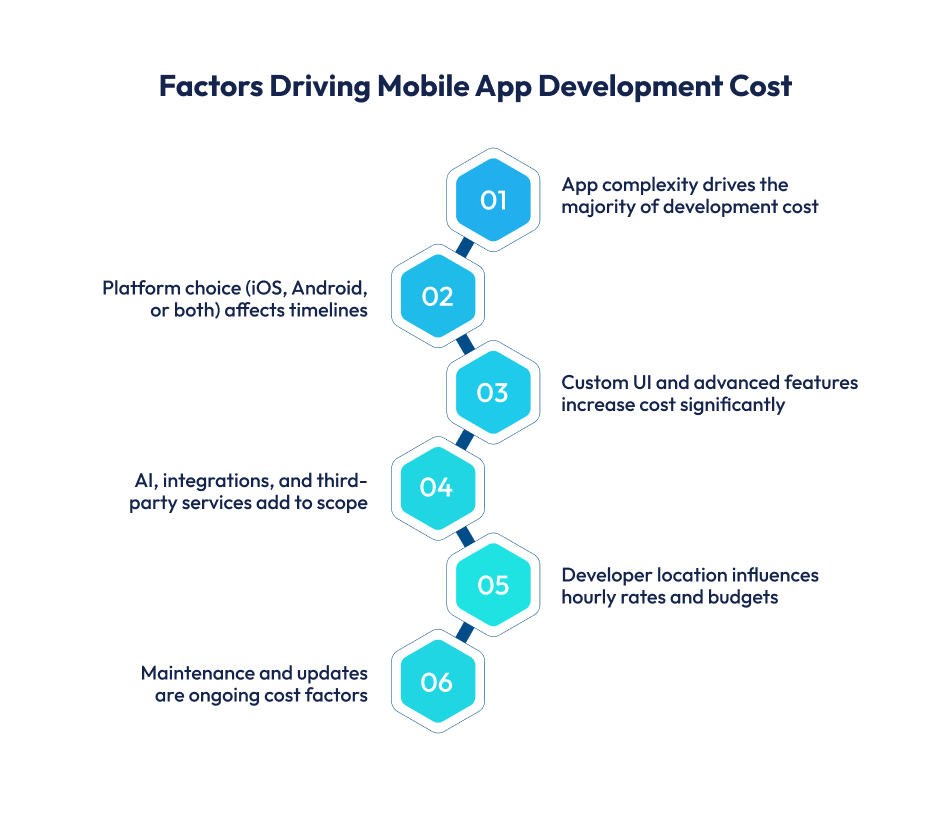
The single biggest cost driver is what the app actually does.
A basic app with user login, static content, and simple navigation is far cheaper than an app with real-time chat, payments, geolocation, AI recommendations, or video streaming.
Every additional feature increases design effort, development time, testing scope, and long-term maintenance.
Developing for a single platform costs less than building for both.
Native development typically requires separate codebases for iOS and Android, while cross-platform frameworks can reduce duplication.
Design is often underestimated in budgeting, yet it plays a critical role in adoption and retention.
Custom UI/UX design involves user research, wireframing, prototyping, usability testing, and visual design.
On average, UI/UX design can account for 15–25% of the total cost of mobile app development, especially for consumer-facing products.
Backend development includes servers, databases, APIs, authentication systems, and integrations with third-party services like payment gateways, analytics, or notifications.
Cost increases when apps require:
Cloud infrastructure itself (AWS, Azure, Google Cloud) adds ongoing operational costs beyond initial development.
The cost of mobile app development is also influenced by who builds the app. A typical team may include:
Highly experienced teams may charge more per hour but often reduce long-term risk, rework, and technical debt.
Development costs vary significantly by geography due to differences in labor markets and operating expenses.
Approximate hourly development rates:
This is why many global companies outsource development to regions that offer strong technical expertise at more sustainable costs.
To provide practical context, here are approximate end-to-end cost ranges:
| App Level | USD | AED | SAR |
| Simple MVP app | 25,000–40,000 | 92,000–147,000 | 94,000–150,000 |
| Mid-level business app | 50,000–90,000 | 184,000–331,000 | 188,000–338,000 |
| Complex or enterprise app | 120,000–250,000+ | 441,000–918,000+ | 450,000–938,000+ |
Many teams budget only for development and forget post-launch costs. In reality, maintenance typically adds 15–25% of the initial development cost per year.
Ongoing expenses include:
Ignoring these costs can undermine app stability and user trust over time.
Reducing cost does not mean sacrificing quality. Practical strategies include:
The goal is not to build the cheapest app, but the right app for the stage and strategy of the business.

The cost to develop an AI mobile app differs significantly from traditional applications due to added complexity across data, infrastructure, and ongoing optimization.
Costs vary based on whether the app uses pre-trained APIs (such as speech or vision services) or custom machine learning models built from scratch.
While AI features can raise development budgets, they often deliver higher engagement, automation, and personalization, offsetting costs through efficiency gains and improved user retention.
Reaching the app store is not the finish line; it is a critical transition point where technical readiness, compliance, and market preparation intersect.
Even well-built apps can face delays or rejection if the deployment process is rushed or misunderstood.
Also Read – How to get you app featured on app store?
Publishing an app on Google Play is relatively flexible but still structured. The process typically includes:
Google Play reviews generally take a few hours to 3 days, though new developer accounts may experience longer review periods.
While Google’s approval process is more automated, policy violations, especially around user data, permissions, or misleading claims, can still result in rejections or suspensions.
Apple’s App Store has a more rigorous and human-reviewed approval system.
The submission process involves:
Apple reviews usually take 24–72 hours, but updates can be faster.
Apple is strict about user experience, privacy, performance, and adherence to its Human Interface Guidelines.
Across both platforms, the most frequent rejection causes include:
Before submitting an app, teams should confirm:
A disciplined deployment and launch process ensures that months of development effort translate into a smooth public release.
Once users start interacting with the app at scale, new issues, performance bottlenecks, and growth opportunities inevitably surface.
Successful apps are not just well-built at launch; they are continuously maintained, improved, and scaled based on real usage data.
According to industry data, apps with frequent crashes or slow load times can lose up to 60% of users after the first poor experience, making timely fixes critical to retention.
Post-launch maintenance focuses on identifying and resolving:
As usage grows, performance optimization becomes an ongoing process. This includes:
Studies consistently show that users abandon apps that feel sluggish, especially during onboarding or key workflows.
Post-launch updates should be guided by user feedback and data, not assumptions.
App store reviews, in-app feedback, and behavioral analytics reveal which features users value and where friction exists. Regular, incremental updates help:
Apps that release meaningful updates every few weeks tend to outperform those with infrequent or purely cosmetic changes.
Tracking metrics such as daily active users (DAU), session length, retention, and drop-off points helps teams understand how the app performs in the real world. These insights inform:
Without analytics, scaling becomes guesswork.
As user numbers increase, the underlying infrastructure must scale without compromising performance or security.
This often involves:
Apps that plan for scalability early avoid costly rewrites later.
Many of today’s mobile app development trends point toward apps that learn from user behavior, personalize experiences in real time, and automate decision-making at scale.
This shift signals the broader future of mobile app development, where AI-driven capabilities are no longer experimental but expected.
AI in mobile app development is already being used for recommendation engines, predictive analytics, fraud detection, conversational interfaces, and intelligent automation.
As apps scale, AI also plays a critical role in performance optimization, anomaly detection, and proactive issue resolution.
Teams that plan for AI early are better positioned to scale sustainably while delivering measurable long-term value.
Some mobile apps are well-funded but still fail. This is not because the ideas behind the apps are bad. The mobile apps fail because the people who made them made mistakes that they could have avoided.
Here are the things that companies usually do wrong when they make apps, and some good ways to avoid making these mistakes.
Also Read – Top Mobile App Development Mistakes to Avoid at all Costs
One of the most frequent strategic mistakes is building without validating the problem.
So you want to make sure you are doing the thing. The best way to do this is to talk to the people who are your potential customers through surveys and other means.
You should also do some research to see what is already there. You need to know what makes your thing special and why people will want it. You should do all of this before you start writing any code for your thing. This way, you can make sure you are making something that people will actually use and like.
Another common issue is overloading the first version of the app. Trying to launch with every possible feature increases complexity, cost, and time-to-market.
When we think about apps, they do one thing really well. They start with an idea that solves a big problem for people who use them. This is what we call a viable product, or MVP for short. The thing about apps is that they focus on this one problem, and they do it extremely well.
Then they listen to what the people who use the app have to say, and they make changes based on that feedback.
Successful apps like these are always trying to get, and they do that by listening to the people who use them and making the app do what people need it to do. Successful apps are always. Getting better because they listen to user feedback about the app.
From a technical standpoint, poor technology choices can limit scalability and performance.
When you are picking the tech stack, it is a good idea to choose one that works for what you need now and also works well for the tech stack in the long run. This means you have to think a little bit when you are planning the tech stack, but it is worth it for the tech stack.
Ignoring UI/UX fundamentals is another costly mistake. Apps that look good but are confusing to use struggle with retention.
The best teams always make sure to do research on the user experience and test how easy it is to use their product. They keep making the design better and better while they are developing it.
The best teams think that user experience research is very important, so they do it all the time. They also do usability testing to see if people can use their product easily. The best teams keep working on their design to make it better.
This is what the best teams do during the development of their product: the user experience research and the design improvements.
Many businesses also underestimate the importance of testing and quality assurance.
Rushing to launch without adequate testing leads to crashes, security vulnerabilities, and poor app store ratings.
Having a question and answer process really helps to cut down on problems that come up after something is launched, and it also saves money on maintenance costs in the long run. A structured QA process helps to reduce launch issues and long-term maintenance costs for the question-and-answer process.
Finally, a major business mistake is treating launch as the finish line.
Best practice is to view launch as the beginning of optimization using data, user feedback, and regular updates to continuously improve the product.
Selecting the right mobile app development company is as critical as choosing the right technology stack.
Whether you’re working with a mobile app development company in UAE or USA, or hiring a mobile app developer in UAE or USA, regional expertise of the market and a deep understanding are important.
Techugo, as a leading mobile app development company, works closely with startups and established businesses across the globe to design, build, and scale high-performance mobile applications tailored to real business needs. With a proven track record of developing 1400+ apps, Techugo serves clients in the UAE, Saudi Arabia, and the USA as well, with its wide range of services.
Techugo focuses on making apps that are really good and help with long-term growth goals. Techugo team always makes sure the apps they create are scalable and high-performing for the users and help businesses grow over time.


Even now, in 2026, companies still rely heavily on social media to reach people and build groups around their work. Instead of fading, social medi..

Let’s be real. Most travel businesses today don’t have a demand problem. They have a control problem. If you’re planning to build a flight booking ..


Write Us
sales@techugo.comOr fill this form












