SA
SA
 KW
KW
 IE
IE AU
AU UAE
UAE UK
UK USA
USA
 CA
CA DE
DE
 QA
QA ZA
ZA
 BH
BH NL
NL
 MU
MU FR
FR


















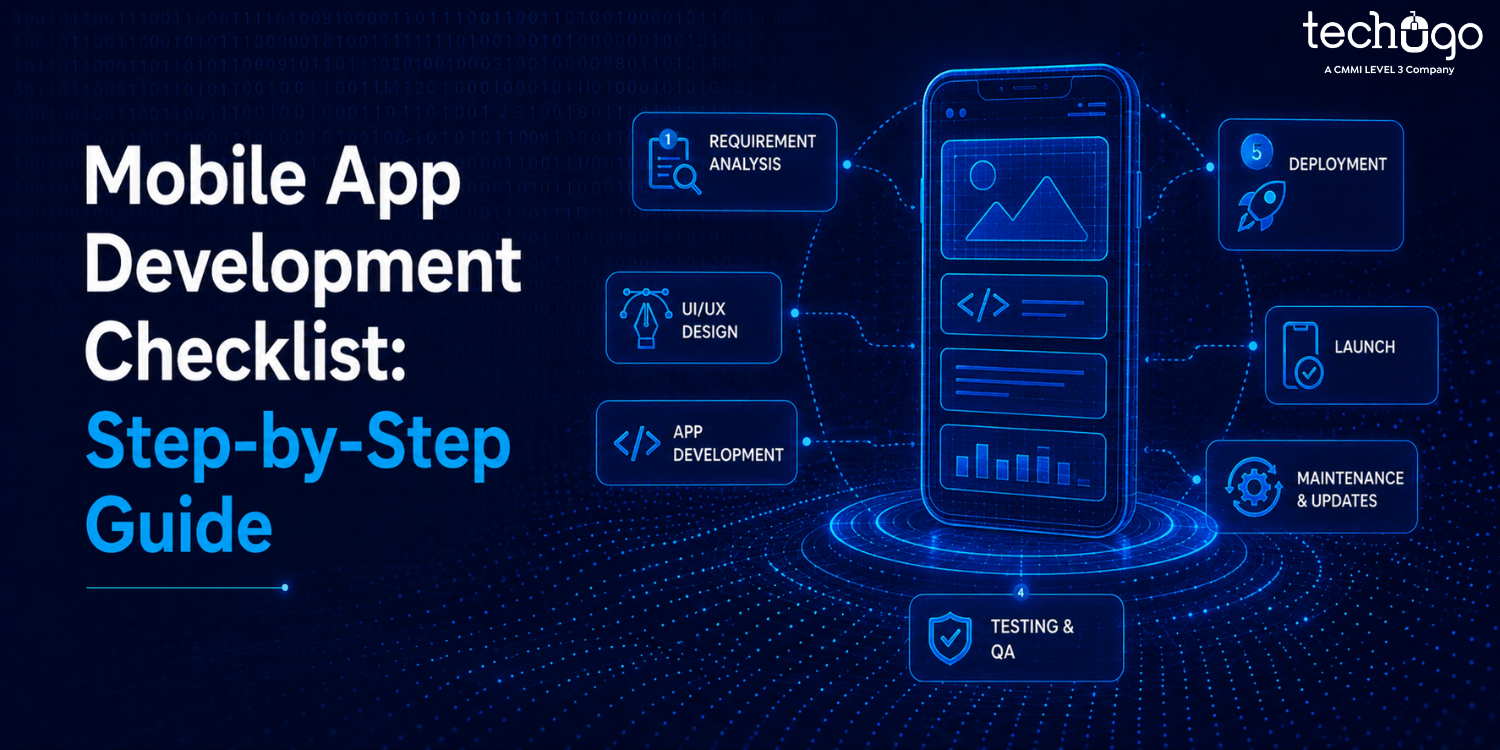


Creating a mobile app is initially exciting because you have an idea, and possibly, a vision of what it will look like and how it will operate; however, when you begin the process, it can be overwhelming for many reasons. First, you have to make multiple decisions about many things (some of which you may not even know exist), and you have a lack of clarity regarding these types of decisions; therefore, there comes a point in time during your development where you suddenly don’t know what to do next; this is where having a mobile app development checklist will come into play; this is extremely important because it will help keep everything simple for you and give you directional steps.
Also, it is essential for you to have this checklist to prevent you from making mistakes that could waste your time or money.
Let’s discuss what this looks like; instead of trying to figure things out one step at a time, you simply continue to follow the clearly defined steps that are laid out for you within your checklist.
Why You Need a Mobile App Development Checklist
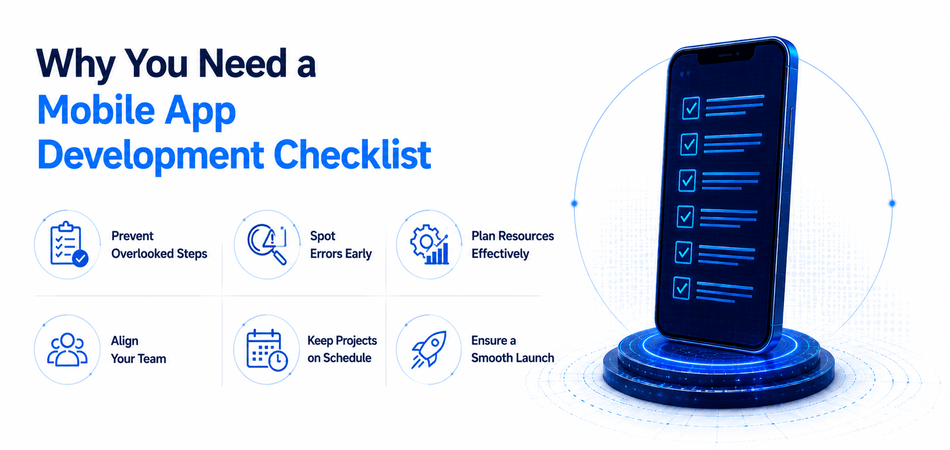
Many apps fail before they have the chance to succeed. This can happen because the idea is not bad, but because the app developer did not execute the app successfully. When you do not use a checklist, it is possible that you will forget to do certain tasks, for example if you go right into building your app without knowing anything about the user, you may not develop a product they want.
If you are so excited about developing your app that you keep adding new and exciting features without checking to see if a user will actually want to use those features, you will probably become disappointed when an app fails to succeed.
It happens more often than you think. For example, someone builds a food delivery app with 20 features, but forgets to make the checkout simple. Or they create a fitness app with great content, but the navigation is so confusing that users leave in minutes.
That’s the kind of stuff a mobile app development checklist helps you avoid.
It keeps you grounded. It reminds you to focus on what actually matters… like who your users are, what problem you’re solving, and how easy your app is to use. It makes sure every stage is handled the right way: planning, design, development, testing, and launch.
Think of it like building a house. You wouldn’t just start putting bricks together and hope it turns out fine. You’d have a proper blueprint, a structure, and a plan for each step.
Building an app works the same way. Without a plan, things might come together, but they would not come together well.
Step-by-Step Mobile App Development Checklist
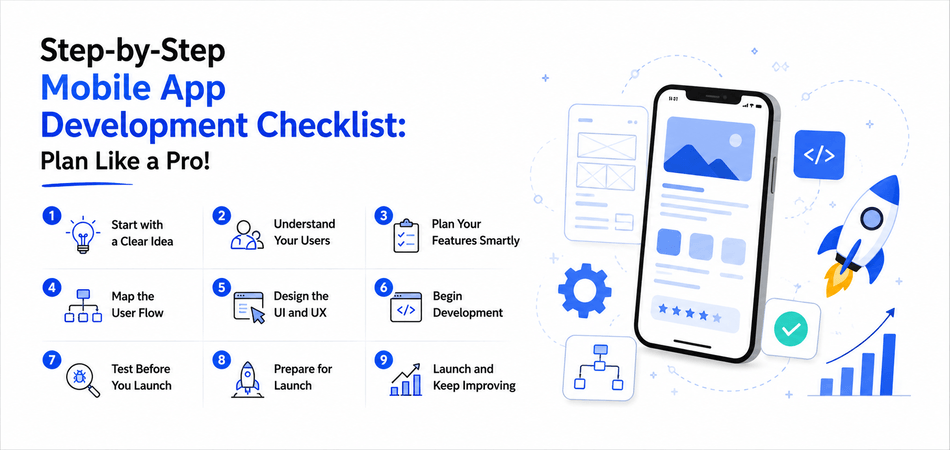
Building an app can feel overwhelming when you look at it as one big task. But when you break it down into steps, it becomes much easier to manage. A step-by-step mobile app development checklist helps you focus on one thing at a time instead of trying to do everything at once.
Here’s how the process usually flows:
Step 1: Start with a Clear Idea
Every app starts with an idea, but a strong one comes from clarity. YOU MUST know what is the problem your app solve, and why will someone use it.
Most people start out with a high level overview and that is where they go wrong. Instead, make one singular commitment. In this case, a simple EV app to help users just quickly and easily find the nearest charging station could suffice instead of building the entire complex EV app with all services.
When your idea is clear, every decision after this becomes easier.
Step 2: Understand Your Users
Before you build anything, you need to know who you’re building for. Your users will shape everything: from features to design.
Think about their habits, their needs, and even their frustrations. A working professional using your app during a commute will have very different expectations compared to someone casually browsing at home.
When you understand your users well, you don’t just build an app. You build something that actually fits into their daily life.
Step 3: Plan Your Features Smartly
This is where things can easily go wrong. It’s tempting to add as many features as possible, thinking it will make your app better.
In reality, too many features can make your app confusing and harder to use. Instead, focus on what truly matters. Start with the core features that solve the main problem, and leave the extra ideas for later updates.
A simple, focused app almost always performs better than an overloaded one.
Step 4: Map the User Flow
Before jumping into design, take a step back and think about how users will move through your app. What’s the first thing they see? What actions will they take next?
This doesn’t have to be perfect. Even a rough flow or basic wireframe works. The goal is to make sure the journey feels smooth and logical.
If users have to stop and think about what to do next, it’s a sign the flow needs improvement.
Step 5: Design the UI and UX
Now it’s time to turn your ideas into something visual. A good mobile app UI UX checklist comes into play here to ensure everything feels simple and intuitive.
Focus on clarity over creativity. Use clean layouts, readable text, and consistent design elements. Every screen should feel connected and easy to navigate.
Good design doesn’t draw attention to itself; it just works. Users should be able to open your app and understand it instantly without any confusion.
Step 6: Begin Development
This is where everything starts coming together. Developers build the frontend, which is what users interact with, and the backend, which handles all the logic behind the scenes.
At this stage, it’s important to keep things structured and scalable. A rushed or messy build can create problems that are hard to fix later.
Think long-term. Your app should not only work now but also be ready to grow as your user base increases.
Step 7: Test Before You Launch
Testing is one of the most important steps, yet often rushed. An app testing checklist before launch ensures your app works the way it should.
You need to test functionality, speed, and compatibility across different devices. Even small bugs can frustrate users and lead them to uninstall your app.
Taking time to test properly gives you confidence that your app is ready for real users.
Step 8: Prepare for Launch
Before going live, you need to make sure everything is in place. A pre-launch checklist for mobile apps helps you cover the final details.
This includes preparing your app store listing, adding screenshots, writing descriptions, and doing one last quality check. You can also run a beta test to gather early feedback. A smooth launch creates a strong first impression and sets the tone for your app’s success.
Step 9: Launch and Keep Improving
Launching your app is just the beginning. Once it’s live, you need to track how users interact with it and identify areas for improvement.
Pay attention to feedback, fix issues quickly, and release updates regularly. The most successful apps are not perfect from day one; they improve over time.
Don’t Start Building Until You Do This!
If you think building an app starts with coding, you are wrong. Because it starts with getting your thinking right.
A solid mobile app project planning checklist is what separates a clear idea from a confusing mess. Start by locking in your goal. What is that one problem your app is solving? Not five things. Just one. Then get clear on your users. If you don’t know who you’re building for, you will end up building something no one really needs.
Now take a step back and look at what’s already out there. What are other apps doing well? More importantly, where are they falling short? That is basically where your opportunity is. After that, get real about your budget and timeline. This is where most people mess up by underestimating both.
And finally, be strict with your features. You don’t need everything on day one. Focus on what actually matters and build around that.
Mistakes That Can Slow Down Your App’s Growth (Avoid These)
Even with a solid plan in place, it is easy to slip up during the process. Small mistakes early on can turn into bigger problems later, especially when they go unnoticed.
Want to know the most common mistake? Skipping research. Without understanding your market or users, you are basically building on guesswork.
Weak testing is just as risky. If bugs or performance issues reach users, it instantly affects trust. That’s why it’s important to test properly before launch instead of rushing the process.
Another big issue is adding too many features.
Don’t try to build the “perfect” app from day one. That’s where most people get stuck…
It might feel like more is better, but it often makes the app confusing and harder to use. Ignoring user experience is another trap. Because if your app is not simple and smooth, people will not stick around (no matter how useful it is).
You can always improve later. That’s how good apps grow anyway. And if you ever feel stuck or unsure about what comes next, that’s completely normal.
It’s rarely one big mistake. It’s the small ones that add up. Avoid these, and you’re already doing better than most.
How Techugo Can Help with Your Mobile App Development
Building a successful app isn’t just about having a great idea. It’s about executing it the right way. That’s where Techugo, a leading mobile app development company, comes in.
With years of experience across industries, Techugo helps build high-performing and user-friendly apps.
Instead of leaving things to chance, our approach starts with deep market and user research, so your app is built on real insights, not assumptions. We handle everything from UI/UX design and tech planning to development, rigorous testing, and post‑launch support. So that you get a clear roadmap and a partner who understands your vision.
Not sure where to start? Techugo can guide you using a mobile app development consultation checklist, so you know exactly what to prepare, what to ask, and what to expect. This ensures your project stays on track, on budget, and aligned with your goals.
Whether it’s a small MVP or a full-featured app, our team combines technical expertise with a user-first approach.
Why wait? Let’s get your app off the paper and into users’ hands. Launch with Techugo.
FAQs
What is a mobile app development consultation checklist?
Think of this as your main guide before you even speak to a developer. The system helps you arrange your ideas while you establish specific targets and collect essential materials needed by your team to start work. This basically provides you with a complete understanding of your situation before you make any investments of time or resources.
How long does it take to build a working mobile application?
The answer really depends on the situation at hand. The timeline requires assessment of your app development project because its complexity and scope determine the required time. The development of a basic MVP (Minimum Viable Product), which includes essential functions, requires three to six months of work. The development of a complete application, which includes custom designs and integration with systems and advanced features, will require nine months or more to complete.
How much does it cost to develop a mobile app?
App development costs vary widely depending on the features, platforms (iOS, Android, or both), design complexity, and technical requirements. A simple app could cost a few thousand dollars, whereas complex apps with backend systems, APIs, and custom animations can go well beyond that.
Why do I need a mobile app development checklist?
A checklist helps you stay organized and prevents expensive errors, which frequently occur when you enter a situation without preparation. The process needs to be completed through all five stages, which include planning and design, development and testing, and launch. The process of validating your idea, user experience testing, and app store submission preparation becomes difficult to accomplish when you lack a validation process.
What should I include in a step-by-step mobile app development checklist?
Start by validating your idea to determine whether your application solves a genuine problem. Your project requires you to define the target audience before you conduct competitive research. Your team needs to select their technology stack and backend architecture while they create a timeline for development progress and perform comprehensive testing. The final steps require your team to set up the application store and analytics system for the upcoming launch.

Get in touch
We'd love to hear from you.