


 SA
SA  KW
KW  IE
IE AU
AU UAE
UAE UK
UK USA
USA  CA
CA DE
DE  QA
QA ZA
ZA  BH
BH NL
NL  MU
MU FR
FR [ LET’S TALK AI ]
X
Discover AI-
Powered Solutions
Get ready to explore cutting-edge AI technologies that can transform your workflow!



Get ready to explore cutting-edge AI technologies that can transform your workflow!






Mobile apps usually fall into two main categories: either Native or Hybrid. And sometimes, they fall under web apps too. But in 2026, as a business owner, your focus should be clear, whether a native or hybrid app fits your business goals better. To decide, you need to have a better understanding of native vs hybrid apps.
Native apps are built for one platform, Android or iOS, using Swift or Kotlin. They deliver top performance and full device integration. Ideal for native app development.
Hybrid mobile apps are made with web tech and run on multiple platforms using one codebase. They’re wrapped in a native shell and great for hybrid app development.
Pick native apps for speed, features, and better UX.
Go with hybrid apps for quick, budget-friendly, cross-platform app development.
In 2026, choose based on your audience, budget, and app goals.
Need help? Techugo, a leading react native app development company can guide your custom app development strategy for business.
In this blog, we’ll break down native vs hybrid apps, their pros and cons, and how to choose between them. We at Techugo, as a leading mobile app development company, will also guide you on key decision factors like performance, budget, development process, and user experience.
Let’s begin…
Choosing between native app vs hybrid app can make or break your mobile strategy. Here’s a simplified table to help businesses compare key features:
| Feature | Native App | Hybrid App |
| Performance | Built for one platform, so they’re highly optimized, faster and smoother. | May lag with animations or heavy processing, though newer frameworks are closing the gap. |
| User Experience | Feels fully integrated with the OS, intuitive and responsive for users. | Sometimes less responsive, not fully native-like |
| Tech Stack | Swift, Kotlin, Java – platform-specific SDKs | HTML, CSS, JavaScript, React Native, etc. inside a native shell |
| Development Cost & Time | Separate code for iOS and Android makes native costly and time-consuming. | One codebase cuts dev time and cost, especially helpful for cross-platform app development. |
| Device Access | Direct access to GPS, camera, sensors, and all device APIs. | Limited access; plugins or workarounds may be needed |
| Maintenance | Updates needed separately for Android and iOS | Easier updates across platforms with shared codebase |
| Offline Support | Work fully offline depending on how they’re built. | Often requires the internet, though offline support can be added with effort. |
| Security | Strong platform-level security | Depends on web stack; risk of cross-platform vulnerabilities |
Suggested Read: Xamarin Vs. React Native
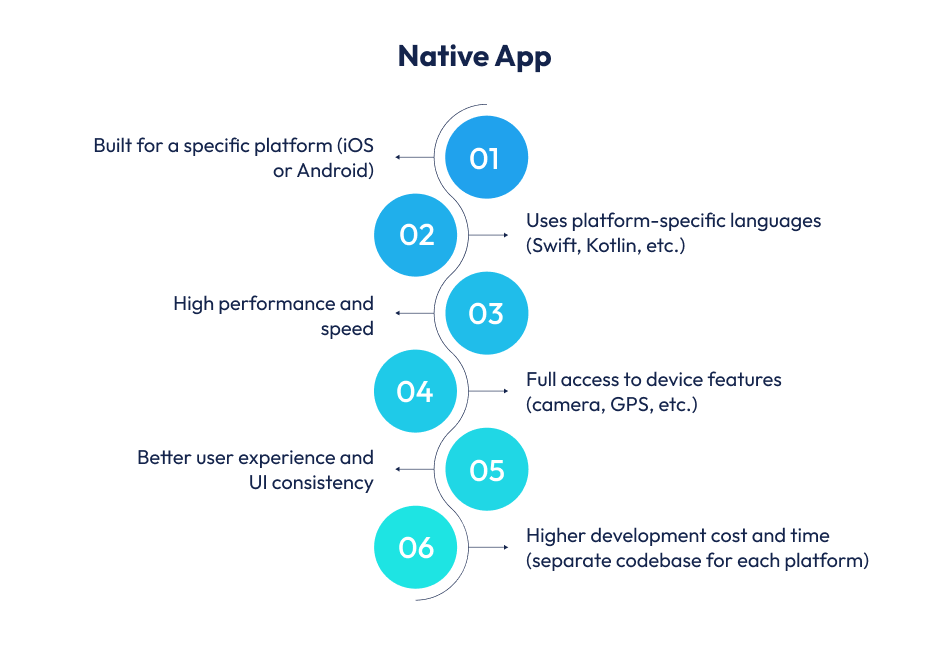
A native app is a mobile application developed specifically for a single operating system, either Android or iOS. It is designed and programmed to run on a particular platform and hardware configuration. For example, Google Maps is a native Android app, offering a seamless experience and optimized performance on Android devices.
Native apps are built using the platform’s official languages and tools, like Swift or Objective-C for iOS, and Java or Kotlin for Android. These apps rely on platform-specific software development kits (SDKs), allowing deep integration with the device’s hardware and native features. That’s why native app development ensures better responsiveness and high-end performance for users.
In 2026, you should go for native app development when:
However, if you have the resources and want high-quality output, investing in custom app development through Techugo, a top mobile app development company makes sense.
This approach is perfect for businesses that care about top-notch performance, hardware-level access, and delivering the best user experience on each platform.
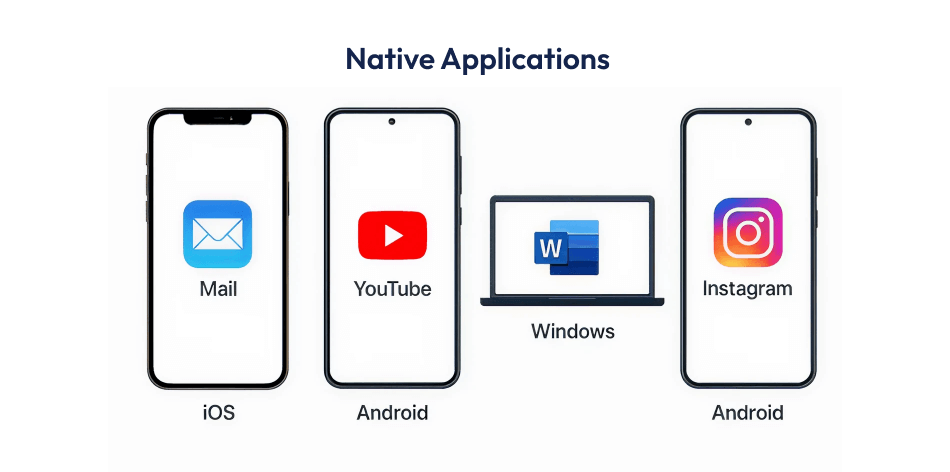
Here are some well-known examples of native apps that show the power of platform-specific development:
Here are the core benefits of choosing native app development:
Suggested Read: Top Advantages Of Native App Development For Your Business
While native app development offers many benefits, it also comes with some challenges:
| Factor | Advantage | Disadvantage |
| Performance | High speed and responsiveness with full system access | Needs separate code for iOS and Android |
| User Experience | Best-in-class UI/UX aligned with platform guidelines | UI consistency differs across platforms |
| Device Access | Full access to camera, GPS, storage, notifications, etc. | Deep integration increases development complexity |
| Security | Strong app security via native frameworks | Security updates must be managed separately |
| App Store Support | Easier to meet App Store and Play Store standards | Strict store approval process can delay releases |
| Updates | Platform-specific updates can leverage latest OS features | Updates must be pushed individually per platform |
| Scalability | Scalable for complex, feature-rich apps | Not cost-efficient for MVP or low-budget projects |
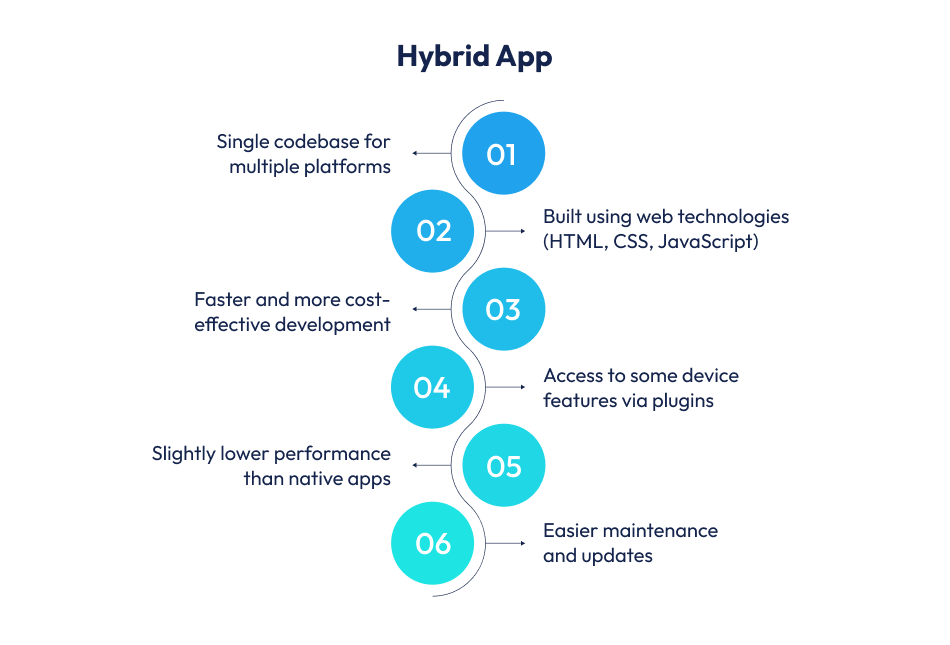
A hybrid app is a mobile application built using a single codebase for multiple platforms like iOS and Android. It combines elements of native and web app development, offering the best of both worlds. Traditionally, this meant wrapping web technologies, like HTML, CSS, and JavaScript, inside a native container. The app runs like a web page inside a mobile shell.
Modern hybrid app development has evolved with frameworks like React Native, Ionic, Flutter, and Xamarin. These tools have blurred the line between hybrid vs native apps by bridging web and native development.
For instance, React Native uses JavaScript but connects directly to native UI components, while Flutter (by Google) uses Dart, which compiles to native code. These frameworks do not depend solely on WebViews. They offer better performance, near-native design, and smoother animations. That’s why hybrid mobile apps today are far more powerful and flexible than older-generation hybrids.
Choose hybrid app development in 2026 in the following cases:
Here are some well-known hybrid mobile apps that highlight the flexibility of cross-platform app development:
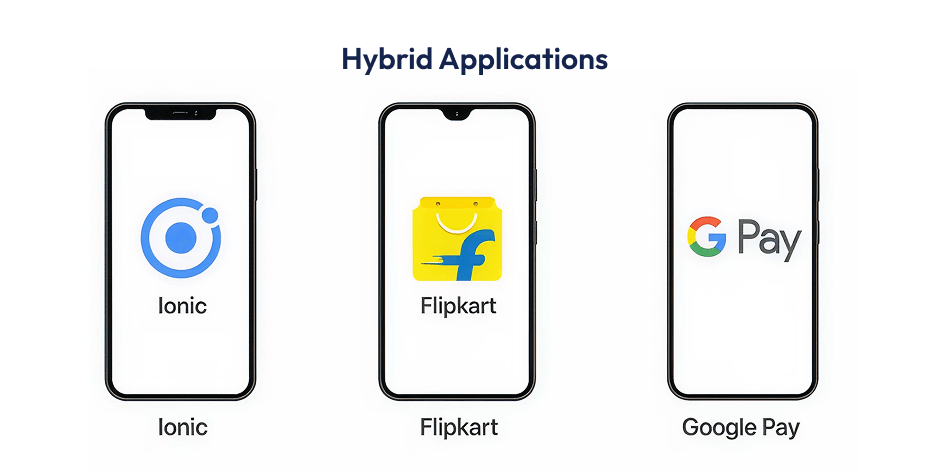
Here are the key benefits of choosing hybrid app development for your business:
While hybrid app development has many benefits, there are also a few drawbacks to consider:
| Factor | Advantage | Disadvantage |
| Development Cost | Lower cost with a single codebase | May need plugins for advanced native features |
| Time to Market | Faster launch across platforms | Performance may lag in complex apps |
| Device Access | Access to basic hardware features using modern frameworks | Limited access to deep device APIs |
| Maintenance | Easier updates across all platforms | Relies on third-party libraries for support |
| User Experience | Consistent UI across devices | May feel less smooth than native apps |
| Scalability | Quick scaling on iOS and Android | Not ideal for high-performance enterprise apps |
| Tech Stack | Uses familiar web tech like JavaScript or Dart | UI may not fully match platform guidelines |
Choosing between a native app and hybrid app depends on your goals, budget, and audience. Keep the following factors in mind when picking between any of the app – a native or hybrid app:
Native apps are built using platform-specific tools, Swift for iOS in Xcode, and Kotlin for Android in Android Studio. That means you’ll need separate developers and codebases for each platform. In contrast, hybrid apps use frameworks like Flutter or React Native, letting you reuse up to 90% of the code. This speeds up development and reduces cost, especially when using full-stack developers instead of platform-specific experts.
Native apps connect directly to device features like GPS, camera, or Face ID. This makes the experience smoother and faster. Hybrid apps rely on plugins or bridges, which can sometimes slow things down. For example, Instagram’s hybrid camera setup once showed a 2-second delay, something a native app wouldn’t suffer from.
With native apps, updates are tailored separately for iOS and Android. This gives you better performance but adds more work. Hybrid apps use a single codebase, so updates are faster and easier to push. However, customizing the app for each platform becomes trickier. If you’re adding advanced features, hybrid apps might still need some native code, which adds complexity.
Speed matters. Native apps load in 1–2 seconds. Hybrid apps take 3–4 seconds, which affects user engagement. Gaming apps built with hybrid frameworks see 22% higher abandonment. Native apps also follow design rules of the operating system, making them more intuitive. Research shows users face 8.4% more usability issues in hybrid apps.
Native apps are more efficient. They use less battery and memory compared to hybrid apps. For example, social media apps built natively consume 15–20% less battery and 20–30% less RAM. In performance tests, native apps processed 4K video content 40% faster than hybrid apps. If your app is resource-heavy, going native is a smart move.
Native apps also have higher update and support expenses because updates must be done separately. Maintenance costs average 15–20% annually for native and 25–30% for hybrid.
As your app scales, costs increase. Native apps require more updates, testing, and platform-specific maintenance, costs may rise by 200–300%. Hybrid apps scale more affordably, with a 150–200% rise. Native apps also involve extra spending, like:
But smart moves like cloud integration and automated testing can cut costs significantly.
If speed, performance, or security is your priority, choose native apps. They’re best for healthcare, finance, and gaming. If your focus is faster development, lower costs, and cross-platform reach, hybrid apps make more sense. They’re great for startups, retail, and content-based platforms. Your app’s purpose, budget, and target users should guide the decision.
Once you map out your project scope, feature list, and budget, choosing between a native or hybrid app becomes clearer.
If you’re still undecided, consider testing both routes. Start with a hybrid MVP, or build platform-specific prototypes to compare.
Keep in mind: your team’s workflow, release cycles, and QA practices matter just as much as the tech stack. Plan for future updates and have fallback strategies ready for smoother rollouts later.
When you’re torn between native vs hybrid apps, Techugo offers a strong advantage.
We at Techugo have delivered 1,400+ mobile applications across 15 countries. Apps built by us have raised over ₹869 million in funding. Our team includes 200+ experts, including developers, designers, testers, strategists, and more. All of them use modern tech, like Flutter, React Native, AI, IoT, and more. Here’s why Techugo can be the best mobile app development company for your business needs in 2026:
If you’re evaluating whether to go with native app development or hybrid app development, Techugo offers the technical depth, proven analytics-driven approach, and global reach to support your decision effectively.
Choosing between a native app and a hybrid app depends on your goals, budget, and timeline. If performance, speed, and platform-specific features matter to you, go with native. If time-to-market and cross-platform reach matter more, hybrid is a smart pick for you.
Either way, working with the right cross-platform app development company makes all the difference.
Techugo helps businesses build powerful, user-friendly apps on time and with impact.

Both have their strengths. Native apps are faster, more reliable, and give a better user experience. They’re ideal if your app needs strong performance or complex features. Hybrid apps are more affordable and quicker to launch since one code works on both Android and iOS.
Yes, hybrid apps can be secure if built properly. However, they rely on third-party tools, so extra steps may be needed to protect user data. Native apps give developers more control over security settings.
Absolutely. Hybrid app development is a great option to turn your website into a mobile app. It saves time and cost since you don’t have to build everything from scratch for different platforms.
Hybrid apps are usually less expensive to develop and maintain because you only need to create one version for both platforms. Native apps need two separate builds – one for iOS and one for Android, so they often cost more.
Yes. Techugo offers full-stack development services for native and hybrid apps. With 200+ apps delivered, 150+ clients globally, and partnerships with enterprises like the Indian Navy and Gyan Dairy, Techugo helps brands go live with smart, secure, and scalable mobile solutions.

Let’s be honest, this isn’t something most people expected - AI (Artificial Intelligence) entering into spirituality, the deeply personal world of us,..


Can you imagine attending a prayer session in the metaverse? Or getting Zakat reminders straight from an AI-powered assistant? In 2026, faith and tech..



Write Us
sales@techugo.comOr fill this form












