

 SA
SA  KW
KW  IE
IE AU
AU UAE
UAE UK
UK USA
USA  CA
CA DE
DE  QA
QA ZA
ZA  BH
BH NL
NL  MU
MU FR
FR 






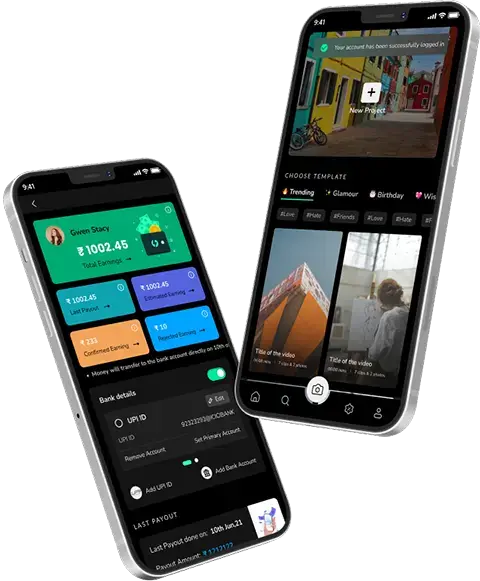








Mobile apps usually fall into two main categories: either Native or Hybrid. And sometimes, they fall under web apps too. But in 2026, as a business owner, your focus should be clear, whether a native or hybrid app fits your business goals better. To decide, you need to have a better understanding of native vs hybrid apps.
What Are Native Apps?
Native apps are built for one platform, Android or iOS, using Swift or Kotlin. They deliver top performance and full device integration. Ideal for native app development.
What Are Hybrid Apps?
Hybrid mobile apps are made with web tech and run on multiple platforms using one codebase. They’re wrapped in a native shell and great for hybrid app development.
Native vs Hybrid App: Key Differences
- Performance: Native apps are faster. Hybrid apps may lag due to web views.
- Codebase: Native needs separate code. Hybrid uses a single codebase.
- Cost & Time: Native is expensive and slow to build. Hybrid offers cost savings and faster launch.
- Feature Access: Native has full hardware access. Hybrid depends on plugins.
- User Experience: Native feels smooth and responsive. Hybrid may not.
Native vs Hybrid App: How to Choose?
Pick native apps for speed, features, and better UX.
Go with hybrid apps for quick, budget-friendly, cross-platform app development.
In 2026, choose based on your audience, budget, and app goals.
Need help? Techugo, a leading react native app development company can guide your custom app development strategy for business.
In this blog, we’ll break down native vs hybrid apps, their pros and cons, and how to choose between them. We at Techugo, as a leading mobile app development company, will also guide you on key decision factors like performance, budget, development process, and user experience.
Let’s begin…
Native vs Hybrid App: Key Differences
Choosing between native app vs hybrid app can make or break your mobile strategy. Here’s a simplified table to help businesses compare key features:
| Feature | Native App | Hybrid App |
| Performance | Built for one platform, so they’re highly optimized, faster and smoother. | May lag with animations or heavy processing, though newer frameworks are closing the gap. |
| User Experience | Feels fully integrated with the OS, intuitive and responsive for users. | Sometimes less responsive, not fully native-like |
| Tech Stack | Swift, Kotlin, Java – platform-specific SDKs | HTML, CSS, JavaScript, React Native, etc. inside a native shell |
| Development Cost & Time | Separate code for iOS and Android makes native costly and time-consuming. | One codebase cuts dev time and cost, especially helpful for cross-platform app development. |
| Device Access | Direct access to GPS, camera, sensors, and all device APIs. | Limited access; plugins or workarounds may be needed |
| Maintenance | Updates needed separately for Android and iOS | Easier updates across platforms with shared codebase |
| Offline Support | Work fully offline depending on how they’re built. | Often requires the internet, though offline support can be added with effort. |
| Security | Strong platform-level security | Depends on web stack; risk of cross-platform vulnerabilities |
Suggested Read: Xamarin Vs. React Native
What Is a Native App?
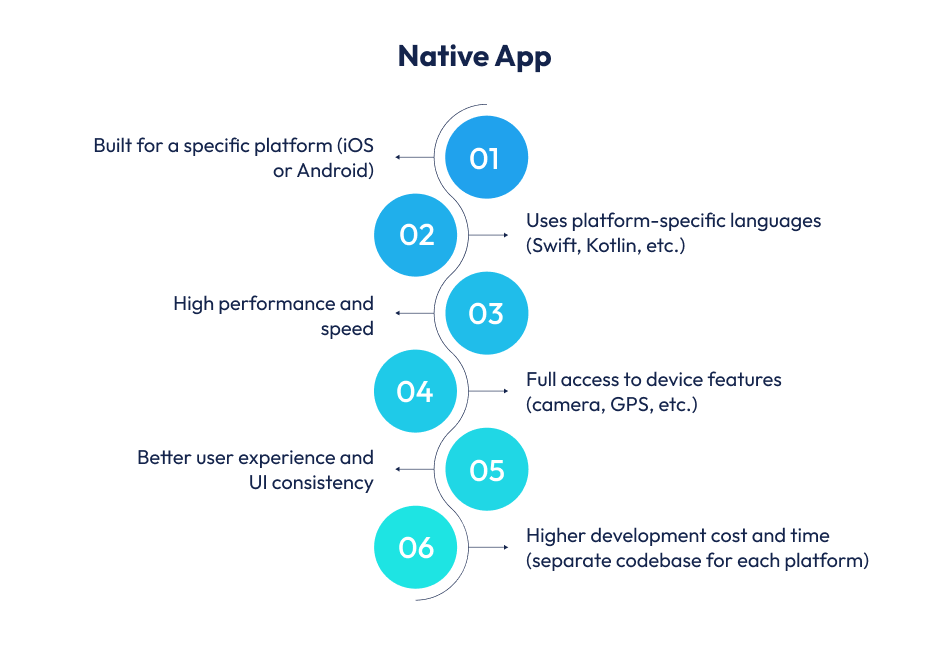
A native app is a mobile application developed specifically for a single operating system, either Android or iOS. It is designed and programmed to run on a particular platform and hardware configuration. For example, Google Maps is a native Android app, offering a seamless experience and optimized performance on Android devices.
Native apps are built using the platform’s official languages and tools, like Swift or Objective-C for iOS, and Java or Kotlin for Android. These apps rely on platform-specific software development kits (SDKs), allowing deep integration with the device’s hardware and native features. That’s why native app development ensures better responsiveness and high-end performance for users.
When to Choose Native App Development?
In 2026, you should go for native app development when:
- Performance matters most: If your app demands speed, smooth animations, or background processing, a native approach is ideal. This is especially true for games, graphics-heavy apps, or enterprise apps that handle complex operations.
- Your audience is clearly defined: If your business targets a specific user base, say iPhone users or Android users then creating a mobile app native vs hybrid becomes an easy decision. Most companies choose the native app path after locking in the platform and the audience.
- You need full access to device features: Native apps can directly interact with the camera, GPS, microphone, accelerometer, and other hardware elements. This gives them a huge edge in real-time responsiveness and security.
- You care about the look and feel: A native app follows platform-specific UI/UX guidelines, making the app feel natural to users. This leads to a better overall user experience and improved retention.
- You have the budget for separate builds: Since native apps are built separately for Android and iOS, they demand more development time and cost.
However, if you have the resources and want high-quality output, investing in custom app development through Techugo, a top mobile app development company makes sense.
This approach is perfect for businesses that care about top-notch performance, hardware-level access, and delivering the best user experience on each platform.
Examples of Native Applications
Here are some well-known examples of native apps that show the power of platform-specific development:
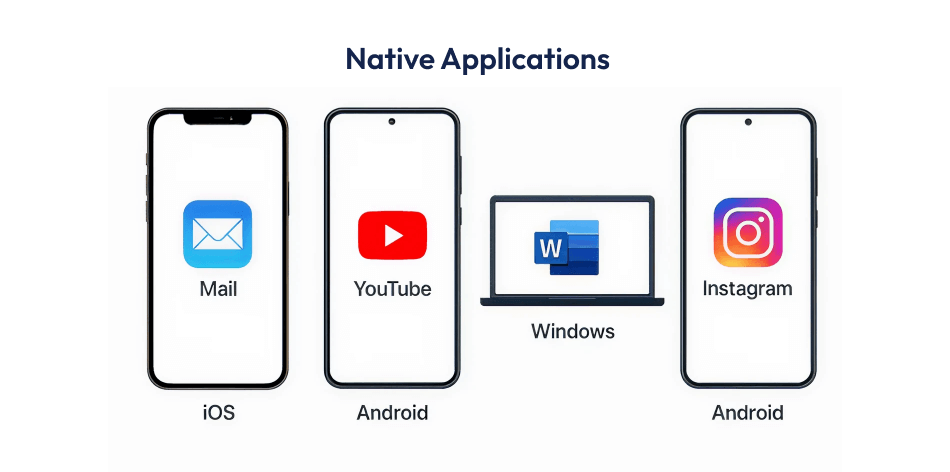
- Mail on iOS: This app is fast, reliable, and performs well, even in areas with low internet connectivity. It reflects the efficiency of native app development.
- YouTube on Android: Offers smooth, high-quality video playback, including offline viewing. It’s a great example of native Android app development focused on media performance.
- Word on Windows: Built as a native desktop app, it shows how deeply integrated software can deliver top performance and full access to device resources.
- Instagram on Android: This native mobile app provides advanced features like real-time filters, AR effects, and camera tools, giving users a rich and responsive experience.
Advantages of a Native App
Here are the core benefits of choosing native app development:
- High Performance: Since native apps are coded for a specific OS, they use system resources more efficiently. That leads to faster load times and smoother performance.
- Better User Experience: These apps follow platform-specific design rules, offering a seamless and familiar user experience that users expect on their devices.
- Access to Device Features: Native apps can easily use the full range of device features, like the camera, GPS, notifications, and biometric sensors, without relying on third-party plugins.
- Reliable Security: Native apps benefit from built-in security protocols of iOS or Android. This reduces risks and strengthens app data protection.
- Regular Updates: Developers can push updates based on platform changes. However, it’s worth noting that App Store and Play Store approval processes can slow things down and add complexity.
Suggested Read: Top Advantages Of Native App Development For Your Business
Disadvantages of a Native App
While native app development offers many benefits, it also comes with some challenges:
- Higher Development Costs: Separate codebases are needed for iOS and Android, which increases both development cost and effort. This can impact budget planning for businesses.
- Longer Time to Market: Since each platform requires its own version, it takes longer to design, build, test, and launch the apps.
- Maintenance Complexity: Maintaining two different codebases means more work during updates, bug fixes, and testing cycles. This can slow down app development strategy for businesses.
- Limited Cross-Platform Compatibility: A native app built for one platform won’t work on another without being re-coded. This makes it less ideal for businesses seeking broad reach through a cross-platform app development approach.
Native App: Pros & Cons (Quick View)
| Factor | Advantage | Disadvantage |
| Performance | High speed and responsiveness with full system access | Needs separate code for iOS and Android |
| User Experience | Best-in-class UI/UX aligned with platform guidelines | UI consistency differs across platforms |
| Device Access | Full access to camera, GPS, storage, notifications, etc. | Deep integration increases development complexity |
| Security | Strong app security via native frameworks | Security updates must be managed separately |
| App Store Support | Easier to meet App Store and Play Store standards | Strict store approval process can delay releases |
| Updates | Platform-specific updates can leverage latest OS features | Updates must be pushed individually per platform |
| Scalability | Scalable for complex, feature-rich apps | Not cost-efficient for MVP or low-budget projects |
What Is a Hybrid App?
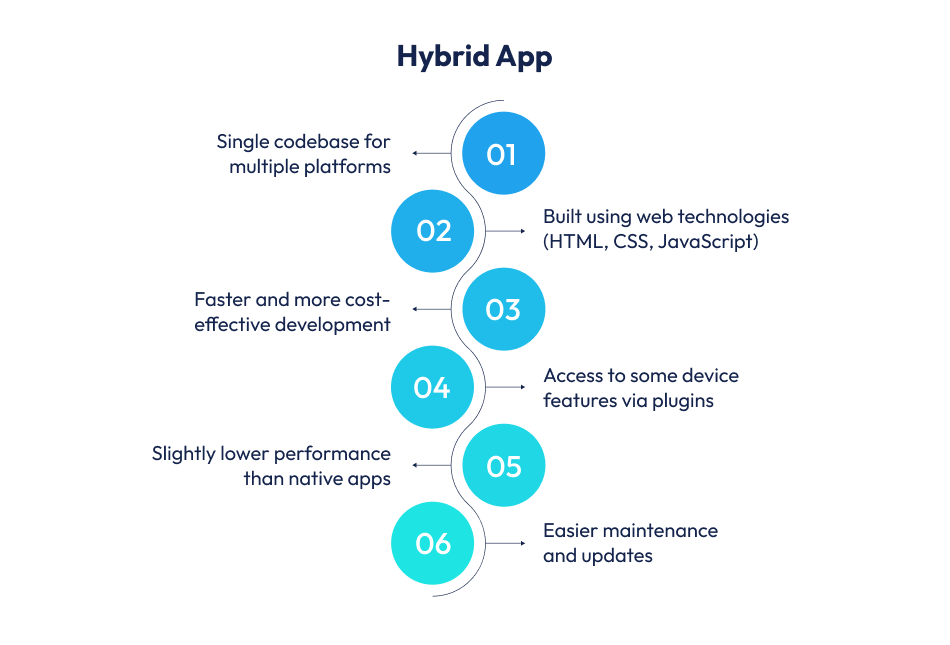
A hybrid app is a mobile application built using a single codebase for multiple platforms like iOS and Android. It combines elements of native and web app development, offering the best of both worlds. Traditionally, this meant wrapping web technologies, like HTML, CSS, and JavaScript, inside a native container. The app runs like a web page inside a mobile shell.
Modern hybrid app development has evolved with frameworks like React Native, Ionic, Flutter, and Xamarin. These tools have blurred the line between hybrid vs native apps by bridging web and native development.
For instance, React Native uses JavaScript but connects directly to native UI components, while Flutter (by Google) uses Dart, which compiles to native code. These frameworks do not depend solely on WebViews. They offer better performance, near-native design, and smoother animations. That’s why hybrid mobile apps today are far more powerful and flexible than older-generation hybrids.
When to Choose Hybrid App Development?
Choose hybrid app development in 2026 in the following cases:
- Budget Constraints: If your business needs to save money, hybrid apps offer development cost savings by using a single codebase for both iOS and Android.
- Shared Coding and Stack: Hybrid development supports full-stack work using common web languages like JavaScript. Unlike native app development, you don’t need to learn separate platform-specific languages.
- Faster Time to Market: Need to launch quickly? Hybrid apps are ideal for reducing development time and speeding up your go-to-market plan.
- Simpler Applications: For apps that don’t require heavy device integration or advanced graphics, hybrid mobile apps are more than enough.
- Frequent Updates: If your app needs frequent updates, hybrid makes it easy to push changes across all platforms without rebuilding everything.
- Multi-Platform Targeting: When your goal is to reach both iOS and Android users without doubling your dev cost, a hybrid app helps you scale efficiently. It’s perfect for businesses aiming for wide market coverage with a lean budget.
Examples of Hybrid Applications
Here are some well-known hybrid mobile apps that highlight the flexibility of cross-platform app development:
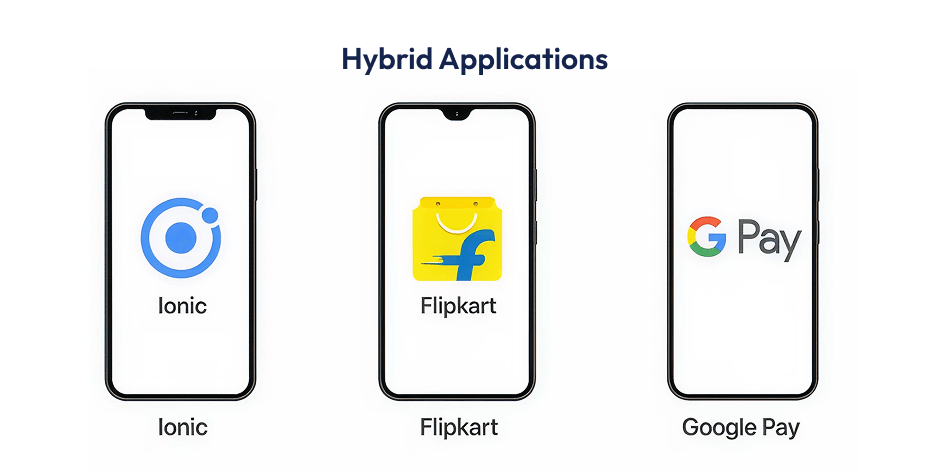
- Ionic: A popular mobile app development platform that’s also a hybrid app. It provides tools to build hybrid apps using web technologies.
- Flipkart: The Indian e-commerce leader uses React Native for its cross-platform app development, ensuring consistency across Android and iOS.
- Google Pay: Built using Flutter, this UPI payments app by Google showcases the power of hybrid app development for high-volume, real-time transactions.
Advantages of a Hybrid App
Here are the key benefits of choosing hybrid app development for your business:
- Cost-Effective Development: One codebase cuts down both development and maintenance costs across multiple platforms.
- Faster Development: With one team and one codebase, businesses can launch apps faster. Ideal for MVPs and quick rollouts.
- Access to Device Features: Using modern frameworks like React Native or Flutter, hybrid apps can use device features like GPS, camera, or push notifications.
- Easier Updates: You can update the app on all platforms at once. This makes lifecycle management smoother and faster.
- Cross-Platform Compatibility: Designed to run on both Android and iOS, hybrid apps offer wider reach and faster scaling, which is great for growing businesses.
Disadvantages of a Hybrid App
While hybrid app development has many benefits, there are also a few drawbacks to consider:
- Performance Limitations: Hybrid apps may lag with graphics-heavy or real-time features, unlike native apps, which run faster.
- Incomplete Access to Native Features: Some advanced device capabilities might not be fully accessible. You may need plugins or custom modules to bridge gaps.
- User Experience Concerns: UI elements may feel less responsive or inconsistent with platform-specific guidelines, especially when not optimized.
- Potential for Bugs: Using web technologies can sometimes lead to compatibility issues, especially with newer OS versions or device types.
- Dependency on Third-Party Libraries: Hybrid apps often rely on frameworks like Cordova or React Native. If those frameworks are outdated or poorly supported, it can affect app stability and performance.
Hybrid App: Pros & Cons (Quick View)
| Factor | Advantage | Disadvantage |
| Development Cost | Lower cost with a single codebase | May need plugins for advanced native features |
| Time to Market | Faster launch across platforms | Performance may lag in complex apps |
| Device Access | Access to basic hardware features using modern frameworks | Limited access to deep device APIs |
| Maintenance | Easier updates across all platforms | Relies on third-party libraries for support |
| User Experience | Consistent UI across devices | May feel less smooth than native apps |
| Scalability | Quick scaling on iOS and Android | Not ideal for high-performance enterprise apps |
| Tech Stack | Uses familiar web tech like JavaScript or Dart | UI may not fully match platform guidelines |
How to Choose a Native App vs Hybrid App?
Choosing between a native app and hybrid app depends on your goals, budget, and audience. Keep the following factors in mind when picking between any of the app – a native or hybrid app:
1. Development Tools and Languages
Native apps are built using platform-specific tools, Swift for iOS in Xcode, and Kotlin for Android in Android Studio. That means you’ll need separate developers and codebases for each platform. In contrast, hybrid apps use frameworks like Flutter or React Native, letting you reuse up to 90% of the code. This speeds up development and reduces cost, especially when using full-stack developers instead of platform-specific experts.
2. Access to Device Features
Native apps connect directly to device features like GPS, camera, or Face ID. This makes the experience smoother and faster. Hybrid apps rely on plugins or bridges, which can sometimes slow things down. For example, Instagram’s hybrid camera setup once showed a 2-second delay, something a native app wouldn’t suffer from.
3. Code Management and Updates
With native apps, updates are tailored separately for iOS and Android. This gives you better performance but adds more work. Hybrid apps use a single codebase, so updates are faster and easier to push. However, customizing the app for each platform becomes trickier. If you’re adding advanced features, hybrid apps might still need some native code, which adds complexity.
4. Speed and User Experience
Speed matters. Native apps load in 1–2 seconds. Hybrid apps take 3–4 seconds, which affects user engagement. Gaming apps built with hybrid frameworks see 22% higher abandonment. Native apps also follow design rules of the operating system, making them more intuitive. Research shows users face 8.4% more usability issues in hybrid apps.
5. System Resource Usage
Native apps are more efficient. They use less battery and memory compared to hybrid apps. For example, social media apps built natively consume 15–20% less battery and 20–30% less RAM. In performance tests, native apps processed 4K video content 40% faster than hybrid apps. If your app is resource-heavy, going native is a smart move.
6. Budget and Upkeep Requirements
- Initial native app development can cost between $50,000 and $250,000 per platform.
- Hybrid apps are more affordable, often ranging from $20,000 to $100,000.
- For medium-scale projects, native apps can cost over $300,000 (for both platforms) versus $100,000 for a hybrid version.
Native apps also have higher update and support expenses because updates must be done separately. Maintenance costs average 15–20% annually for native and 25–30% for hybrid.
7. Long-Term Cost Planning
As your app scales, costs increase. Native apps require more updates, testing, and platform-specific maintenance, costs may rise by 200–300%. Hybrid apps scale more affordably, with a 150–200% rise. Native apps also involve extra spending, like:
- 10–20% more on project management
- $10,000–$20,000 yearly for platform testing devices
- $1,000–$5,000 for SDK licensing fees per platform
But smart moves like cloud integration and automated testing can cut costs significantly.
8. Industry Fit: Native vs Hybrid
- Healthcare apps: Native is preferred for security and device integration. 89% of healthcare firms choose native apps for HIPAA compliance and secure data handling.
- E-commerce apps: Hybrid apps are popular here. They’re cheaper, quicker to update, and still fast enough for most shopping tasks. Alibaba switched to a hybrid app and saw 76% more conversions.
- Banking apps: Banks often mix both. Native handles secure transactions. Hybrid takes care of chat support or basic services. It’s a balance of safety and cost-efficiency.
If speed, performance, or security is your priority, choose native apps. They’re best for healthcare, finance, and gaming. If your focus is faster development, lower costs, and cross-platform reach, hybrid apps make more sense. They’re great for startups, retail, and content-based platforms. Your app’s purpose, budget, and target users should guide the decision.
Once you map out your project scope, feature list, and budget, choosing between a native or hybrid app becomes clearer.
If you’re still undecided, consider testing both routes. Start with a hybrid MVP, or build platform-specific prototypes to compare.
Keep in mind: your team’s workflow, release cycles, and QA practices matter just as much as the tech stack. Plan for future updates and have fallback strategies ready for smoother rollouts later.
Why Techugo Is Your Ideal Mobile App Development Company
When you’re torn between native vs hybrid apps, Techugo offers a strong advantage.
We at Techugo have delivered 1,400+ mobile applications across 15 countries. Apps built by us have raised over ₹869 million in funding. Our team includes 200+ experts, including developers, designers, testers, strategists, and more. All of them use modern tech, like Flutter, React Native, AI, IoT, and more. Here’s why Techugo can be the best mobile app development company for your business needs in 2026:
- Proven Track Record: Compatible with both native and hybrid mobile app development models, Techugo’s apps have supported global brands like White Hat Jr., Airtel, Sterkla, and BuyEazzy, and achieved outstanding performance metrics, like millions of users, high engagement, and strong funding outcomes.
- Quality and Client Satisfaction: Clients rate Techugo on platforms like Clutch and DesignRush around 4.7/5, citing delivery quality, transparent communication, and timely execution. We also maintain 95% client retention, showing our commitment to long-term partnerships.
- Industry Expertise and Agile Delivery: We typically complete projects within 1–25 weeks, most in the $10K–50K range. This makes us aligned with both hybrid MVPs and native full-scale apps. Our agile processes ensure frequent updates and smooth lifecycle management.
If you’re evaluating whether to go with native app development or hybrid app development, Techugo offers the technical depth, proven analytics-driven approach, and global reach to support your decision effectively.
Summing Up…
Choosing between a native app and a hybrid app depends on your goals, budget, and timeline. If performance, speed, and platform-specific features matter to you, go with native. If time-to-market and cross-platform reach matter more, hybrid is a smart pick for you.
Either way, working with the right cross-platform app development company makes all the difference.
Techugo helps businesses build powerful, user-friendly apps on time and with impact.

FAQs
Q 1. Which is better: native or hybrid app?
Both have their strengths. Native apps are faster, more reliable, and give a better user experience. They’re ideal if your app needs strong performance or complex features. Hybrid apps are more affordable and quicker to launch since one code works on both Android and iOS.
Q 2. Are hybrid apps secure?
Yes, hybrid apps can be secure if built properly. However, they rely on third-party tools, so extra steps may be needed to protect user data. Native apps give developers more control over security settings.
Q 3. Can I convert my website into a hybrid app?
Absolutely. Hybrid app development is a great option to turn your website into a mobile app. It saves time and cost since you don’t have to build everything from scratch for different platforms.
Q 4. What is the cost difference between native and hybrid apps?
Hybrid apps are usually less expensive to develop and maintain because you only need to create one version for both platforms. Native apps need two separate builds – one for iOS and one for Android, so they often cost more.
Q 5. Does Techugo develop both native and hybrid apps?
Yes. Techugo offers full-stack development services for native and hybrid apps. With 200+ apps delivered, 150+ clients globally, and partnerships with enterprises like the Indian Navy and Gyan Dairy, Techugo helps brands go live with smart, secure, and scalable mobile solutions.

Get in touch
We'd love to hear from you.