SA
SA  KW
KW  IE
IE AU
AU UAE
UAE UK
UK USA
USA  CA
CA DE
DE  QA
QA ZA
ZA  BH
BH NL
NL  MU
MU FR
FR 



















📌 Key Takeaways
- Utility billing software removes manual billing chaos by automating invoices, usage tracking, and payments.
- Development cost typically ranges from $40,000 to $400,000+, depending on features and scalability.
- Core features like billing automation, meter tracking, and payment integration directly improve efficiency and accuracy.
- AI and smart meter integrations turn basic billing systems into future-ready, intelligent platforms.
Ever been up at 11 PM, staring at a stack of invoices, thinking, why did I sign up for this? Electricity meters, water usage, gas readings, internet bills (some tenant pays late), one bill got miscalculated, and suddenly you’re on the phone explaining why the electricity bill is triple this month. Sound familiar?
Well, this is the grind for many property managers: late payments, frustrated tenants, endless follow-ups. This is where utility billing software for property managers comes in. With automation, accurate calculations, and easy reporting, these programs transform billing from a headache into a seamless, transparent process.
Billing just got an upgrade. What once meant spreadsheets, late nights, and endless manual work is now being replaced by automation, smart meters, and real-time data. No surprise that the utility billing software market is expected to reach USD 9.82 billion by 2031.
In this guide, we will explore the must-have features, benefits, costs, and steps to build your own solution, while giving you a glimpse into the future of smart utility management.
Breaking down the mechanics of utility billing software
At its simplest, utility billing software is a digital system designed to manage customer accounts, track consumption, and automate payments. For property managers, it’s an essential tool for:
- Centralizing tenant information
- Tracking multiple utility meters
- Generating accurate invoices
- Integrating with payment gateways
You can centralize tenant information in one place. Track multiple meters without flipping through paper records. Generate invoices that are accurate down to the last cent. And yes, it even plugs into payment gateways so tenants can pay with a tap or a click.
But not all billing software is the same. Modern utility billing programs come in three main types:
- Residential: Perfect for apartment buildings and housing societies.
- Commercial: Designed for office complexes or businesses with multiple utility accounts.
- Hybrid: Can handle both residential and commercial clients, ideal for large or mixed-use properties.
Whether you’re managing a cozy 20-unit building or a sprawling commercial center, these programs simplify every part of billing. The software doesn’t just automate tasks; it gives you peace of mind. No more guessing, no more manual errors, just a smooth, reliable system that actually makes your life easier.
Essential features every utility billing program needs
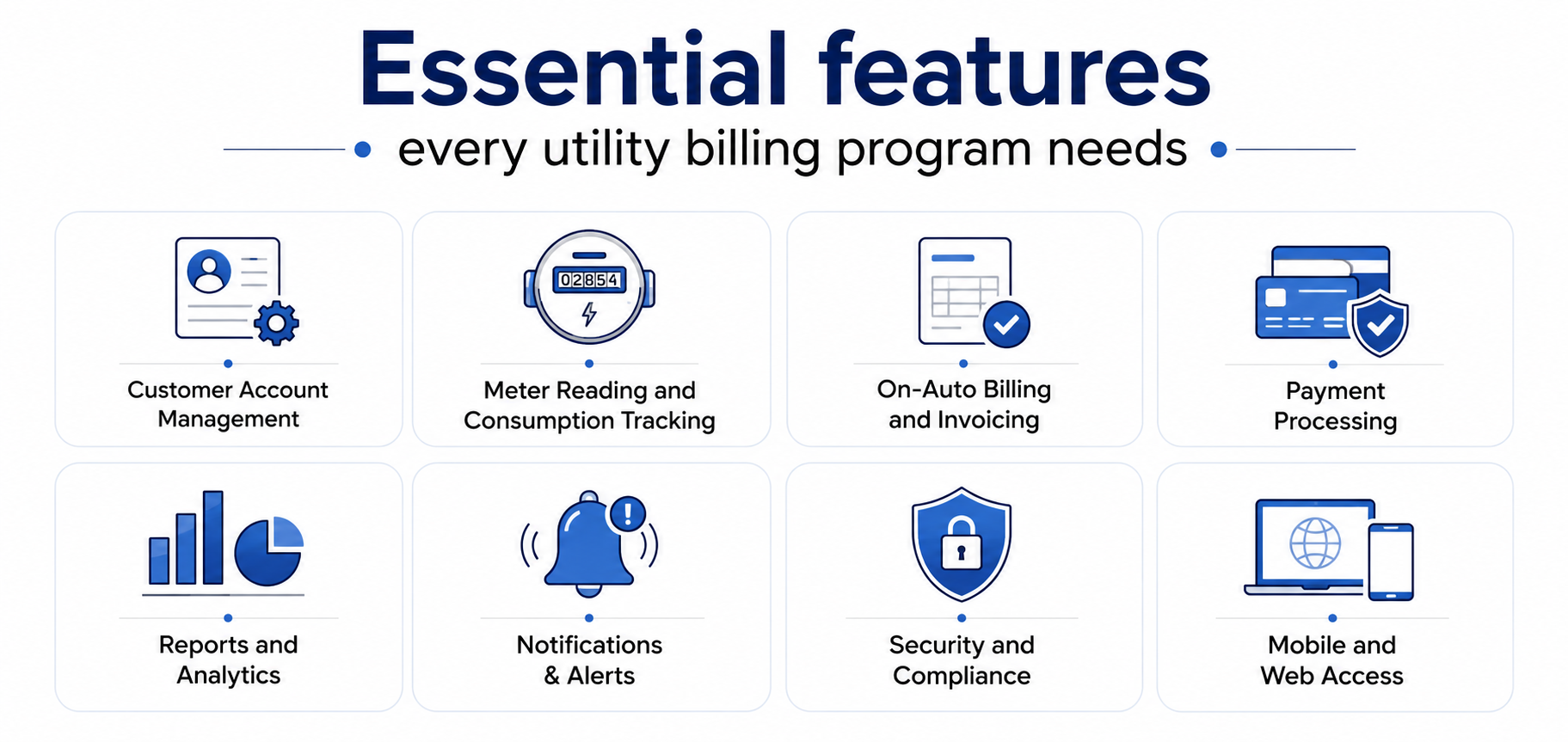
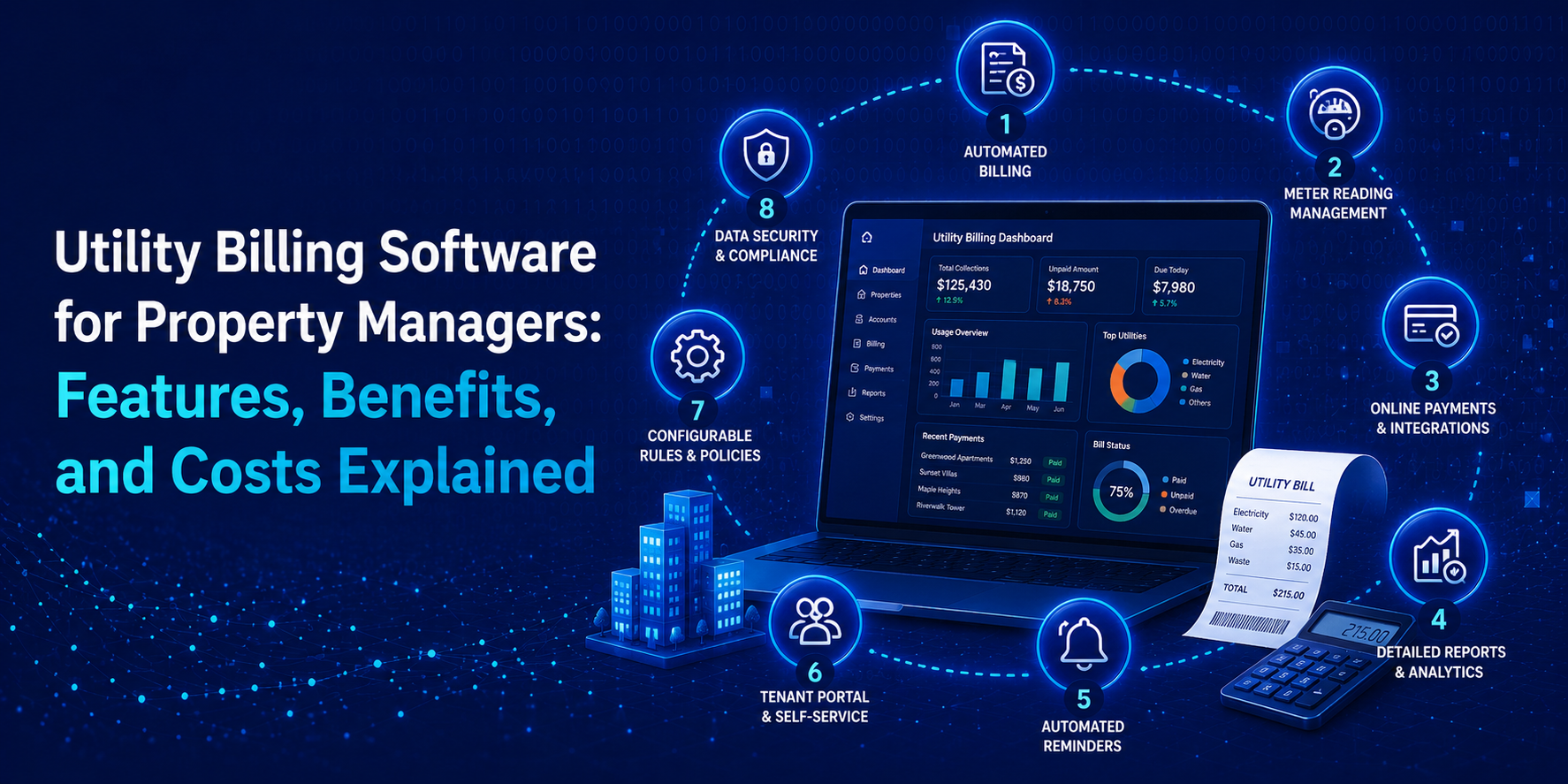
Not all software is created equal. Here’s what to look for in utility billing software for property managers:
1. Customer Account Management
Tenant information, service details, meter numbers, and billing history – everything at a single location. It is easy to add or remove tenants. It is also possible to monitor move-ins, move-outs, and changes in services without any records lost.
2. Meter Reading and Consumption Tracking
Real-time tracking of bills is guaranteed, whether by manual reading or by smart meters. Dashboards enable managers, as well as tenants, to track the usage trends. This facilitates the early detection of odd spikes or possible problems.
3. On-Auto Billing and Invoicing
Automatically create invoices with variable tariff designs, peak/off-peak, and pro-rata adjustments of mid-cycle adjustments. This makes sure that all the bills are fair, correct, and submitted on time without manual work.
Suggested Read: How Much Does it Cost to Build an AI-Powered Queue Management System Software
4. Payment Processing
Pay via cards, digital wallets, UPI, or bank transfers. Web-based reminders and interest/late fees are time-saving and minimize bad checks. The payments are tracked in real-time, and hence you will always know who has paid and who has not.
5. Reports and Analytics
Gain insights into consumption patterns, revenue trends, and outstanding balances. Tailor-made dashboards assist the managers in making better decisions. In the long run, this information can be used to streamline prices and enhance efficiency.
6. Notifications & Alerts
Use email, SMS, or AI-powered push notifications to communicate with tenants about bills, payments, and service disruptions. Early warnings lessen confusion and save time on wasted support calls.
7. Security and Compliance
Encrypt sensitive tenant data and implement role-based access control, and fulfill local compliance requirements. Frequent changes and safe systems make your data safe and reliable.
8. Mobile and Web Access
Give tenants self-service portals and managers remote access to dashboards so that they can have any-where, any-time control. You can be on-site or on-the-go, and with a few clicks, everything you require is right there.
9. Going beyond basics: Advanced features of utility billing software
If you want to stand out, consider adding advanced features offered by top utility billing software companies:
- AI-Powered Alerts: Detect leaks, abnormal usage, or unusual billing patterns.
- Predictive Billing: Estimate future consumption and payments based on historical data.
- Multi-Utility Management: Manage water, electricity, and gas within the same platform.
- ERP and Accounting Integration: Sync billing data with existing enterprise systems.
- Customizable Tariffs: Apply flexible pricing models based on property type or tenant category.
These features not only improve accuracy but also provide actionable insights for property managers.
Turn hours into minutes: Key benefits of utility billing software
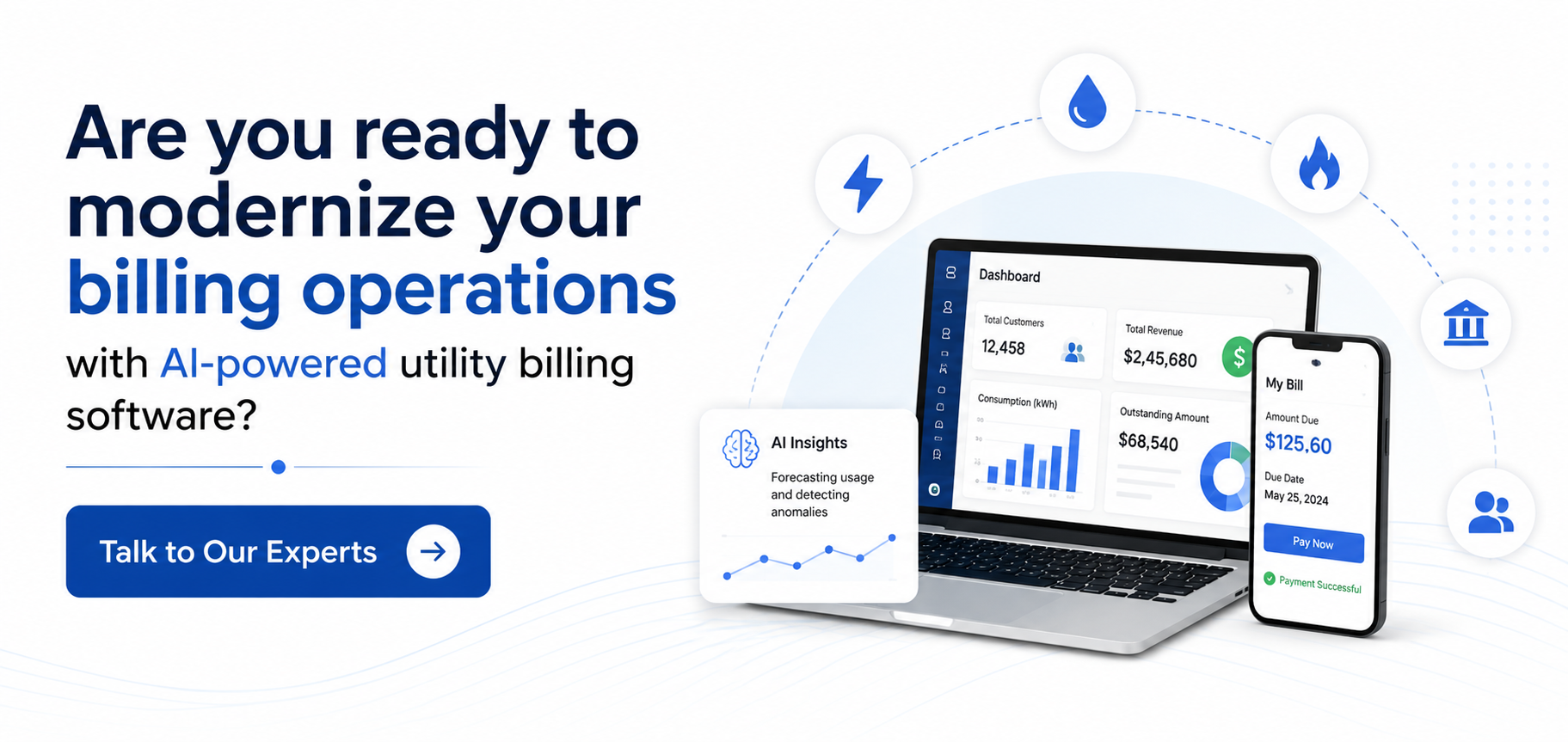
What if you could reduce all those hours you spend on bills to a few minutes? It may sound far-fetched, but that is what utility billing software is all about. Rather than balancing spreadsheets, reconciliation, and pursuing outstanding debts, all is automated. Bills get calculated. Invoices go out. Payments come in. No chaos. No guesswork.
And the best part? It is not only a matter of time-saving. It is regarding a reduced number of mistakes, a smoother flow, and far fewer stresses.
Let’s take a look.
- Reduced mistakes: When calculations are done manually, they can be easily mistaken. A single error can result in a billing issue and dissatisfied tenants. Automation eliminates such a risk by making sure that all of the bills are correct and consistent.
- Harmless Payments: Recurring payments, late charges, and discounts are automated. There is no need to follow the money. All changes automatically, and collections are easy and hassle-free.
- Real-Time Insights: Guess no more. You are able to monitor the usage, payments, and balances in real-time. This will enable you to remain in control and make swifter, smarter decisions.
- More Customer-friendly: You do not need to be called by the tenants each time they need something minor. Self-service portals would enable them to check their bills, view usage, and make payments at any time. You will have less back-and-forth.
- Compliance Regulatory: The system integrates tax calculations, reports, and compliance requirements. This limits risk and ensures all is in accordance with local regulations without additional work.
To property managers who have to deal with dozens or hundreds of tenants, these benefits are priceless.
How much does utility billing software cost?
Let’s get straight to it. There’s no one fixed price. The cost to build utility billing software depends on how simple or advanced you want it to be.
A basic system with core features will cost far less than a full-scale platform with automation, analytics, and smart meter integration. But to give you a realistic idea, here’s how it usually breaks down:
Here is the Estimated Cost Breakdown
| Type of Solution | The Features You Get | Estimated Cost |
| Basic MVP | Core billing, invoicing, manual inputs, and limited reporting | $40,000 – $80,000 |
| Mid-Level Solution | Automation, payment integration, dashboards, notifications | $80,000 – $180,000 |
| Advanced Platform | Real-time analytics, smart meter/IoT integration, custom workflows | $180,000 – $300,000 |
But what impacts the cost?
After reviewing the overall cost breakdown, you must be wondering what it is that drives the cost up (or down).
- Well, one of the largest factors is the feature set and the complexity as a whole. A simple system to deal with simple billing and invoicing will, of course, be cheaper. However, as soon as you begin adding automation, real-time tracking, advanced analytics, or AI-powered insights, the development cost goes up. Adding features implies adding logic, new testing, and, eventually, expense.
- Integrations and customization are another significant motor. Layers of complexity are added when you connect your software with payment gateways, ERP systems, CRMs, or even smart meters. And then, when your business requires a custom workflow, specific tariff structure, or a custom dashboard to be developed, the software must be developed around those specific needs, which further increases the cost over off-the-shelf offerings.
- At last, there’s platform scope and scalability. A bare-bones web-based solution is much cheaper than constructing an entire ecosystem of mobile applications, administration panels, and cloud services. And when you want to serve thousands of users, or even a set of properties, you will require a scalable system. It translates to improved architecture, improved infrastructure, and increased initial investment (but it is compensated for with the growth of your operations).
Quick reality check: If you just need something functional, you can stay closer to the $40K–$80K range.
Step-by-step guide to building your own utility billing software
Developing your own utility billing software for property managers may seem complex, but breaking it into steps makes it manageable:
Also Read: Revolutionizing Pharmacy Management: Exploring the Impact of Pharmacy Billing Software
Step 1: Lay the groundwork
Everything starts here. You must have a clear vision of what you are constructing before you leap into constructing anything. To whom is this software targeted – small property managers, big businesses, or both? What issues are you addressing: billing mistakes, manual tracking, and late payments? This is also where you establish your key features, billing policies, and compliance policies.
Consider this step to be your base. The more evident you are here, the smoother the rest is. Hurrying this phase normally results in rework in the future, hence the need to take the time to get it right.
Step 2: Choose the right platform
This choice determines your software life and development. Is it going to be a web platform or an app or both? The majority of the solutions in modern times are inclined towards cloud-based solutions since they are simpler to scale and reach. However, on-premise setups could be a good idea depending on your application.
It is also here that you long-range think. What number of users will you serve? Will the system have to deal with various properties or locations? The right platform will save you a significant rebuild if you pick the right platform early.
Step 3: Design for real people
If it feels complicated, people will not use it. Tenants do not need instruction to look into their bills. To locate simple data, property managers do not need to press ten clicks. The aim is to ensure that everything is easy, quick, and user-friendly.
A streamlined interface, explicit navigation, and properly structured dashboards are far. When the design is effective, people just use the software without reflecting on it, and that is what you want.
Step 4: Build the core system
And now the serious business commences. Frontend deals with all of what the users touch on: billing, dashboards, and self-service portals. The heavy lifting is done by the backend, which may include computing bills, making payments, and logic management.
All the important data (tenant information, meter readings, and history of transactions) is safely stored in your database behind the scenes. All pieces must relate well to each other. When the core is not solid, there will be nothing to support anything.
Step 5: Add smart integrations
Here is the point at which your software is transformed and becomes powerful. With payment gateway integrations, transactions are prompt and hassle-free. Smart meter/IoT (Internet of Things) links automate the use tracking. ERP and accounting integrations ensure that your financial data is in coordination.
These extensions minimize manual labor and make the system more interrelated. There is no need to move about using different tools; instead, all of them begin functioning in a single location.
Step 6: Test, launch & continuous improvement
Don’t hurry with the launch. Always ensure that it works in reality before launching. Testing is where you find out the mistakes before your users do. Everything must be reliable, be it billing accuracy, security, or usability.
After you are ready, commence with a pilot launch. Collect feedback, correct what is not working, and improve the experience. And not even when launched. Software can be maintained with regular updates, enhancements, and changes to meet emerging needs to ensure relevance and usefulness over a period.
The future of utility billing: Where things are headed
What would it be like to have automated billing? This is the direction things are going.
What was once an ordinary back-office process is becoming more of a data-driven system. Now, software predicts usage patterns, throws red flags on the unusual spikes, and can even avoid billing problems before they occur, since artificial intelligence is involved. Property managers are able to be one step ahead rather than being reactive to problems.
All things are heading to real-time and automation. The use of smart meters and IoT devices is eliminating the necessity of taking any kind of reading. Information is automatically transferred, invoices are automatically created, and quality is improved throughout.
The result?
Reduced conflicts, less labor, and a system that operates virtually.
And everything is becoming more intertwined and friendly. Utility billing software is no longer a tool in itself – it is integrating with accounting systems, CRM (customer relationship management) and property management systems. Meanwhile, tenants are looking to receive fast payment, immediate updates, and straightforward interfaces.
The future of billing is already here. The tools are ready, and the tech is proven. Now it’s about finding the right team to build it.
Techugo: The right partner for your utility app journey
Building utility billing software is one thing. Building it right (with scalability, accuracy, and real-world usability) is something else entirely.
This is where Techugo brings it all together.
As a mobile app development company, Techugo’s expertise lies in creating end-to-end utility billing ecosystems. That means intuitive user interfaces for tenants, powerful admin dashboards for property managers, and a robust backend that handles everything from automated billing cycles to real-time consumption tracking.
Whether it’s integrating payment gateways, enabling UPI-based collections, or connecting with IoT-enabled smart meters, we make sure every component works seamlessly together.
Our team focuses heavily on scalability and performance. Utility systems aren’t static; they grow with users, properties, and data. Our solutions are designed to handle increasing loads, support multiple properties, and adapt to evolving business needs without breaking down.
And because user experience matters just as much as functionality, we build apps that are simple, fast, and actually enjoyable to use. Tenants can track usage, pay bills, and receive updates effortlessly, while property managers get complete visibility and control without the usual complexity.
FAQs
Q1. What is utility billing software?
A. Utility billing software is an online product that assists in the billing of such services as electricity, water, gas, and internet. It automates the calculation, creates invoices, tracks usage, and makes the payment of property managers and utility providers easy.
Q2. What is the cost of building utility billing software?
A. Utility billing software development usually costs between $40,000 and $400,000 and beyond, depending on functionality, integrations, and scalability. Simple systems are cheaper, whereas more complex platforms that are automated and have analytics are more expensive.
Q3. What features should utility billing software include?
A. Customer account management, meter tracking, automated billing, payment integration, reporting, notifications, and good security are some of the must-have features. More sophisticated systems can also incorporate AI insights and the integration of smart meters.
Q4. Is utility billing software suitable for small property managers?
A. Absolutely. Numerous solutions are tailored to small and mid-sized properties. Even a simple system can help to save time, minimize mistakes, and enhance efficiency in general.

Get in touch
We'd love to hear from you.