


 SA
SA  KW
KW  IE
IE AU
AU UAE
UAE UK
UK USA
USA  CA
CA DE
DE  QA
QA ZA
ZA  BH
BH NL
NL  MU
MU FR
FR [ LET’S TALK AI ]
X
Discover AI-
Powered Solutions
Get ready to explore cutting-edge AI technologies that can transform your workflow!



Get ready to explore cutting-edge AI technologies that can transform your workflow!






Crafting apps and seeing their impact on business growth is not just a vision but a measurable part of today’s global economy.
The mobile app market, last year, in 2025, has generated an estimated $150 billion to $156 billion in consumer spending which was driven by in-app purchases and subscriptions even as total downloads hovered around 106.9 billion worldwide.
This indicates that businesses are building apps, of course, but they’re also successfully turning them into profitable products that attract paying users and sustain long-term engagement.
Developing a mobile app, however, is not a single-step task. It involves distinct phases, from conceptualisation to continuous updates and improvements.
This blog breaks down each of those steps to help you understand what it truly takes to build a successful mobile app. In other words, it serves as a step-by-step guide from an experienced mobile app development company to creating an app that works both technically and commercially. You will also learn monetisation strategies and market your app.
Now, let’s begin by exploring the development phases.
When developing any mobile app, the first thing to consider is clarifying your app concept and knowing why you are creating it. This covers understanding the primary need that the app is going to meet and how it will do so. Whether you are optimizing a company’s procedures or inventing a winning social media strategy, there should be a purpose.
It also means demarcating features corresponding to this aim: Take your main app and decide what features and options are essential and what additional ones would be good enough. For instance, an e-commerce app may incorporate payment security first, followed by product search capability, before loyalty programs.
Market research is, therefore, fundamental any time one wants to embark on an application development project. Conduct market research to answer questions about whether your idea addresses the needs and wants of the targeted audience. This is also the stage where you conclude a competitor analysis, which assists in polishing your app idea.
Example: When designing a fitness tracking app, look at top-rated apps to see how they organize users’ interfaces and incentives.
Many techniques, such as business model analysis, SWOT analysis, or PEST, can be used to analyze competitors and how your app could be unique.
As one develops an app to be accepted by the market, it is crucial to determine the demographic of the users to which to appeal. You might want to build user archetypes – hypothetical users that you have indeed derived from actual statistics. Ask yourself:
User personas must be recognized since they help design and market products. For example, an app for older adults would have less functionality and large buttons, and an app for teenagers would be more beautiful and have buttons to share on social networks.
Time-consuming: If not properly managed, extensive research and idea generation can be detrimental to product development time.

Again, it is a fact that clear and measurable goals determine your app’s success. That means before you write even a single line of code, you must make SMART goals (Specific, Measurable, Achievable, Relevant, and Time-bound). Your app’s objectives could focus on different KPIs (Key Performance Indicators) like:
Setting these goals will help you remain focused and deliver the project on schedule. They will give clear targets for evaluation and measurements. Additionally, they will offer an opportunity to evaluate the app’s efficiency after the successful completion of the project.
The kind of app you develop influences the cost, time, and performance possible. The options are Native, Hybrid, and web apps.
It depends on factors, including your pocket, the complexity level of features, and the audience it will be marketed to. On the other hand, a gamer’s high-performance app might be best served as a native app; a hybrid app, on the other hand, could very well be a limited e-commerce app.
While developing a product, it is crucial to make a proper plan that will help the team stay on the right course. The plan establishes the order in which features must be implemented, sets achievable time bounds for the project, and controls resources. The roadmap below should be flexible enough to accommodate setbacks while at the same time rigid enough to keep the team focused.
For instance, a company with an MVP (Minimum Viable Product) strategy will prioritize attributes such as login and payment interfaces over second-level features such as push notifications.
Overplanning Risks: Excessive focus on planning without taking concrete steps may harm the process and set it back on the timeline.
Now, discuss the third and most crucial phase of the development process!
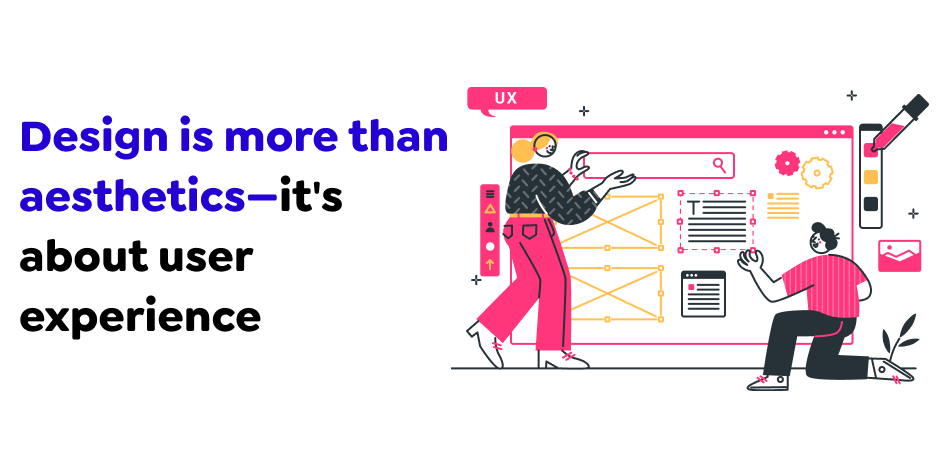
User Interface (UI) makes the application friendly and easy for the user to accomplish his goals. In this case, the main aim is to create a clear flow, thus reducing the hurdles as much as possible. Consider the following during UX design:
A good UX design can maintain users’ attention, so the chances of them deinstalling their apps will be minimal. For example, if it is a fitness app, then easy navigation is significant, and the user is not tested with more than three screens when noting down workouts.
Prototypes are designs or models that depict the application’s layout. They center on how the buttons, images, and text will be aligned without concerning the beauty they represent. This enables you to have the app’s layout and flow of the user in a particular app developed initially.
Concepts are simplified, limited working models that expose stakeholders or developers to the feel of the app before full development. Adobe XD, Sketch, or InVision are typical tools for developing clickable prototypes.
Wireframes and prototypes also eliminate misunderstandings about the actual coding progression at the point when they are most likely to occur.
That is why the UI design defines the appearance of interfaces and conforms to your brand and readability to users. Effective UI design thus enhances not only the look of the app but also its functionality. Here’s what to consider:
For example, a financial app should convey professionalism and trustworthiness through clean, minimalist design, while a gaming app can employ vibrant colors and bold fonts.
Complexity: Creating a good-looking but functional UI/UX can be difficult and require several enhancements.

The app’s backend (server-side) and frontend (client-side) development happen concurrently but focus on different aspects.
Both need to integrate seamlessly for your app to function as intended. For example, an e-commerce app’s backend might handle inventory and payment processing, while the frontend allows users to browse and purchase products.
Choosing the right technology stack is crucial for both performance and scalability. Here are popular tech stacks based on the app type:
Native development is best for creating a high-performance app, mainly when the app includes sophisticated functionality like augmented reality or, for example, games. Hybrid frameworks are suitable for developing simple applications that will be used on manifold layers of OS.
Any mobile application follows third-party APIs, which are the process of connecting to the payment gate, including Stripe, geographical localizations, social networks, etc. This is why designing and building secure and efficient APIs is critical if communication between an application’s front and back end or with external services needs to be seamless.
For example, a ride-sharing application will need payment gateway APIs, Geo-location, and authentication services APIs.
Resource Intensive: Frontend and backend development require professional developers and usually take time.
After the development process, it is time to discuss the testing phase!
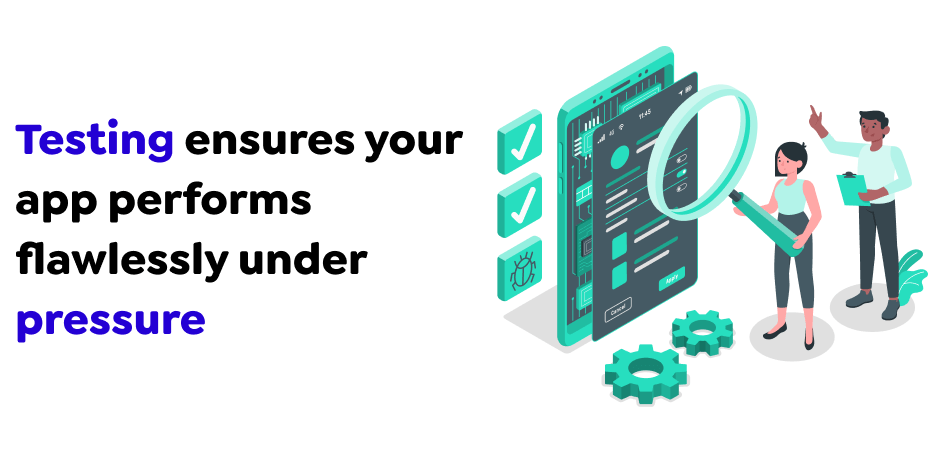
It is a critical stage in the development of mobile applications. It also helps guarantee that an app responds as planned and provides the best user experience. Different types of testing include:
Both manual and automated testing have their place in the iOS and Android app development process:
For example, in an e-commerce application, the bot can test how checkout works on different gadgets with varying operating systems, while the test human can test the general feel of the application.
Once testing uncovers bugs, they must be fixed promptly. Each bug is typically documented, prioritized based on severity, and assigned to developers for fixing. Post-bug fixes and regression testing ensure the changes don’t introduce new issues. Quality assurance (QA) teams often work with development to ensure the app meets technical and user-centric quality standards.
Time and Cost: A high level of testing can also prove costly and time-consuming, mainly if multiple forms and types of platforms are used.
How much does it cost to build a mobile app?
Contact us for inquiries related to the app development process.

It is crucial to read through submission guidelines, especially as many applications get rejected at this stage. Ideally, app owners should always respect the App Store Human Interface Guidelines, Privacy Policies, and Technical Requirements for the Apple App Store. So, for Google Play, no actions violate users’ security and privacy and the use of their data.
Submitting your app involves preparing materials such as:
The app review process may take several days to a week, and the application might be rejected in different stores for various reasons, most often due to failure to conform to the design standards or bugs in the store.
With CI/CD, only testing, building, and deployment can be executed automatically to allow quick updates and fixes. Regarding mobile applications, CI/CD tools such as Bitrise, Jenkins, or CircleCI will assist with deploying new features or an update to production without leaving users uncomfortable.
For instance, a banking application that considers its users’ security may use a CI/CD pipeline to deploy significant security enhancements instantly once they are released.
Rejection Risks: Tight controls over application distribution can result in the app being rejected and, therefore, needing to be resubmitted for release.
Once your app is live, it’s essential to monitor its performance. Use analytics tools like Google Analytics, Firebase, or Mixpanel to gather insights into user behavior, such as:
These insights can guide future updates and help optimize the mobile app for user engagement and retention.
User feedback is invaluable in the post-launch phase. Monitor app reviews and social media channels for suggestions and incorporate them into regular updates. Successful apps, like Instagram, stay competitive by regularly introducing new features and improving usability based on user feedback.
Regular updates address bugs and align your app with changing user needs and expectations, ensuring long-term success.
Ongoing Costs: Sustaining monitoring and improvement operations demands a steady commitment of resources, which may accumulate general costs.
Connect mobile app development company for further enquiry!
Monetization is not something to “decide later”… it belongs inside the mobile app development process from day one. The way an app earns money shapes everything such as features, UX, backend structure, and even how users emotionally connect with it.
If revenue is unclear, the product usually becomes unclear too. A strong monetisation plan makes sure your investment in mobile app development translates into long-term business value (not just installs… or empty metrics).
Most apps fail quietly. Not because the UI is bad. But because the business logic was never designed properly. When monetisation is planned early in the app development lifecycle:
Monetisation is not finance. It is product strategy. That shift in thinking matters.
Here are some common app monetisation models, but there is no universal best model. What works for one category breaks another. The choice depends on your audience, competition, and long-term vision.
Users download the app for free. Premium features unlock after payment. Simple idea… tricky execution. Works well for productivity tools, SaaS apps, fitness platforms, and learning apps.
But free users must still feel value, otherwise, upgrades never happen.
Users pay monthly or yearly for continued access. This model dominates modern mobile application development for content and services. Best suited for streaming, media, enterprise tools, and digital services.
The challenge is retention.
No value → no renewal → no business.
Users buy virtual items, add-ons, or premium content inside the app. This model fits gaming, social platforms, and skill-based learning apps.
But overload it with offers… and UX starts feeling transactional.
Revenue comes from ads. Display ads. Native ads. Video ads. Works best for utility apps and content platforms with heavy traffic.
Downside?
Too many ads kill engagement. Subtlety matters.
Users pay before downloading. Straightforward. Risky. Usually works for niche tools or professional utilities.
But user acquisition becomes harder. Trust becomes critical.
Now the question is how to choose the right monetisation model.
So, there is no formula. Only alignment. The right model depends on audience behaviour, app category, competitive pressure, business goals, and scaling plans. Many apps use hybrid models such as Freemium + subscriptions and Ads + in-app purchases.
A strong monetisation strategy makes your app commercially real. It connects features to revenue. UX to business goals. Users to sustainability.
In a complete mobile app development process, monetisation is not the last step. It is a structural phase.
Launch planning should be part of the mobile app development process, not something added at the end. It defines who the app is for, how it will be positioned, and what problem it will highlight first. When this phase is planned early, product features, branding, and messaging move in the same direction. Marketing stops being promotional noise and becomes structured positioning.
Pre-launch is about creating awareness before the app is publicly available. This stage usually includes early sign-ups, beta users, and teaser communication. It helps validate whether the idea attracts real interest and whether the message is clear enough for the target audience. Pre-launch also reduces risk, because feedback arrives before full-scale promotion begins.
ASO improves how easily users can find the app in stores. It focuses on the app title, description, keywords, visuals, and reviews. This step should align with product naming and feature language used during mobile application development. A well-planned ASO strategy increases discoverability and improves conversion without relying only on paid marketing.
A soft launch releases the app in limited regions or to a small audience. It allows teams to collect real user feedback, identify bugs, and observe behaviour patterns. A full launch follows once performance and usability are validated. This phased approach reduces market risk and protects brand credibility.
User acquisition depends on where the target audience spends time. Channels may include search platforms, social media, content marketing, paid advertising, or influencer outreach. Selection should be based on user behaviour rather than assumptions. In a structured app development strategy, distribution planning is treated as seriously as feature planning.
Launch success must be measured, not guessed. Metrics such as installs, retention, acquisition cost, and engagement show whether the app is resonating with users. These numbers guide marketing adjustments, feature priorities, and budget allocation. Launch becomes an iterative phase rather than a one-time event.
Branding defines how the app is perceived. It includes naming, tone, visual identity, and value proposition. Messaging must explain what problem the app solves and why it is different from competitors. Strong branding improves recall and builds trust, especially in crowded app categories.
Growth planning ensures the app does not lose momentum after release. This phase focuses on feature updates, retention campaigns, and feedback-driven improvements. Continuous iteration helps the product grow with user needs and market changes.
Launch and marketing planning connect the product to its users. In a complete mobile app development process, this phase is planned early, executed deliberately, and refined continuously. Without structured launch planning, even a well-built app struggles to gain visibility and long-term adoption.
Mobile app development process is an innovative and complex method carried through many phases. By reading through this guide to its every point, you can successfully manage all the stages and create innovative apps with the support of an app development company that are not only in demand but also beloved by users. Whether or not you’re making a basic essentialism for everyday use or a highly-specialized solution for businesses, constant consideration of the user, constant striving for quality, and being ready to incorporate the new possibilities of new technologies are the keys to success.
Get in touch with Techugo to know more!

Each package that goes out in Saudi Arabia or Dubai carries more than just goods. It carries expectations of speed, of accuracy, of a smooth digital e..


As we all know, the Middle East is now heavily investing in digital communities. In Qatar, people are connected, mobile-first, and the government is d..



Write Us
sales@techugo.comOr fill this form












